

1. For all new posts
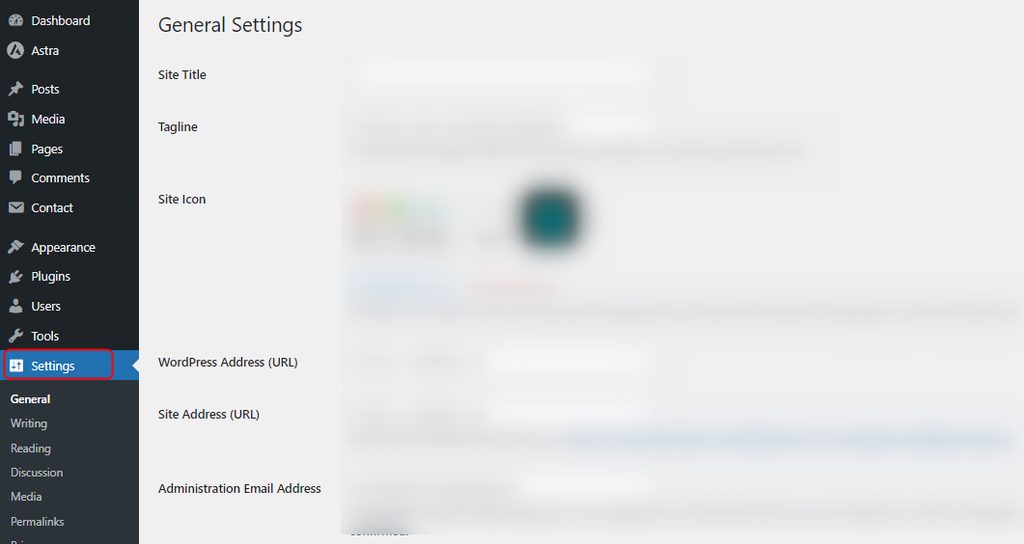
- Log in to the dashboard. Go to Settings, then Discussion.
- Tick Allow people to submit comments on new posts to turn comments on. Untick it to turn them off.
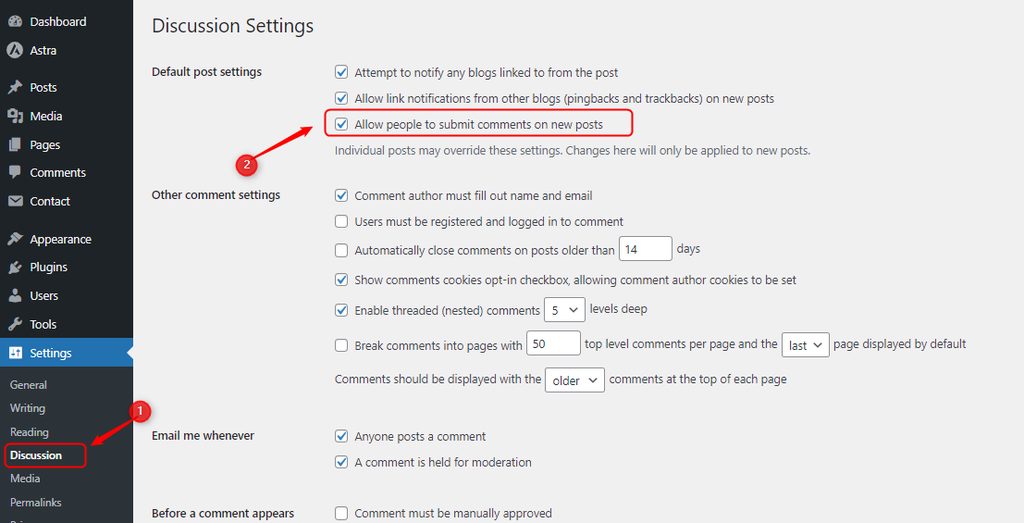
- Click Save Changes.
This changes new posts only. Old posts keep their own setting.
2. For one post you are editing
- Go to Posts, then All Posts. Open the post.
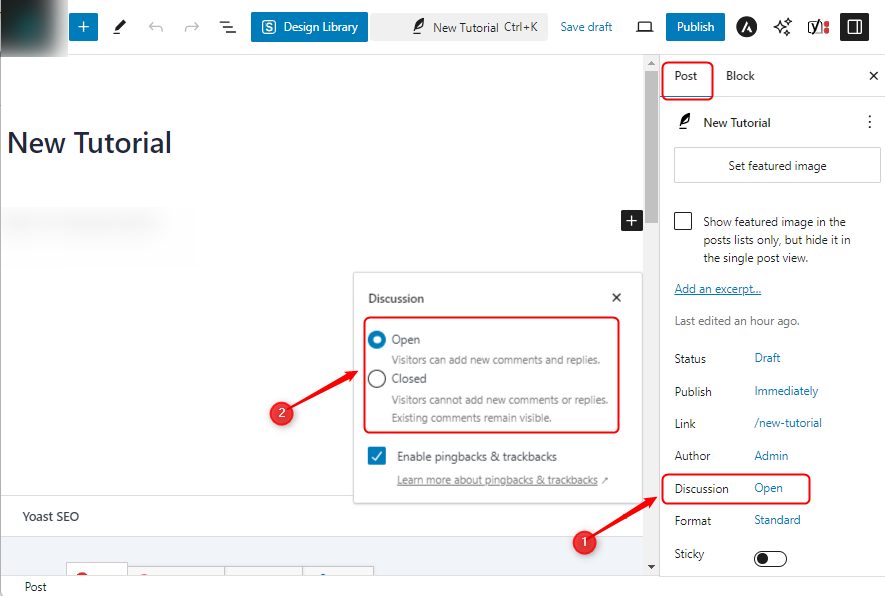
- In the post settings (the Discussion panel), tick or untick Allow comments.
- Click Update.
If you do not see the Discussion panel, click Screen Options at the top right and tick Discussion.
3. For all existing posts
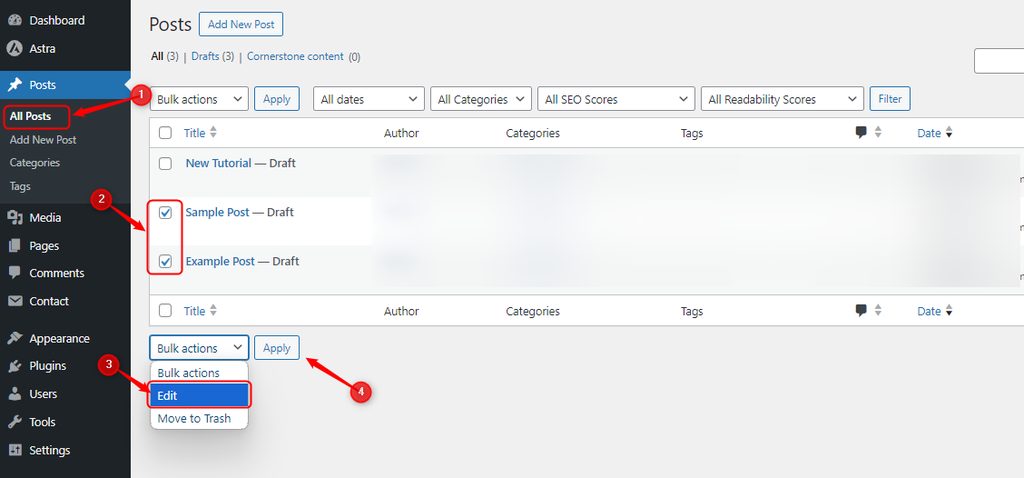
- Go to Posts, then All Posts. Select all posts with the check box at the top.
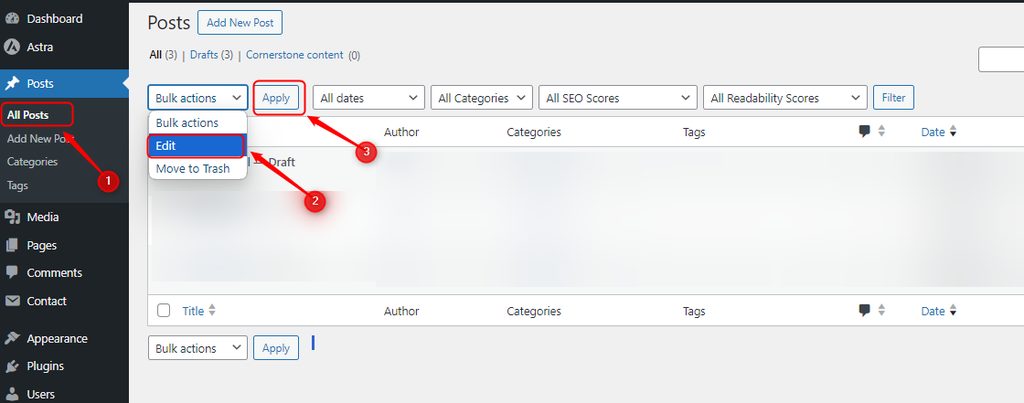
- Choose Edit in the Bulk actions menu and click Apply.
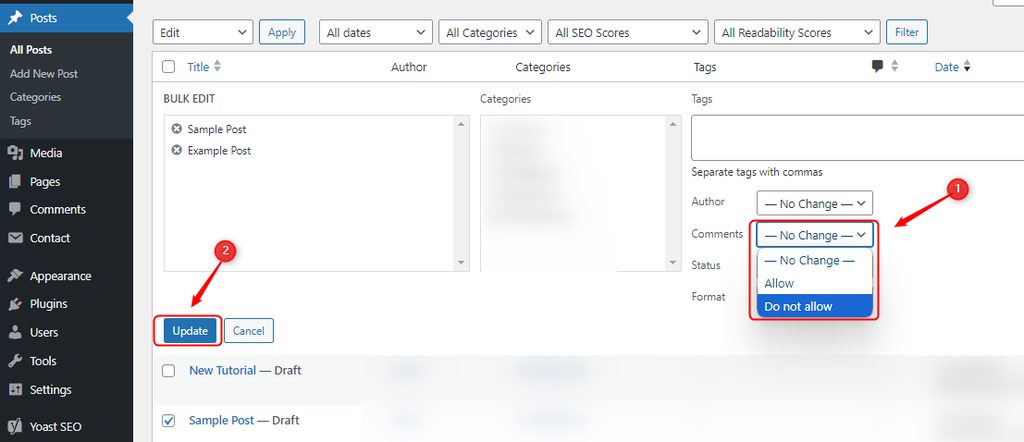
- In the Comments dropdown, choose Allow or Do not allow. Click Update.
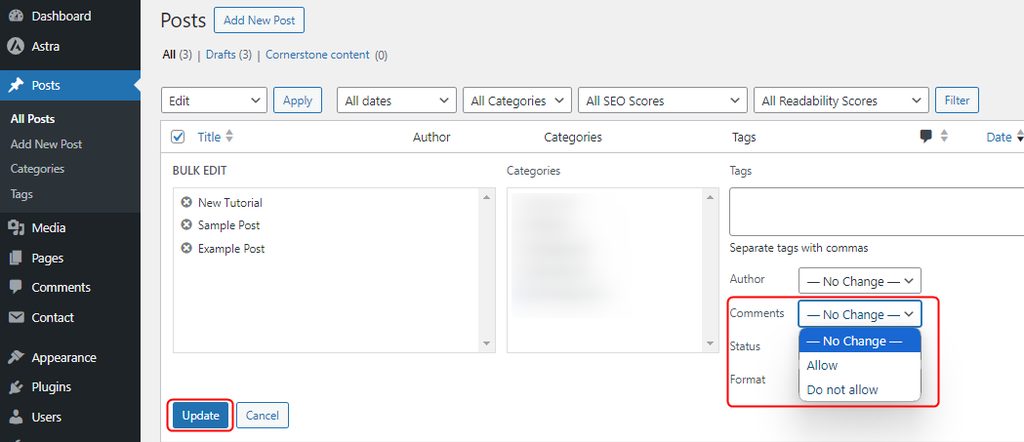
This changes every post on the current page of the list. Use Screen Options to show more posts per page, or repeat for the next pages.
4. For several chosen posts
Tick only the posts you want, then use the same Bulk actions, then Edit. You can also use Quick Edit under one post, and set Comments to Open or Closed.
5. For media files
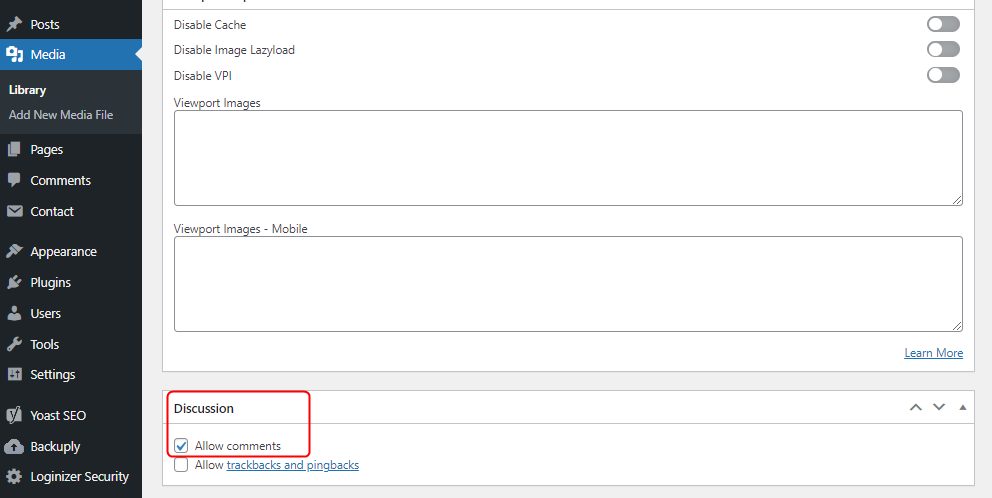
WordPress can allow comments on the page of an uploaded file.
- Go to Media, then Library, and open the file.
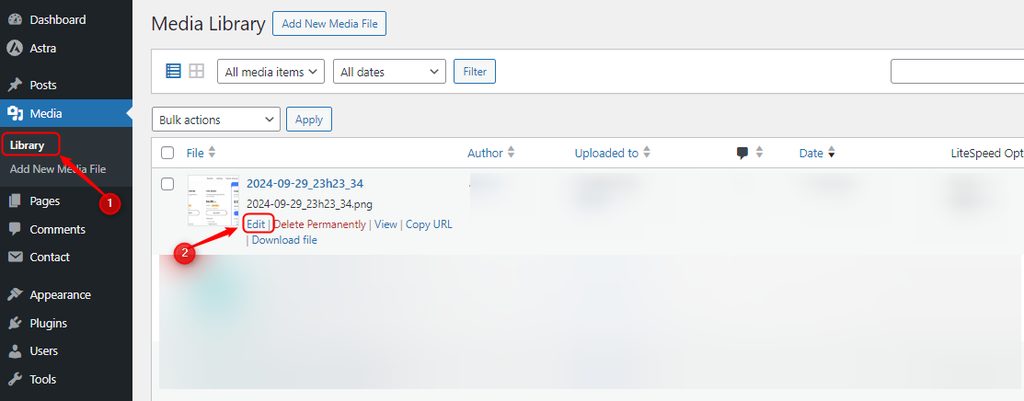
- In the Discussion panel, tick or untick Allow comments, and save.
Good to know
- Pages have their own comment setting, just like posts.
- Spam is a common reason to close comments. Keep them on with a spam filter such as Akismet and moderation if you want the discussion.
Quick recap
- Settings, then Discussion controls new posts.
- Bulk edit changes many old posts at once.
- Posts and media have their own setting.