

Why connect them
- Join data from several places in one sheet.
- Use the Sheets tools for analysis and MySQL for large, structured data.
- Remove manual copying and the mistakes that come with it.
- Keep a report up to date with the newest data.
There are two ways: Google Apps Script, or a third-party tool.
Method 1: Google Apps Script
You need:
- A Google Sheet
- A MySQL server that is reachable from the internet, with a table that has data
- Basic knowledge of JavaScript
Note: Apps Script connects from Google servers. Allow remote MySQL access for those addresses (or your hosting firewall). Use a MySQL user with only the rights it needs.
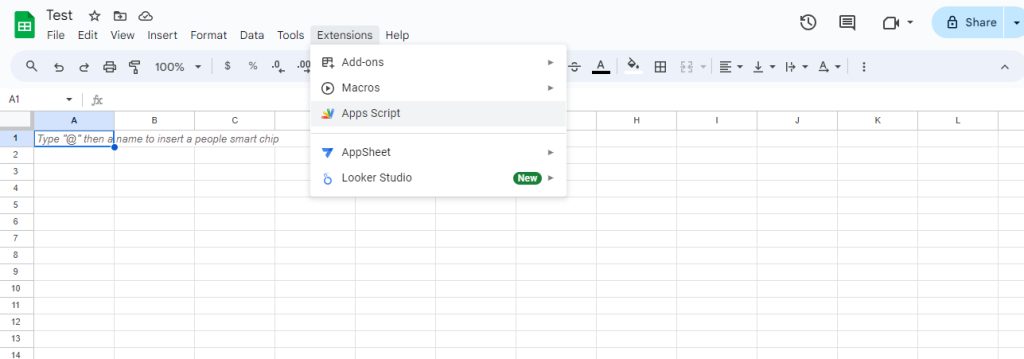
- Open the sheet and go to Extensions, then Apps Script.
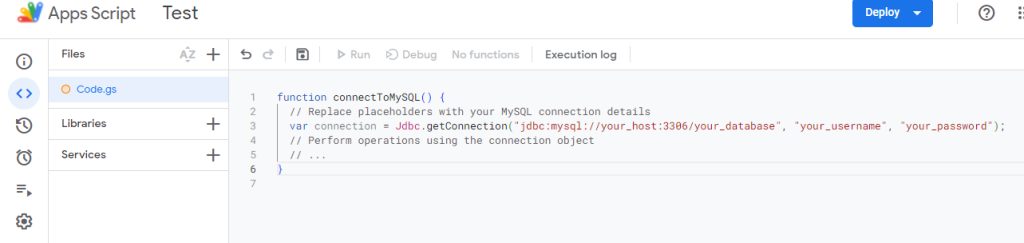
- Replace the default code with this. Edit the placeholders with your host, database, user and password:
function connectToMySQL() {
  var connection = Jdbc.getConnection("jdbc:mysql://your_host:3306/your_database", "your_username", "your_password");
  // Perform operations using the connection object
}
- Save the project with a clear name, such as
MySQLConnector. - To read a table into the sheet, add a function like this:
function fetchDataFromMySQL() {
  var connection = Jdbc.getConnection("jdbc:mysql://your_host:3306/your_database", "your_username", "your_password");
  var statement = connection.createStatement();
  var resultSet = statement.executeQuery("SELECT * FROM your_table");
  var sheet = SpreadsheetApp.getActiveSheet();
  var data = [];
  while (resultSet.next()) {
    data.push([resultSet.getString(1), resultSet.getString(2)]); // match your columns
  }
  sheet.getRange(1, 1, data.length, data[0].length).setValues(data);
  connection.close();
}- To refresh the data on a change, add a trigger function:
function onEdit(e) {
  if (e.range.getA1Notation() === "A1") { // change the trigger cell as you need
    fetchDataFromMySQL();
  }
}
For an onEdit that calls services that need sign-in, create an installable trigger under Triggers in the Apps Script menu. For a regular refresh, use a time-driven trigger.
- Click Run and approve the permissions when Google asks.
Method 2: Third-party tools
These tools need no code:
- Zapier builds automated workflows between apps.
- Make (formerly Integromat) has a visual builder.
- Coupler.io is made for moving data from cloud apps to sheets.
Steps:
- Create an account with the tool.
- Allow it to access your Google Sheet and your MySQL database.
- Set the trigger and the action that moves the data.
- Map the sheet columns to the database columns.
- Run a test and check the data on both sides.
Security
- Do not leave the database password in plain text in a shared script. Use the script properties of Apps Script.
- Give the MySQL user the lowest rights it needs.
- Limit who can open the sheet and the script.
Quick recap
- Apps Script uses
Jdbc.getConnectionto reach MySQL. - No-code tools such as Zapier, Make and Coupler.io are easier.
- Protect the credentials.