

Prepare the CSV file
- The first row should hold the column names (or you skip it when you import).
- Use one separator for all rows (comma, semicolon or tab).
- Save the file as UTF-8.
- Make sure the number and the order of the columns match the table, and that the data types fit.
- Create the database and the table first.
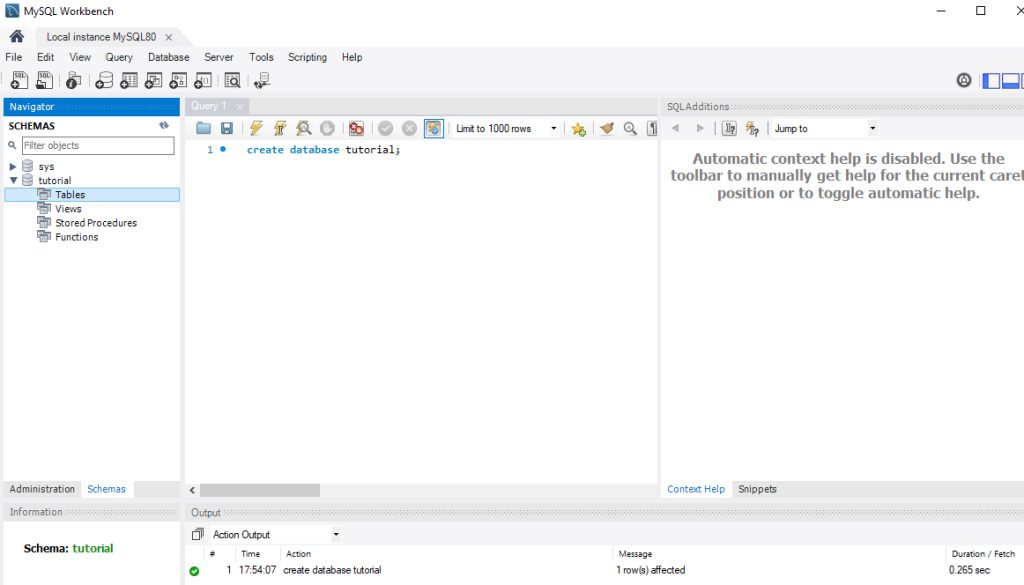
Method 1: MySQL Workbench
- Open MySQL Workbench and connect to your database.
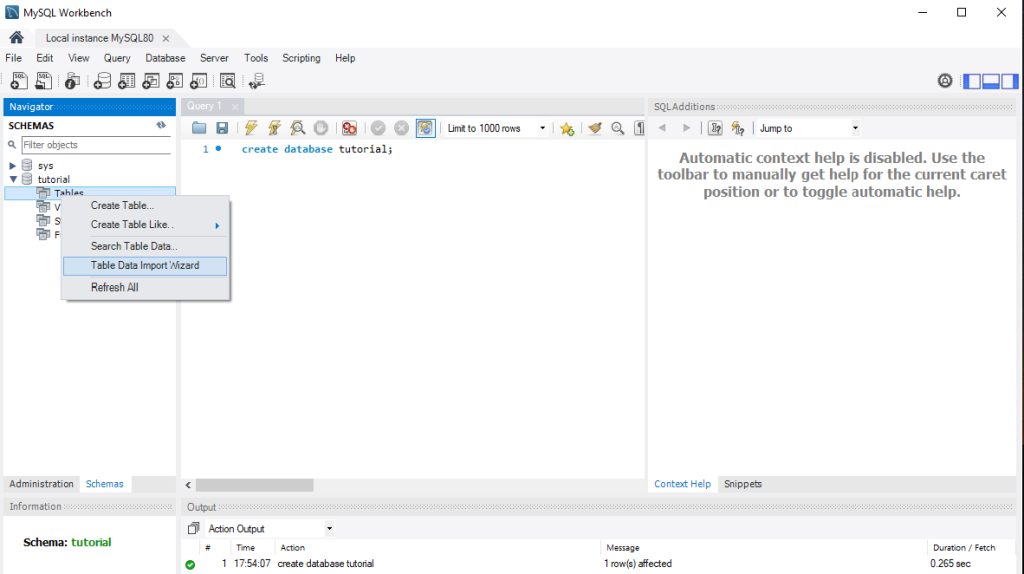
- In the navigator, right-click the table and choose Table Data Import Wizard.
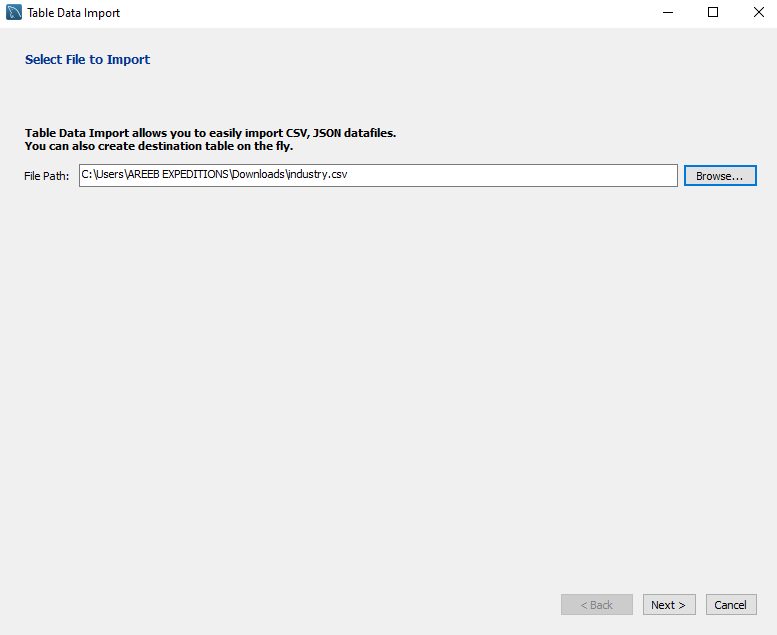
- Click Browse and choose your CSV file.
- Choose to import into an existing table, and set the import options, such as the field separator and encoding.
- Match each CSV column to a column of the table.
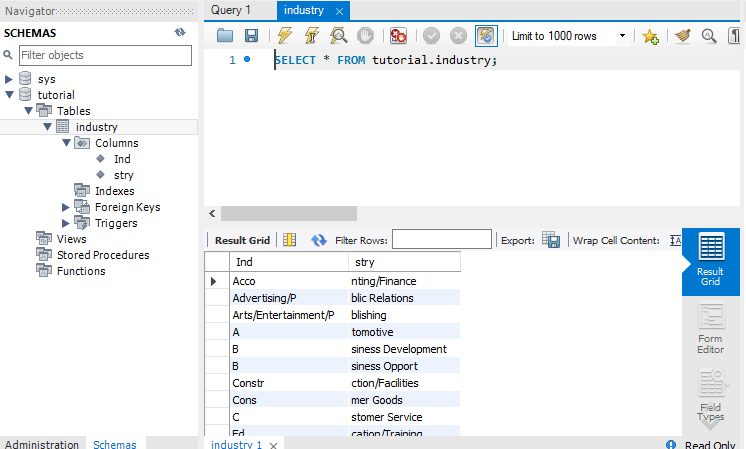
- Click Next to start the import. Watch the progress and read the result.
Method 2: phpMyAdmin
- Log in to phpMyAdmin and select the database.
- Click the table you want to fill.
- Click Import at the top.
- Click Choose File and pick your CSV file.
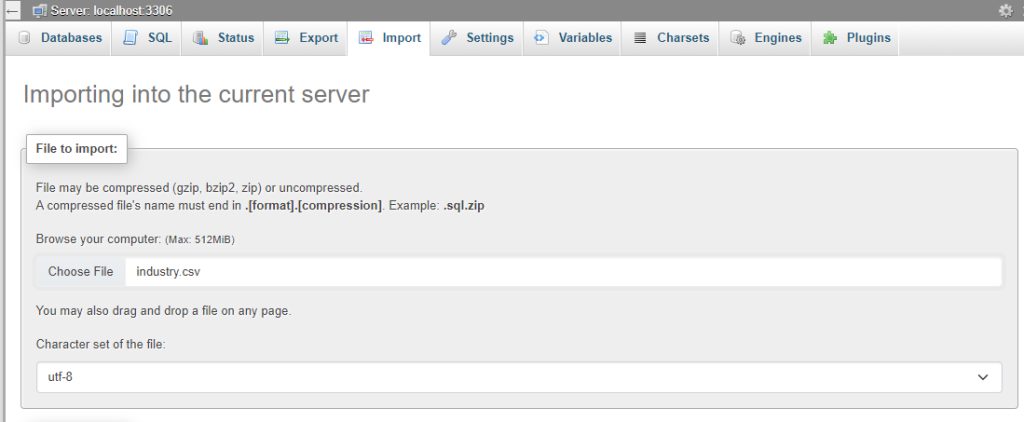
- Under Format, choose CSV. Set the column separator, the enclosure and the escape character. Tick or untick "The first line of the file contains the table column names", as needed.
- Click Import at the bottom.
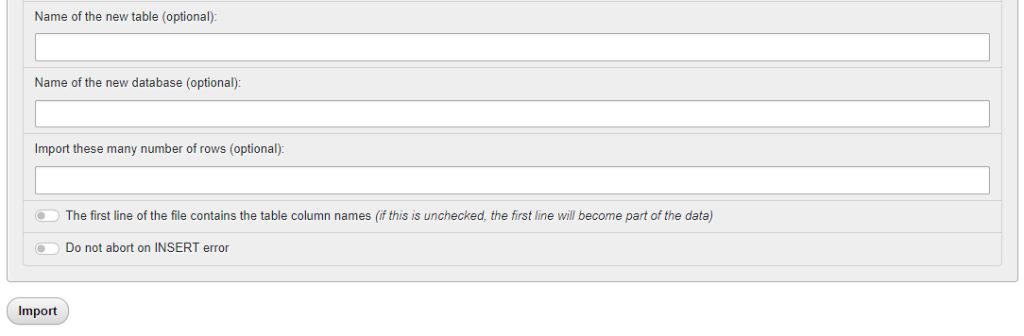
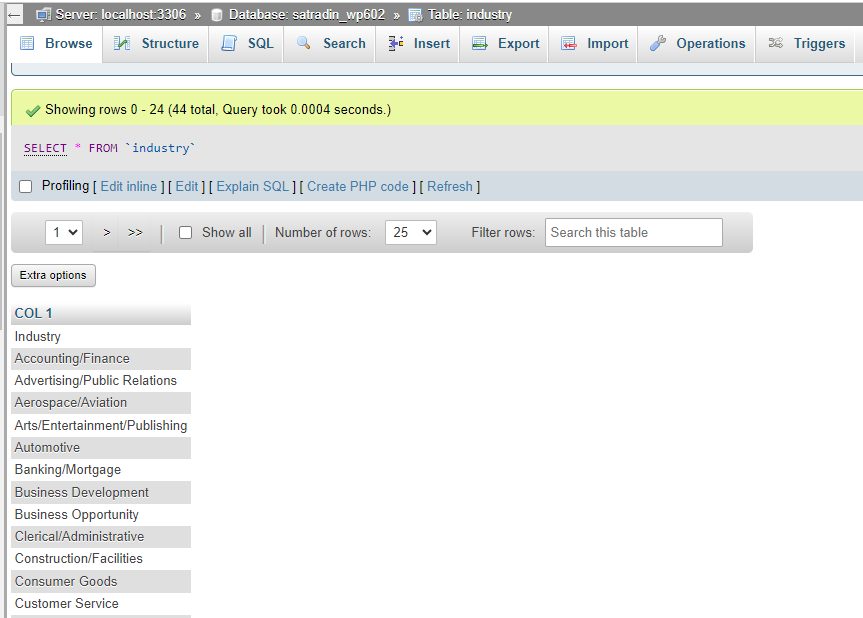
- A success message shows how many rows were imported.
Method 3: LOAD DATA INFILE
- Connect with the
mysqlclient. - Run:
LOAD DATA INFILE '/path/to/your/file.csv'
INTO TABLE your_table_name
FIELDS TERMINATED BY ','
ENCLOSED BY '"'
LINES TERMINATED BY '\n'
IGNORE 1 ROWS;
FIELDS TERMINATED BY ','sets the separator.ENCLOSED BY '"'handles text in quotes.IGNORE 1 ROWSskips the header row.
If the server says the secure-file-priv option blocks the load, put the file in the folder shown by SHOW VARIABLES LIKE 'secure_file_priv'; or use the LOCAL form from your own computer:
LOAD DATA LOCAL INFILE '/path/to/your/file.csv' INTO TABLE your_table_name FIELDS TERMINATED BY ',' ENCLOSED BY '"' LINES TERMINATED BY '\n' IGNORE 1 ROWS;LOCAL must be allowed on both the client and the server.
Check the result
SELECT COUNT(*) FROM your_table_name;
SELECT * FROM your_table_name LIMIT 10;
Quick recap
- Prepare a clean UTF-8 CSV and create the table first.
- Workbench and phpMyAdmin are the easiest.
LOAD DATA INFILEis the fastest for big files.