

Step 1: Download SQLite
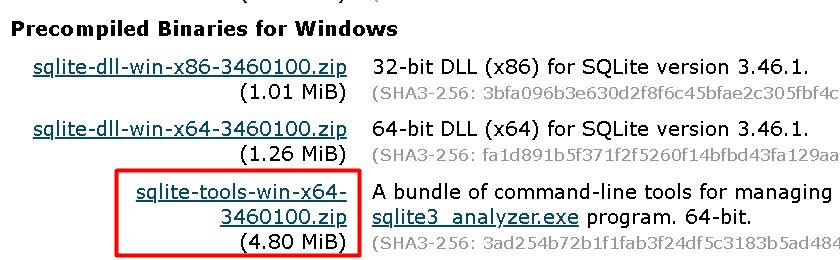
Open the SQLite download page and download the sqlite-tools zip for Windows.
Step 2: Extract the files
Extract the zip to a folder, for example your Desktop in a folder named SQLite. It contains three tools:
sqlite3.exeis the command-line shell for running SQL.sqldiff.execompares two SQLite databases.sqlite3_analyzer.exeshows how space is used inside a database.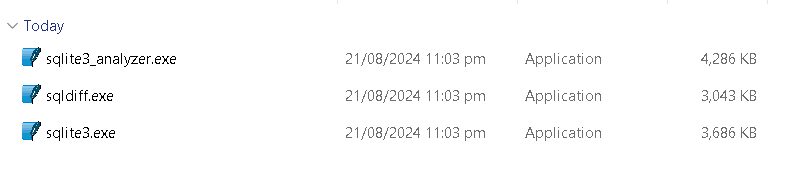
Step 3: Run SQLite from Command Prompt
- Open Command Prompt.
- Go to the folder with the files:
cd Desktop\SQLite- Start the shell:
sqlite3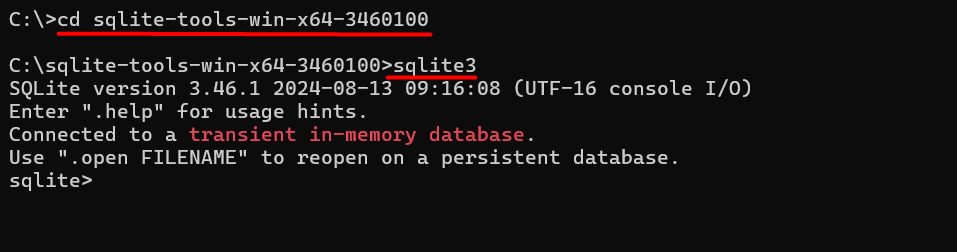
Use the shell
- Open or create a database:
.open database_name - Create a table:
CREATE TABLE table_name (column1, column2); - Insert data:
INSERT INTO table_name (column1, column2) VALUES (value1, value2); - Read data:
SELECT * FROM table_name;
To see all shell commands:
.help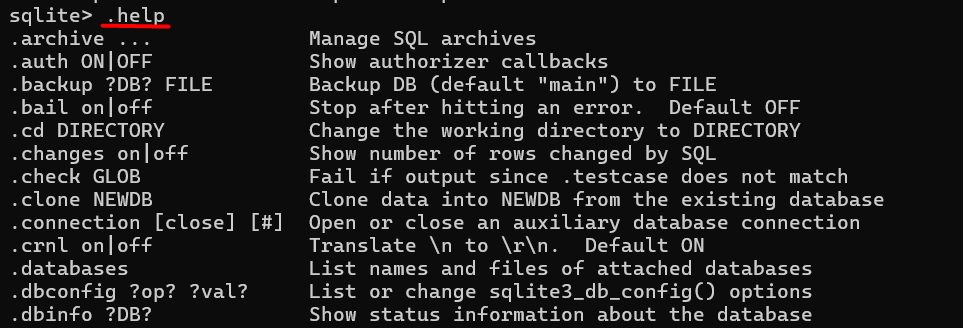
To leave:
.quitTip: Add the SQLite folder to your Path variable to run
sqlite3 from any folder.Main features of SQLite
- Serverless. No database server is needed.
- No setup. It works as soon as it is extracted.
- One file. A database is a single file.
- Reliable. Transactions follow ACID rules.
- Small. It uses very little disk and memory.
Quick recap
- Download the sqlite-tools zip and extract it.
- Open Command Prompt in that folder and run
sqlite3. - Use
.helpfor commands and.quitto exit.