

What the code is
The authorization code (also called EPP code or auth code) is a secret that proves you own the domain. The new registrar asks for it when you transfer your domain.
Steps
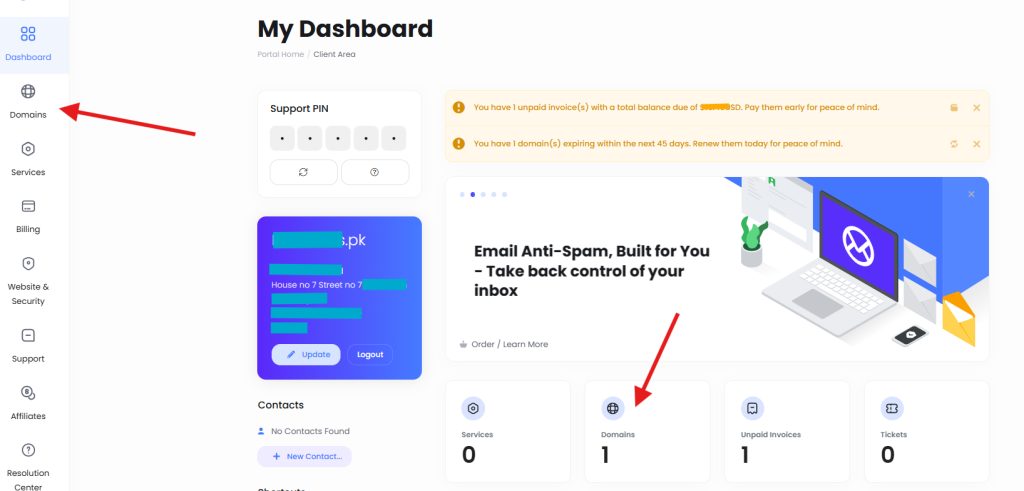
- Sign in to your Hostvento client area and open the Domains section.
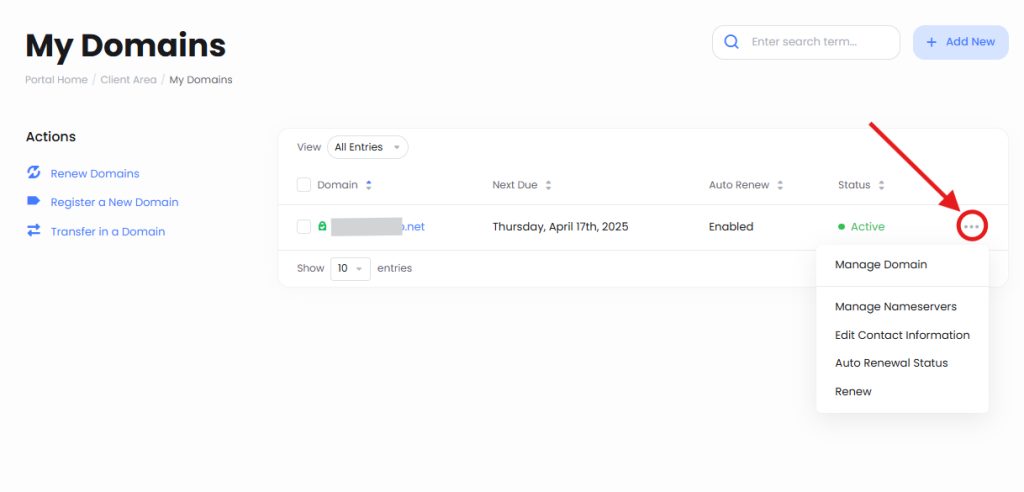
- On the My Domains page, find the domain. Click the three-dot menu or Manage Domain next to it.
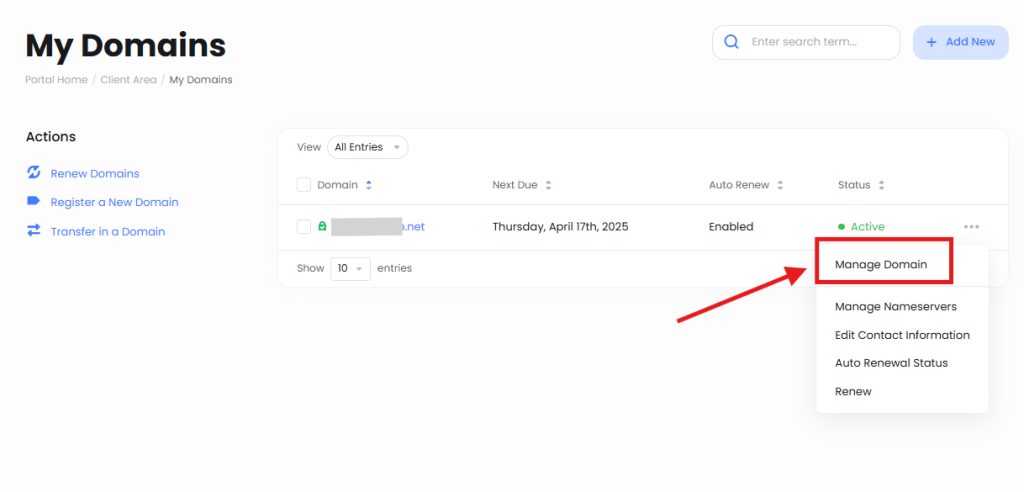
- Select Manage Domain.
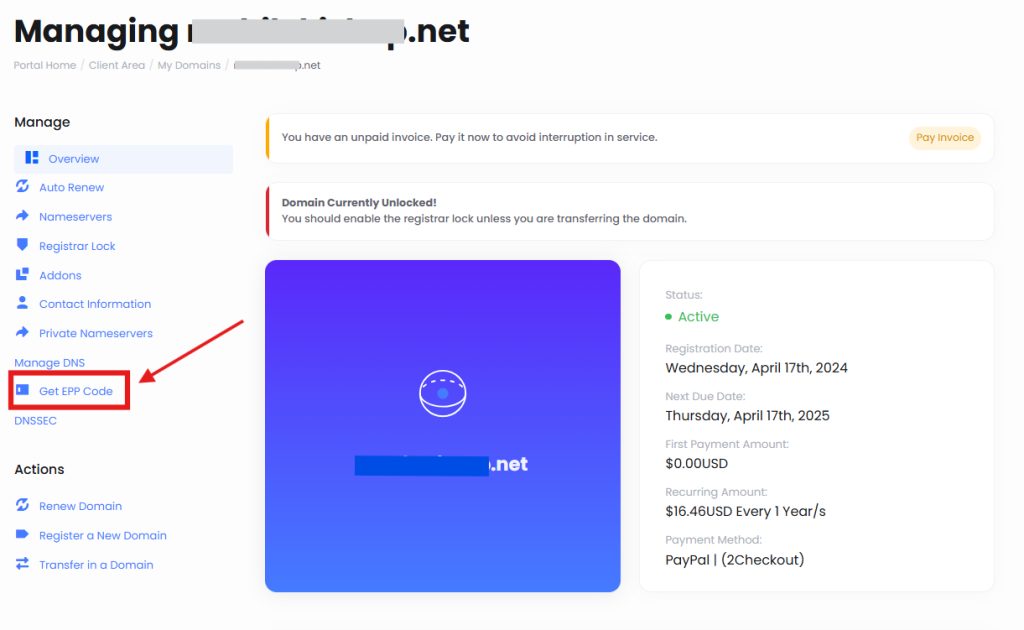
- On the domain page, click Get EPP Code.
- A message confirms that the authorization code was sent to the email address of the domain registrant.
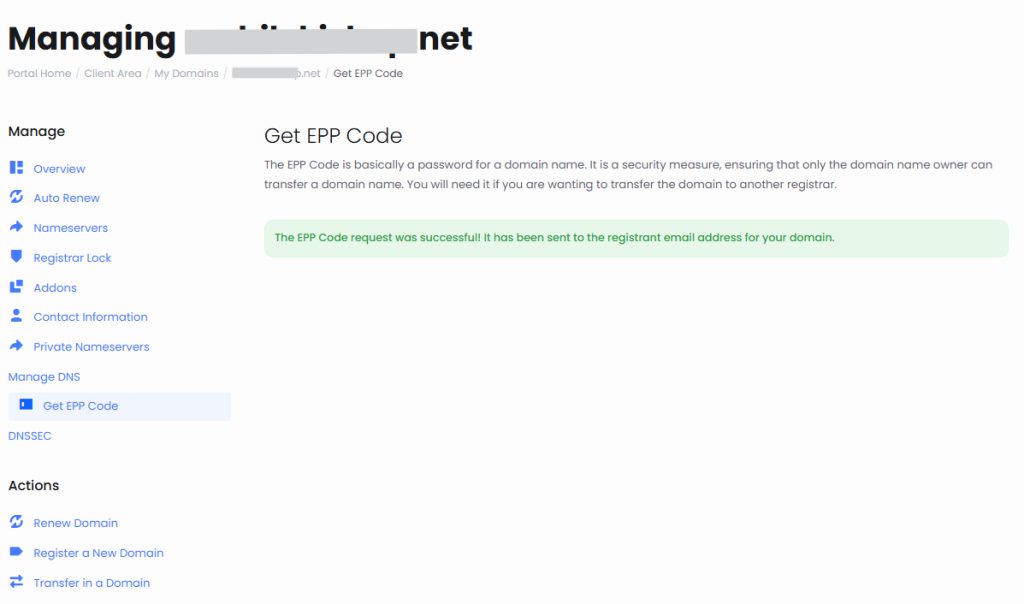
- Open that email and copy the code. Give it to the new registrar when you start the transfer.
Note: Menu names can differ a little. If you cannot find the option, open a ticket with Hostvento support.
Before you transfer
- Unlock the domain (see our guide on domain locking).
- Make sure the registrant email address is right, because the code goes there.
- A domain usually cannot be transferred in the first 60 days after registration, or after a recent transfer.
- Do not let the domain expire while the transfer runs.
Quick recap
- Client area, Domains, Manage Domain, Get EPP Code.
- The code arrives by email at the registrant address.
- Unlock the domain before you transfer.