

What the error means
When an email bounces with 550 No Such User Here, the receiving server says that no mailbox exists for that address.
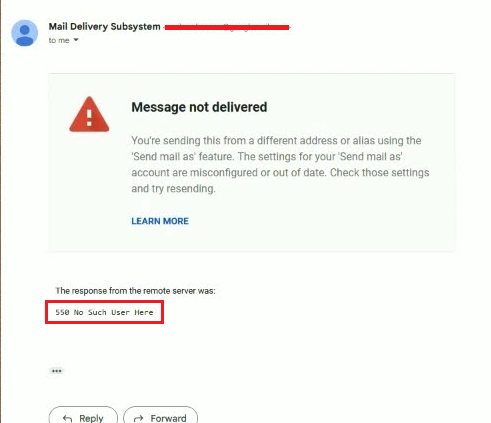
Common causes:
- A typo in the address, even a single wrong letter.
- The person gave you a wrong address.
- The mailbox was deleted or disabled by the administrator.
- A short network or DNS problem while the mail was sent.
Fix it
1. Check the address
Read the address again, letter by letter. Ask the recipient to confirm it, or send them a short message in another way.
2. Check the settings of the email provider
If the mailbox is yours, log in to your email control panel and check that the account exists and is not suspended.
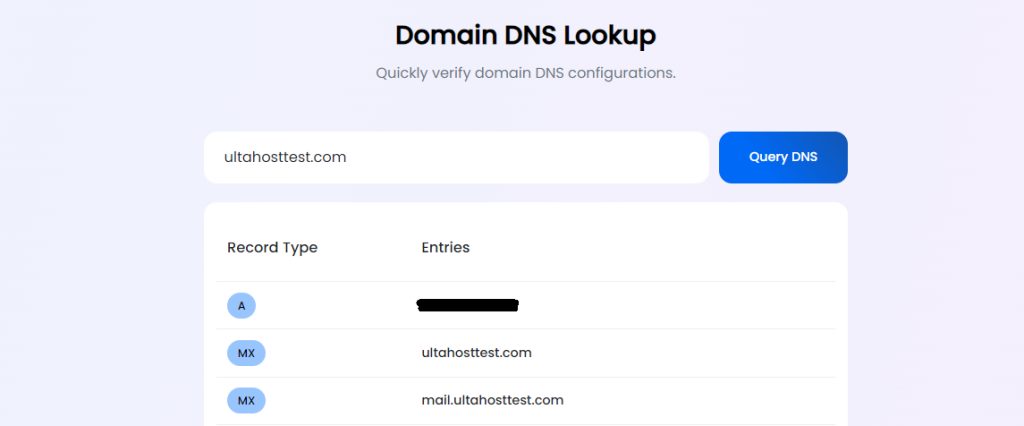
3. Check the MX records of the domain
The MX records tell the world which server receives mail for a domain. If they are wrong, mail goes to the wrong server, which does not know your user.
- Open a terminal or Command Prompt.
- Run (replace
example.com):
dig -t mx example.com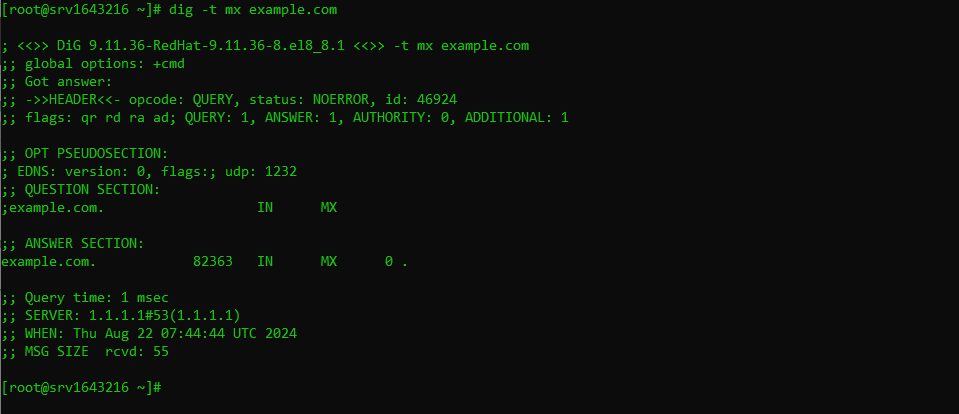
On Windows without dig, use nslookup -type=mx example.com.
- The result lists each record with:
- Priority. A lower number is used first.
- Mail exchanger. The host name of the mail server. - Compare the records with the ones your email provider gives you. Fix them in the DNS zone of the domain if they differ.
4. Try a different way
Send the message from another email provider. If it works, the problem is with your first account or its server.
Good habits
- Do not send mail to long lists with old addresses. Many bounces hurt your sender reputation.
- Clean your mailing lists from time to time.
- Use a reliable mail app.
Quick recap
- 550 No Such User Here means the mailbox does not exist on that server.
- Check the address, the account and the MX records.
- Correct the DNS if the MX records point to the wrong server.