

What is this about?
SMTP is the system servers use to send email. It is like the postal service for email. Outbound means going out from your server to other servers.
CSF is ConfigServer Security and Firewall. A firewall is a guard that decides which connections may pass. CSF is a popular firewall for servers with WHM and cPanel. WHM is the control panel for the server owner. Customers with a VPS or dedicated server have root access, which is full control of the server.
Sometimes CSF blocks outgoing SMTP. Then emails from your website or a mail program fail to send. Typical ports are 25, 465 and 587. A port is like a numbered door on the server.
Steps in WHM
- Log in to WHM as
root.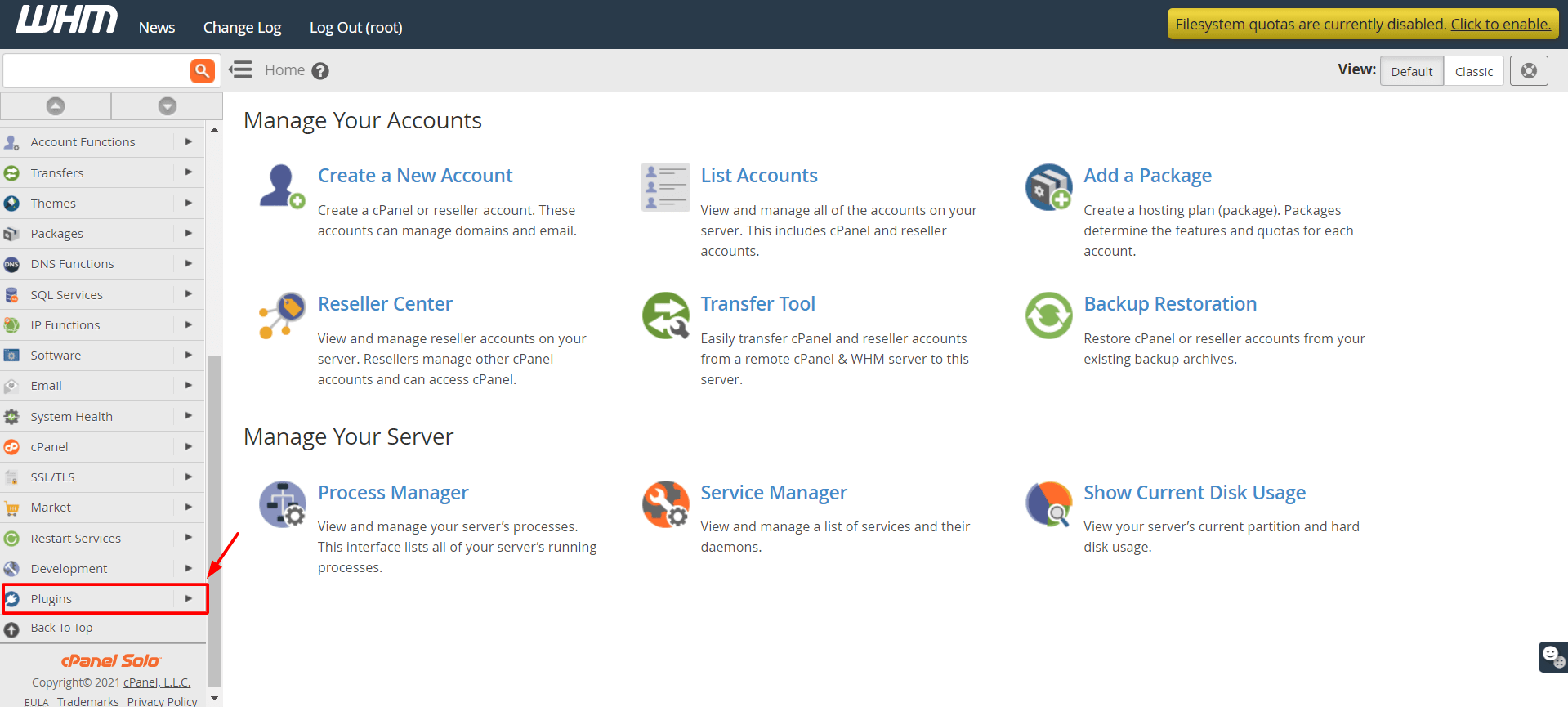
- In the search box on the left, type
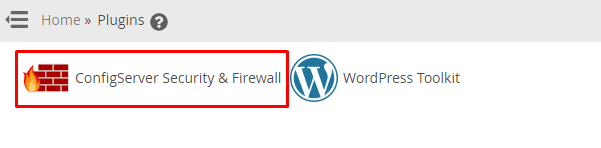
CSF. - Click ConfigServer Security & Firewall.
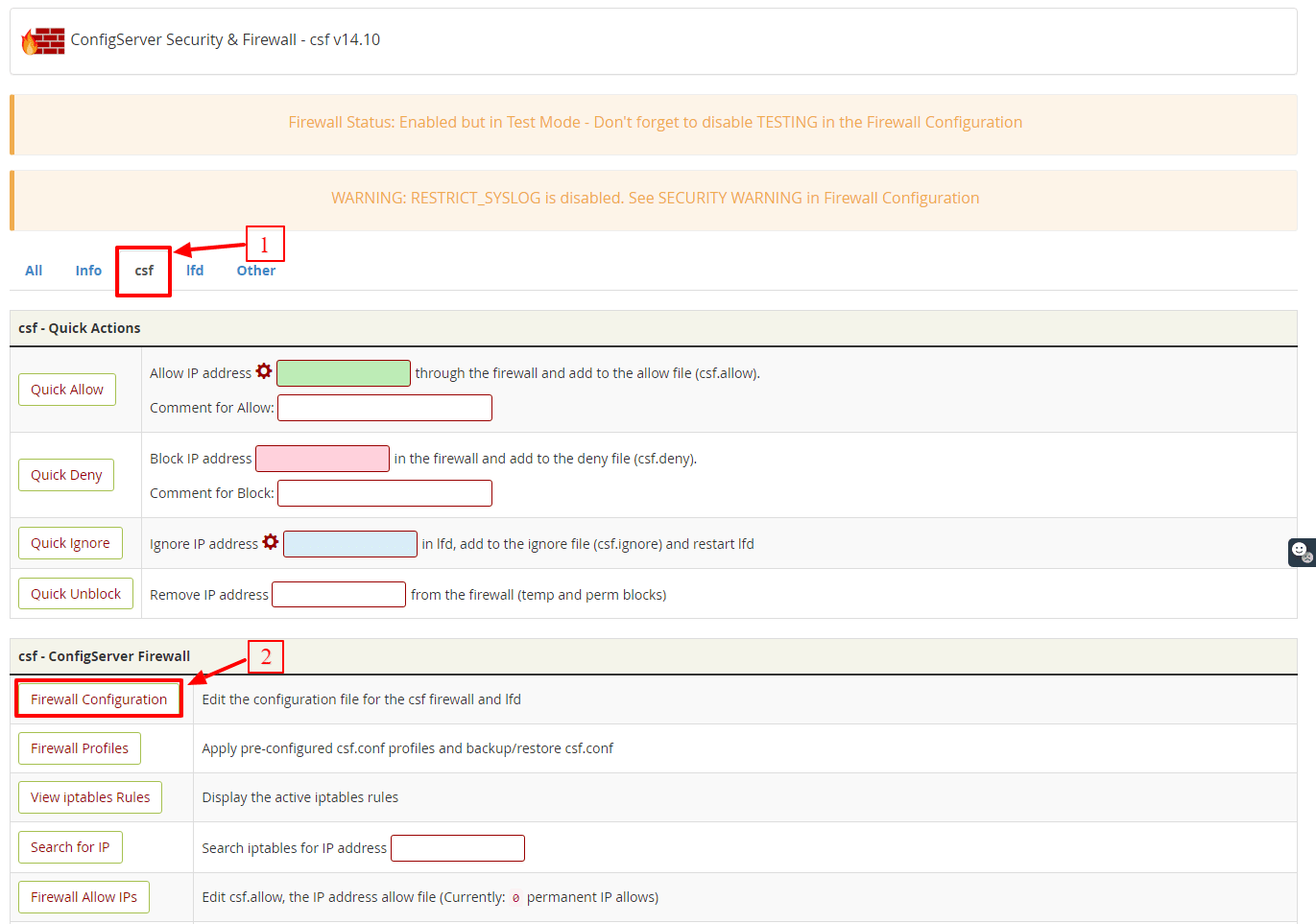
- Click Firewall Configuration.
- Find the line
TCP_OUT. - Check that the list contains
25,465and587. Add any missing number, separated by commas. - Scroll down to SMTP_BLOCK. If it is set to
1, SMTP is limited to certain users. Set it to0to switch the block off.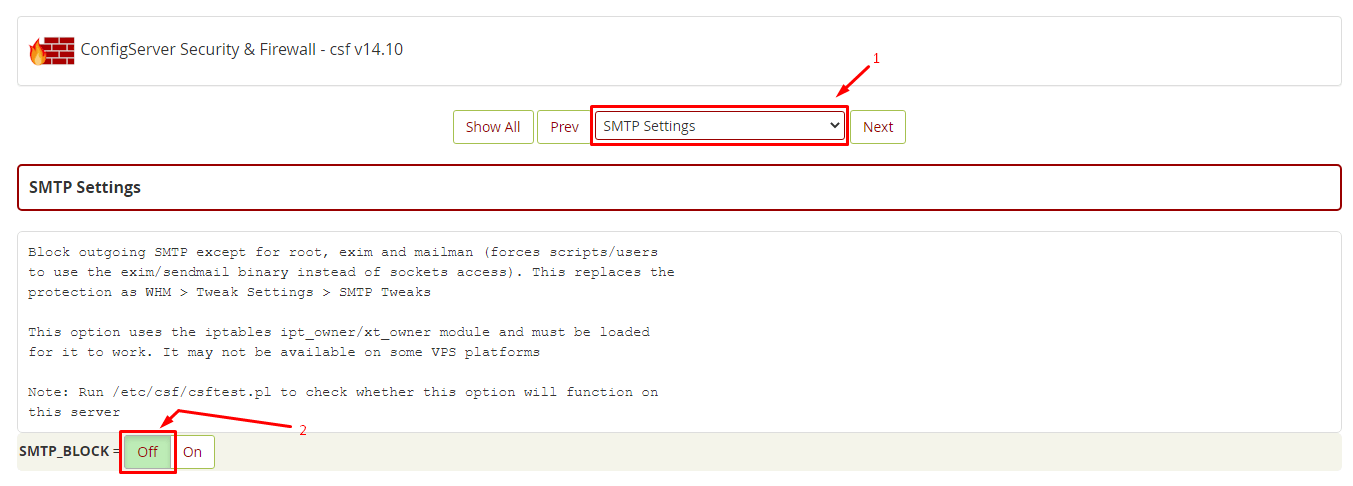
- Scroll to the bottom and click Change.
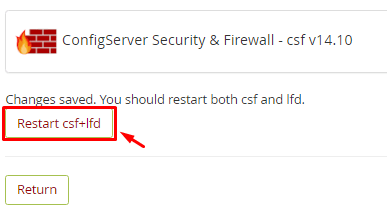
- Click Restart csf+lfd.
/etc/csf/csf.conf first. A wrong change can lock you out of the server. Keep your own IP address allowed in CSF.Steps on the command line
- Connect to the server over SSH as root. SSH is a secure way to type commands on a server.
- Make a backup copy:
cp /etc/csf/csf.conf /etc/csf/csf.conf.bakThis saves a safe copy of your settings.
- Open the file with a text editor:
nano /etc/csf/csf.conf- Edit the
TCP_OUTline and theSMTP_BLOCKline, then save. - Restart CSF:
csf -rThis reloads the firewall with your new rules.
Test it
Send a test email from your site or mail program. You can also check the port from the server:
telnet smtp.example.com 587If you see a reply starting with 220, the port is open.
Quick recap
- SMTP sends email, and CSF can block it.
- Add 25, 465 and 587 to
TCP_OUT. - Check
SMTP_BLOCK. - Back up the config, save and restart CSF.
- Test with a real email.