

What is this for?
CSF is a firewall add-on for servers that run WHM, the admin panel for the whole server. A firewall is a guard that decides who may enter. CSF can block whole countries. It does this with country codes. A country code is a two-letter short name, like US for the United States or IN for India.
Some people block countries where they have no customers but see many attacks.
Warning: Blocking a country also blocks real visitors from there. It may block search engine bots or payment services. Take a backup of your CSF settings first. Do not block your own country.
Before you start
- You need root access.
- CSF must be installed. Ask Hostvento support if you are not sure.
- You need a free MaxMind GeoLite database, which CSF uses to know where an IP address is from. Newer versions of CSF may ask you to add a MaxMind licence key in the settings.
Steps
- Log in to WHM as root.
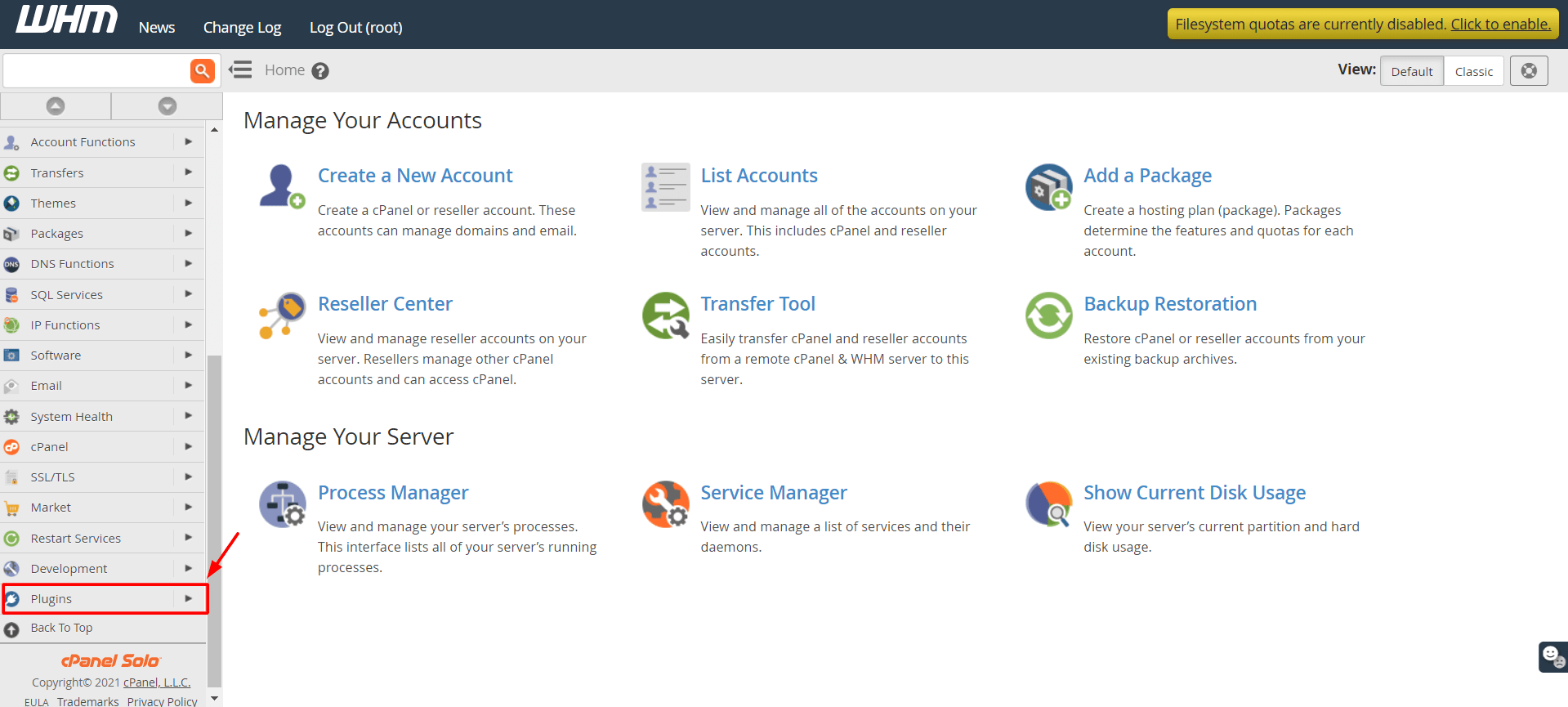
- Type CSF in the search box.
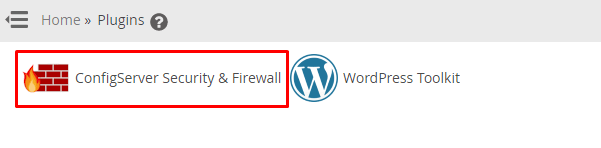
- Click ConfigServer Security & Firewall.
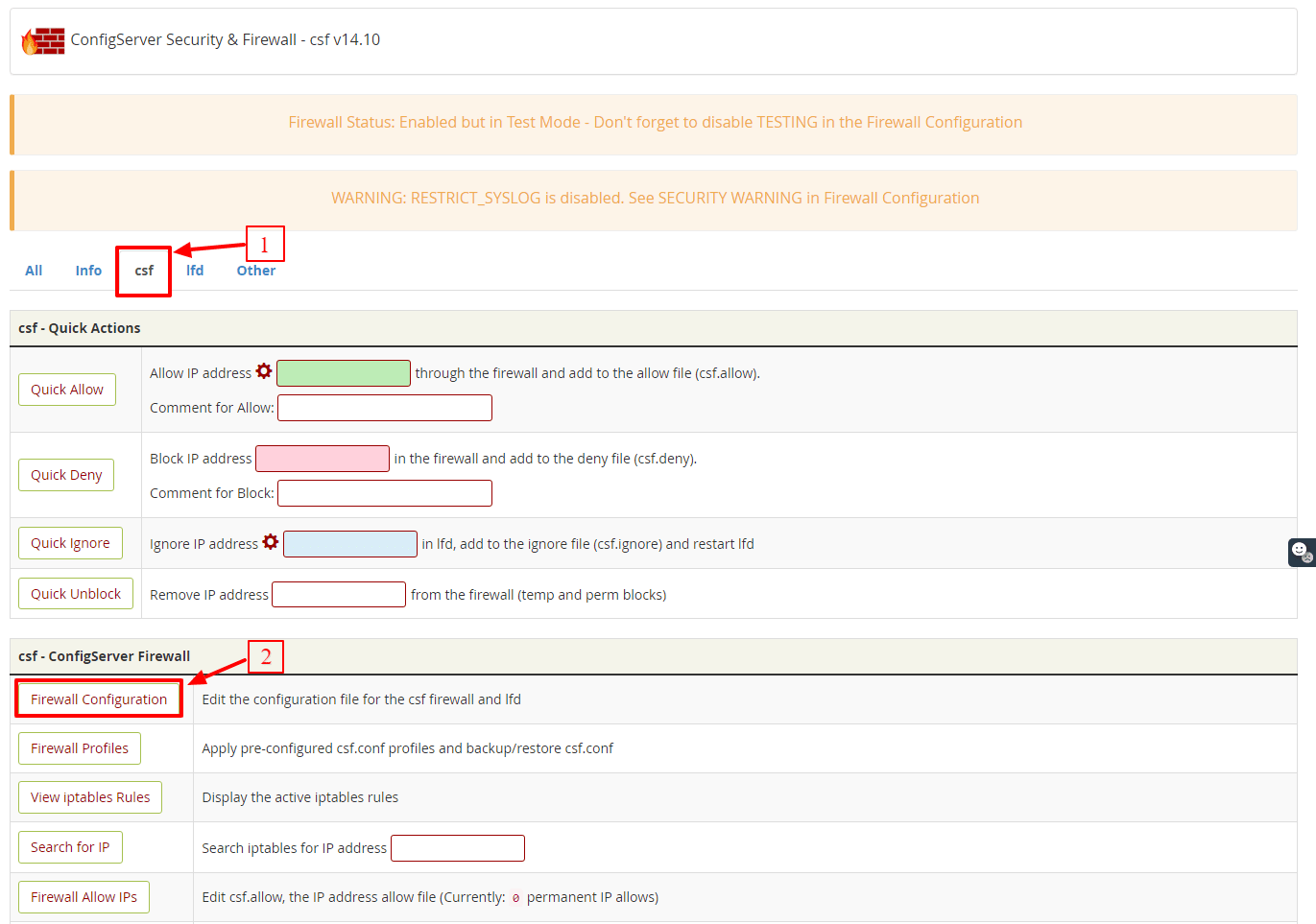
- Click Firewall Configuration.
- Find the section named Country Code Lists and Settings.
- Find CC_DENY. Type the country codes to block, separated by commas. For example
CN,RU.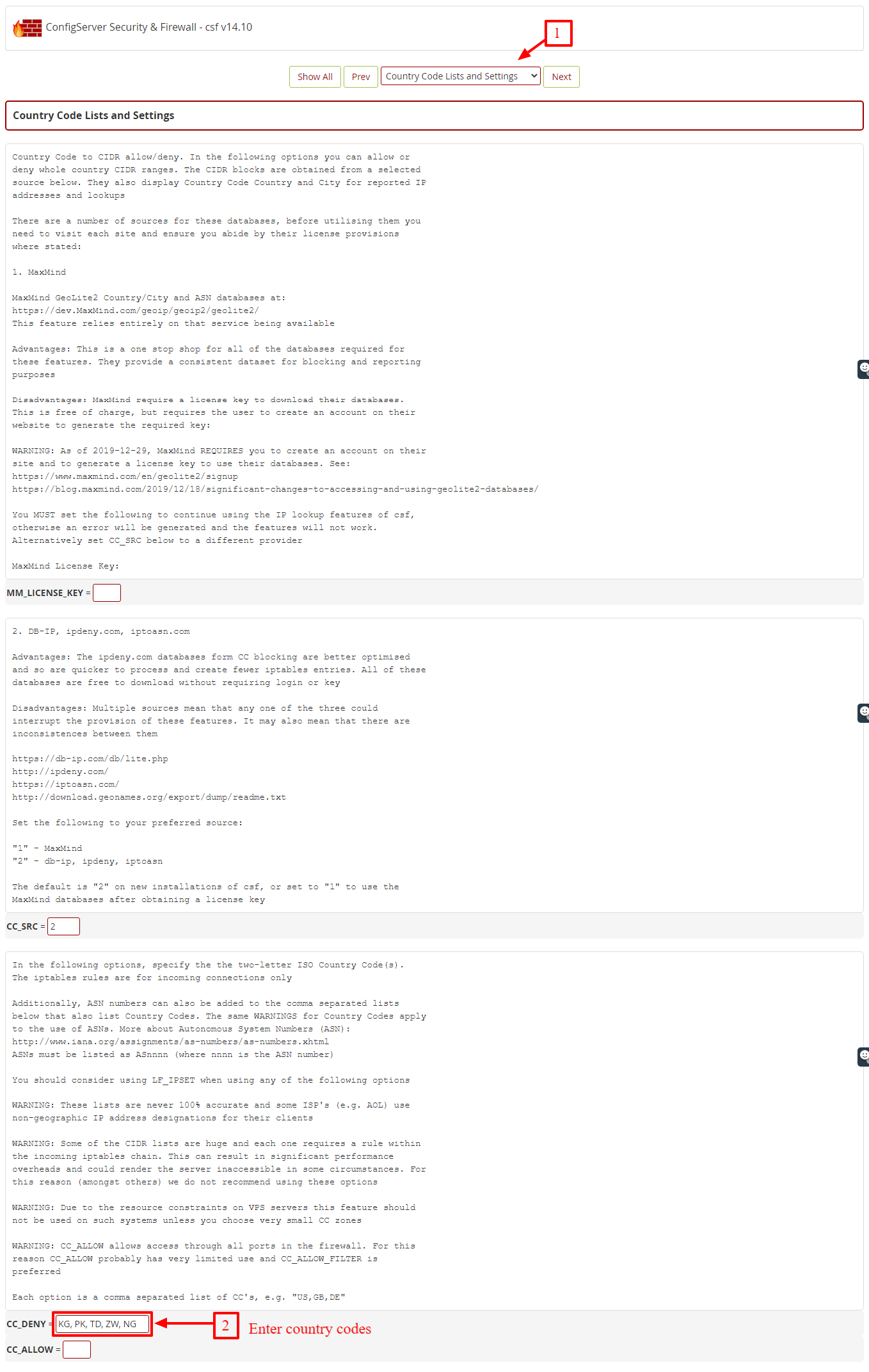
- Check the setting CC_ALLOW_FILTER if you want the opposite. It lets only the listed countries in.
- Set CC_LOOKUPS to the option that suits you, as the page explains.
- Scroll down and click Change.
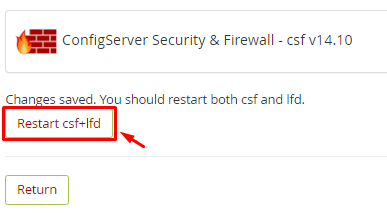
- Click Restart csf+lfd.
Check that it works
On the CSF page, use Search for IP. Type an address from the blocked country. CSF should say it is blocked.
Allow one IP address from a blocked country
- On the CSF page, click Firewall Allow IPs.
- Add the IP address on a new line.
- Click Change.
This lets that one visitor in even if the country is blocked.
Tip: Long country lists use more memory. Block only what you need.
Quick recap
- CSF can block countries using two-letter codes.
- Edit CC_DENY in Firewall Configuration.
- Save with Change and restart csf+lfd.
- Back up settings and never block your own country.
- Use the allow list for exceptions.