

What causes it
The browser waited for the site and gave up. The cause can be your internet connection, a DNS problem, a firewall, an overloaded server or a bad browser cache.
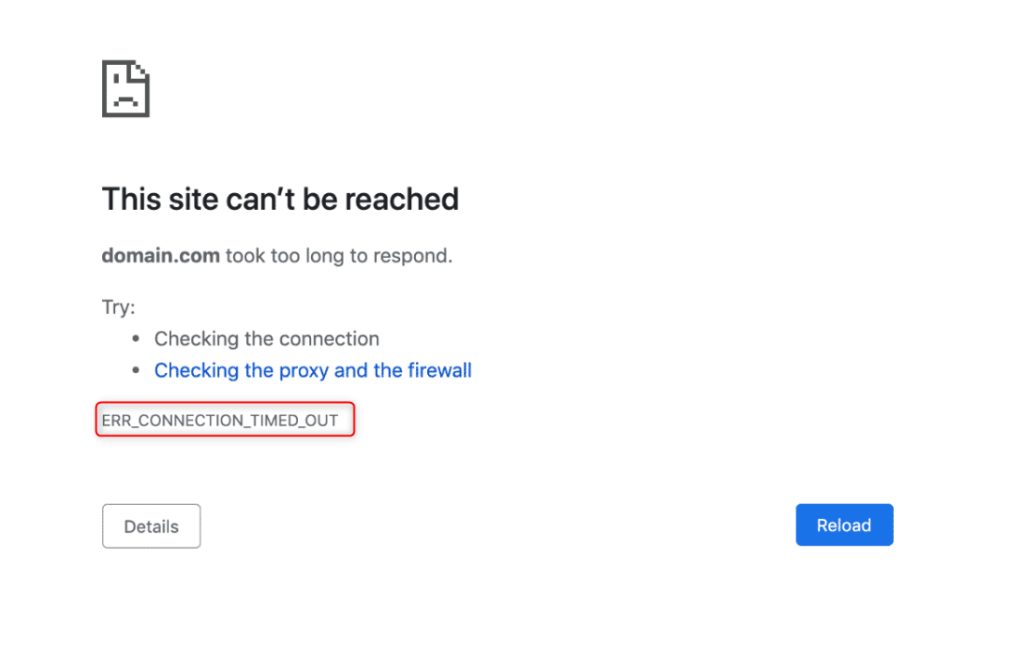
Fixes
1. Check your internet connection. Open another site. Restart the router if nothing opens.
2. Restart the browser or the computer.
3. Delete cache and cookies
- In Chrome, click the three dots at the top right, then Settings.
- Open Privacy and security, then Delete browsing data.
- Tick Browsing history, Cookies and other site data and Cached images and files, and click Delete data.
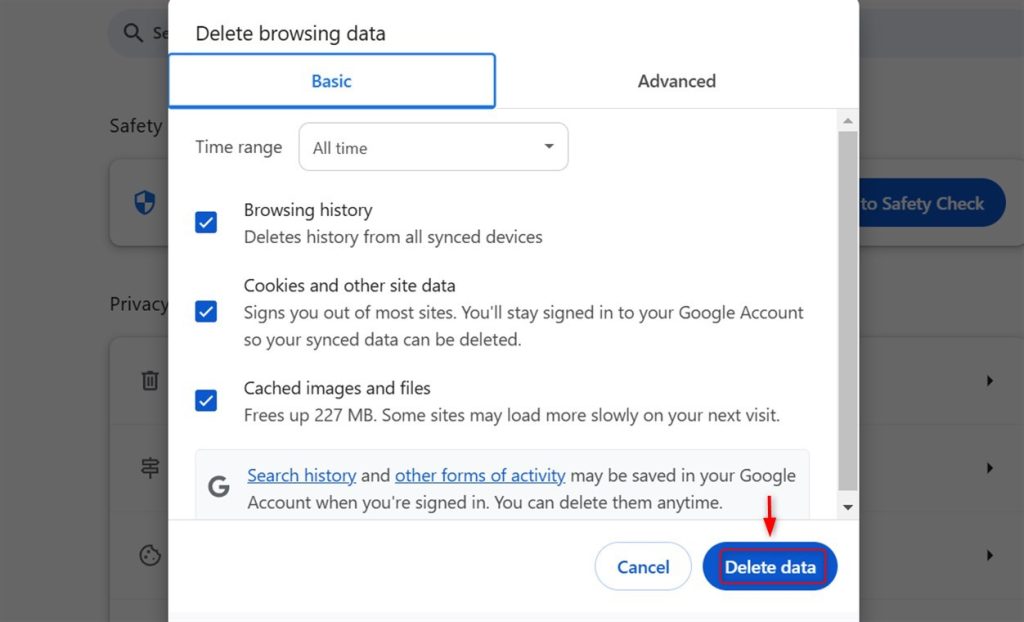
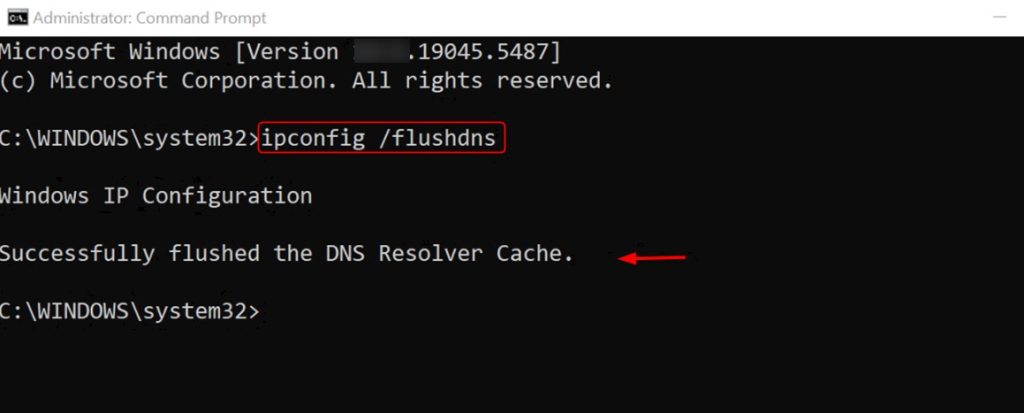
4. Flush the DNS cache
- Open Command Prompt on Windows or Terminal on Mac.
- On Windows type
ipconfig /flushdnsand pressEnter. - Restart your browser.
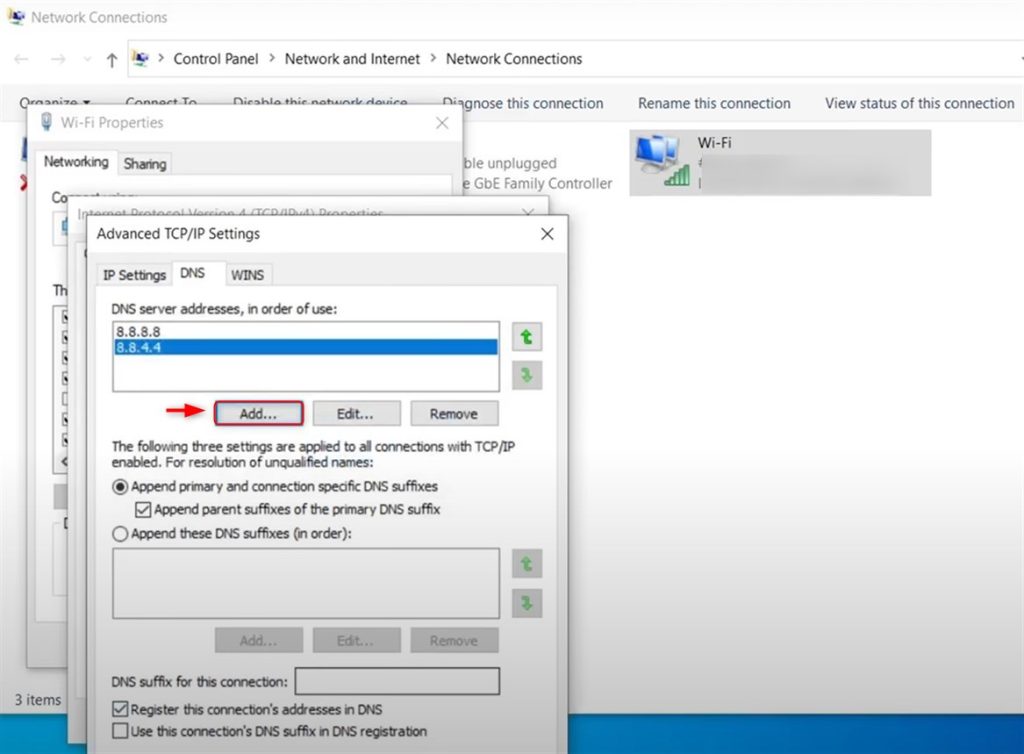
5. Change the DNS servers (Windows)
- Open Control Panel, then Network and Sharing Center.
- Click Change adapter settings.
- Right-click your active connection and choose Properties.
- Select Internet Protocol Version 4 (TCP/IPv4) and click Properties.
- Choose Use the following DNS server addresses and enter
8.8.8.8and8.8.4.4. - Click OK and restart your browser.
6. Turn off the firewall or antivirus for a moment
To test, turn off Windows Defender Firewall in Control Panel, then System and Security, then Windows Defender Firewall, then Turn Windows Defender Firewall on or off. Turn it on again when done. If the site opens now, add an exception for your browser.
7. Turn off the proxy or VPN. Check Settings, then Network & Internet, then Proxy.
8. Check the hosts file. Make sure it does not hold a wrong line for the site.
9. For site owners:
- Check that the server is up and not overloaded.
- Check that the firewall allows ports 80 and 443.
- Raise timeouts in PHP and the web server if a script runs long.
- Disable plugins one by one if the problem is a WordPress site.
- Contact Hostvento support if the server does not answer.
Quick recap
- First rule out your own connection, DNS and browser cache.
- Then check the firewall, proxy and VPN.
- If only one site fails for everyone, the problem is on the server.