

What it means
When you ping a name and see ping: example.com: Temporary failure in name resolution, your system could not use DNS to turn the name into an address.
Common causes:
- The DNS server is down or slow.
- The DNS server is overloaded.
- The DNS settings of your device are wrong.
- Your internet provider has a short outage.
- A strict firewall blocks DNS.
- Wrong network settings, such as a wrong IP or gateway.
Fixes
1. Check the DNS server. Try a public DNS. For example, put this in /etc/resolv.conf:
nameserver 8.8.8.8
nameserver 8.8.4.4
Edit the file with sudo nano /etc/resolv.conf. On systems with systemd-resolved, the file is managed for you; change DNS in the network settings or in /etc/systemd/resolved.conf instead.
2. Flush the DNS cache
Windows:
ipconfig /flushdns
macOS:
sudo dscacheutil -flushcacheLinux:
systemd-resolve --flush-caches3. Release and renew the IP address
Windows:
ipconfig /release && ipconfig /renew
macOS:
sudo ifconfig en0 down && sudo ifconfig en0 upLinux:
sudo dhclient -r eth0 && sudo dhclient eth04. Check the firewall. Make sure DNS (port 53, TCP and UDP) is allowed:
sudo ufw allow out 535. Check the hosts file
The hosts file overrides DNS. Look for wrong lines. The format is:
<IP address> <hostname> <alias>For example:
192.168.1.100 example.com www.example.com6. Check antivirus settings. Some security programs block DNS requests. Turn the program off for a moment to test.
Verify
Ping a name:
ping example.com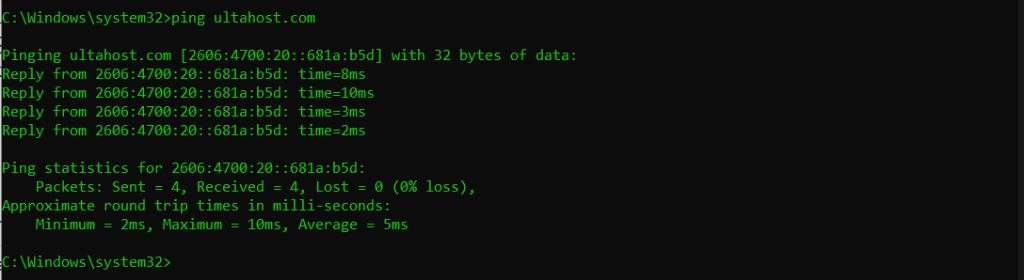
If a ping to an IP address such as 8.8.8.8 works but a ping to a name fails, the problem is DNS.
Tips
- Turn off the firewall or antivirus only for a short test.
- Use a trusted public DNS if you set the DNS by hand.
- Check that the network cables are plugged in and your Wi-Fi is on.
Quick recap
- The system cannot resolve names, so check DNS.
- Use a public DNS, flush the cache and renew the IP.
- Check the firewall and the hosts file.