

What is systemd
systemd is the system and service manager of most Linux distributions (Ubuntu, Debian, CentOS, AlmaLinux and more). It starts the services at boot and keeps them running. You control it with systemctl, and you read its logs with journalctl.
View the services
All active services
systemctl list-units --type=service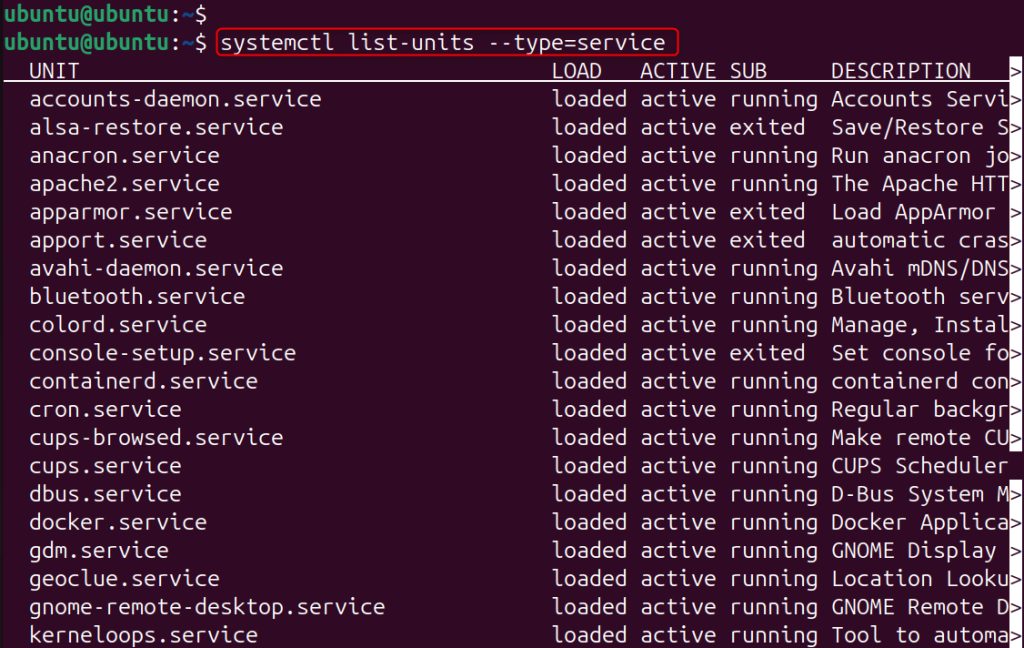
All services, including inactive ones
systemctl list-unit-files --type=service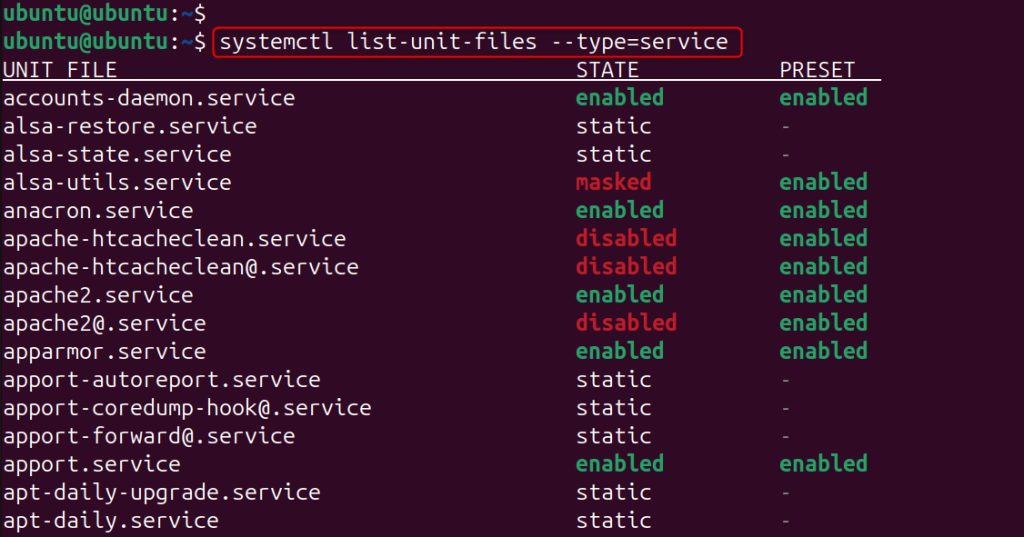
Check the status of a service
systemctl status service-nameExample:
systemctl status apache2.service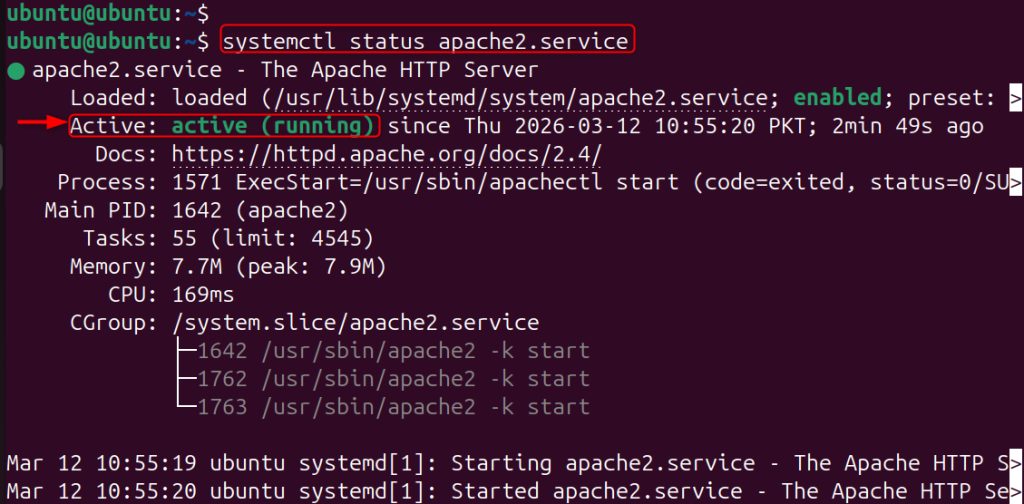
The output shows if it is active (running), since when, the main process and the last log lines.
Start and stop a service
Start:
sudo systemctl start service-nameExample:
sudo systemctl start apache2
Stop:
sudo systemctl stop apache2
Restart and reload
Restart stops and starts the service:
sudo systemctl restart apache2
Reload applies the new configuration without stopping the service (if the service supports it):
sudo systemctl reload apache2
Start a service at boot
Enable:
sudo systemctl enable nginx
Disable:
sudo systemctl disable nginx
Enable and start in one command:
sudo systemctl enable --now nginxCheck it:
systemctl is-enabled nginx
systemctl is-active nginx
Find failed services
systemctl --failed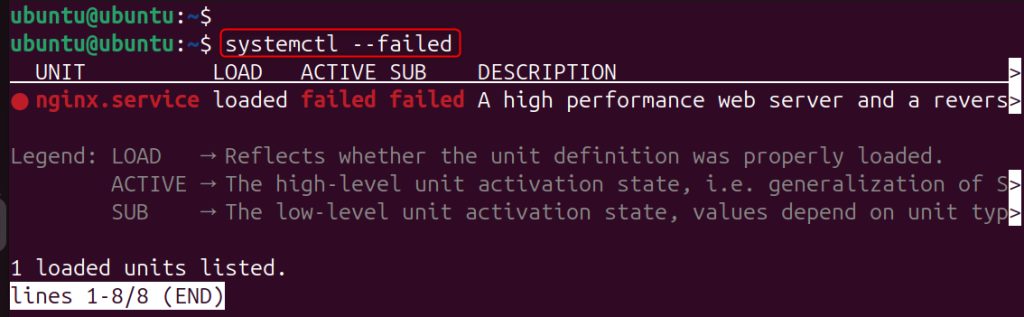
Read the logs
Logs of one service:
journalctl -u service-nameExample:
journalctl -u apache2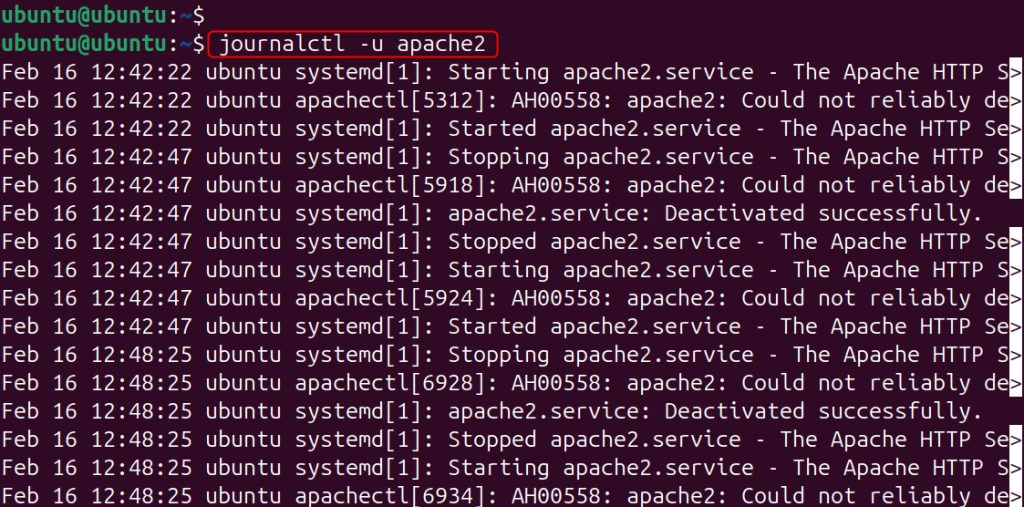
The last 20 lines:
journalctl -u service-name -n 20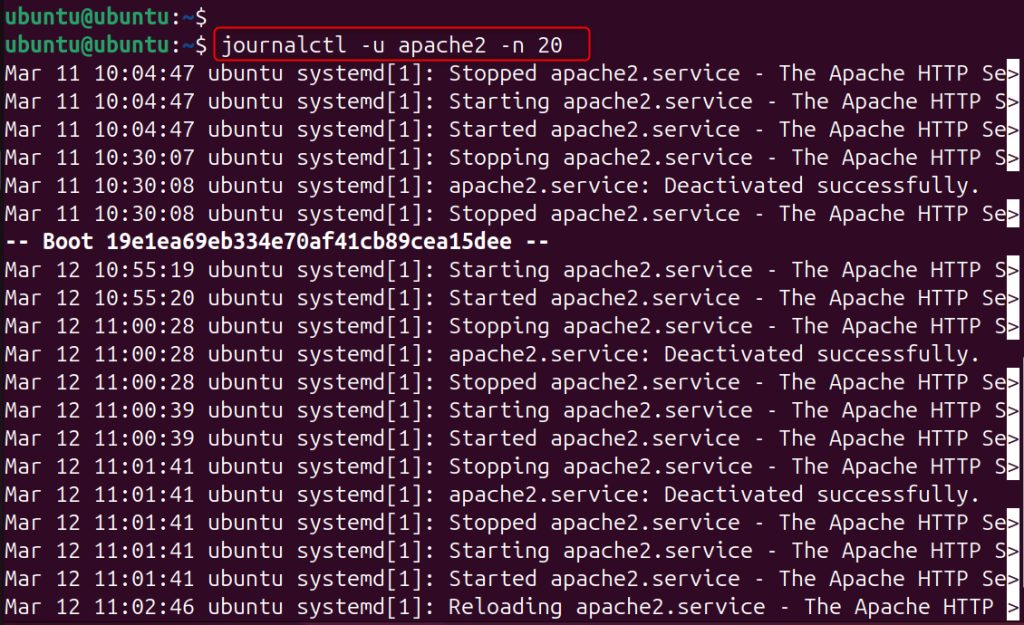
Follow the log live:
journalctl -u service-name -fReload the systemd configuration
After you create or change a unit file in /etc/systemd/system/, run:
sudo systemctl daemon-reload
FAQ
What is systemctl? The command to control systemd.
How do I see running services? systemctl list-units --type=service --state=running.
How do I start a service at boot? sudo systemctl enable service-name.
How do I troubleshoot a failed service? Check systemctl status service-name and journalctl -u service-name -xe.
Quick recap
systemctl start|stop|restart|enable|statusandjournalctl -u.