

Restore a deleted repository
GitHub keeps a deleted repository for 90 days. You can restore it from your account settings. A deleted repository that was a fork of a network with other forks cannot always be restored.
Step 1: Open the settings
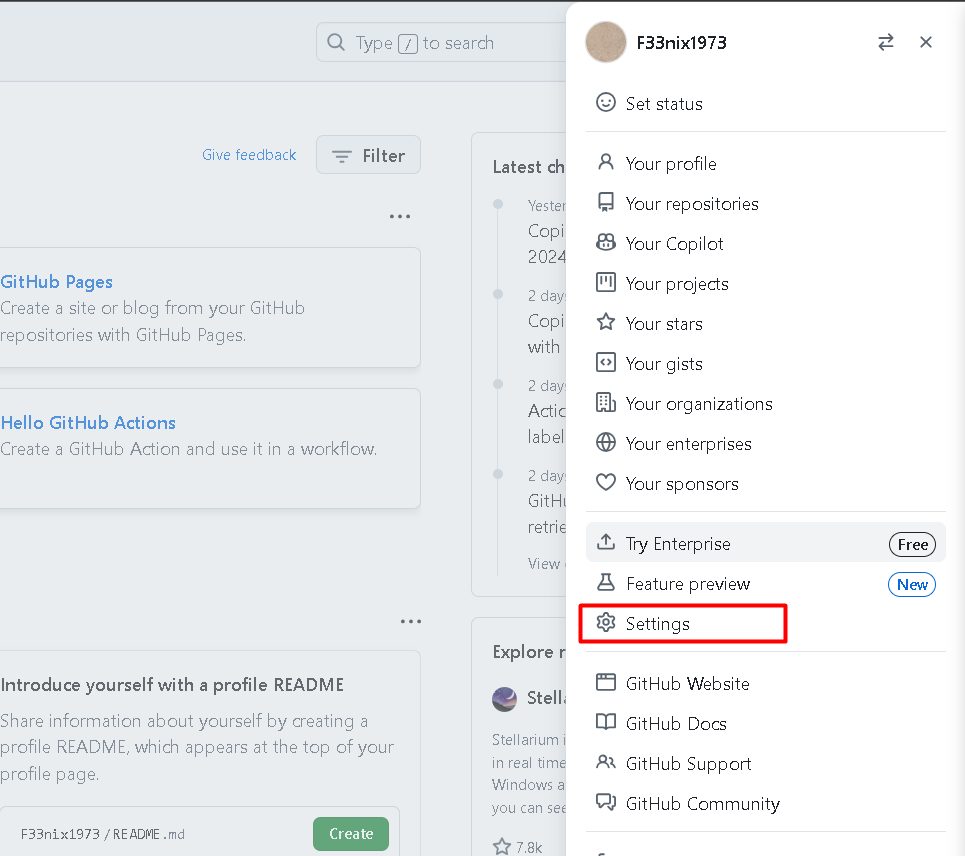
Click your profile picture and choose Settings.
Step 2: Open the repositories section
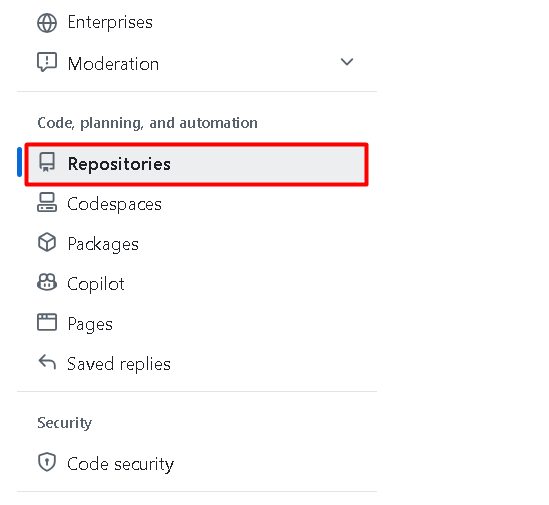
In the left menu, under Code, planning, and automation, click Repositories, then Deleted repositories.
Step 3: Restore the repository
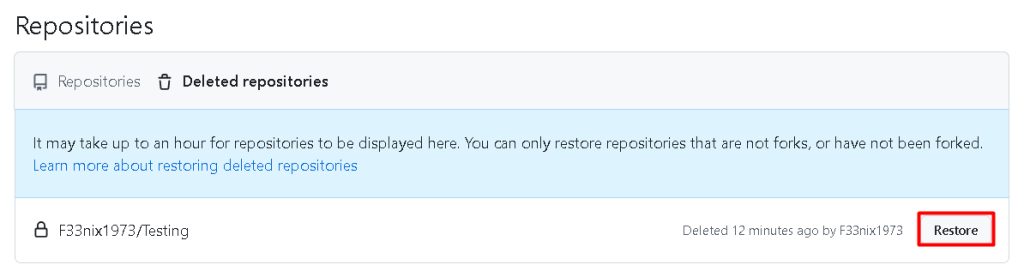
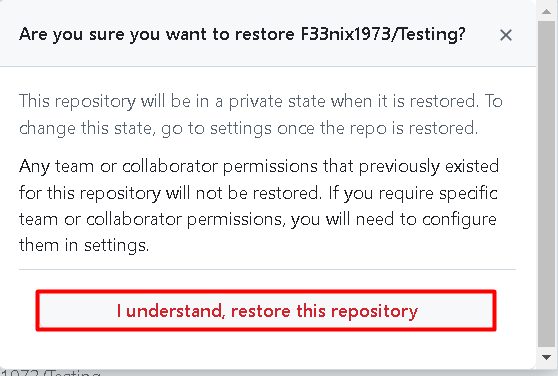
Find the repository in the list and click Restore next to it. Confirm the question.
GitHub shows a message when the restore is done. It can take a short time before the repository appears. Issues, pull requests and wiki come back with it, but some items such as forks and webhooks may not.
Restore an overwritten commit with the GitHub API
If a force-push removed commits, GitHub may still have them for some time.
1. Find the commit ID with the Events API
curl https://api.github.com/repos/<USERNAME>/<REPOSITORY>/eventsLook for a PushEvent and the before value. That is the SHA of the commit that was overwritten.
2. Create a new branch that points to the commit
curl -i -H "Accept: application/json" -H "Content-Type: application/json" -H "Authorization: token <TOKEN>" -X POST -d '{"ref":"refs/heads/<NEW_BRANCH_NAME>","sha":"<COMMIT_SHA>"}' https://api.github.com/repos/<USERNAME>/<REPOSITORY>/git/refs- Replace
<TOKEN>with a personal access token that has permission for the repository. - Replace
<NEW_BRANCH_NAME>with the name of the new branch. - Replace
<COMMIT_SHA>with the commit ID.
The branch now holds the lost work.
Restore from your own computer
If you have a local clone, nothing is lost. Recreate the remote and push:
git remote add origin https://github.com/<USERNAME>/<REPOSITORY>.git
git push -u origin --all
git push origin --tags
To bring back a commit that you reset locally, use the reflog:
git reflog
git checkout -b recovered <SHA>
Prevent loss
- Keep regular backups or mirrors of important repositories.
- Protect the main branch from force-pushes.
- Limit who can delete repositories.
Quick recap
- Settings > Repositories > Deleted repositories > Restore, within 90 days.
- Use
git reflogor the Events API for lost commits.