

reboot
Restart now:
sudo reboot now
Or simply:
sudo rebootForce an immediate restart without stopping services cleanly (a last resort):
sudo reboot -fshutdown
Restart in one minute:
sudo shutdown -rRestart after a number of minutes:
sudo shutdown -r +minExample, in 4 minutes:
sudo shutdown -r +4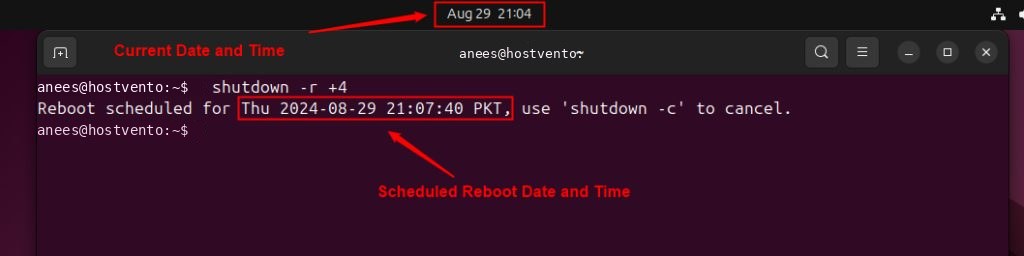
Cancel it:
sudo shutdown -c
systemctl
sudo systemctl rebootinit
sudo init 6telinit
sudo telinit 6REISUB
When the system is frozen and does not react to the mouse or the keyboard, hold Alt and SysRq (Print Screen) and type these keys slowly, one by one:
- R switches the keyboard to raw mode.
- E sends the terminate signal to all processes except init.
- I sends the kill signal to all processes except init.
- S syncs all file systems to the disk.
- U remounts file systems as read-only.
- B reboots the system.
Remember it as "Reboot Even If System Utterly Broken". The magic SysRq keys must be enabled on the system.
Before you reboot a server
- Save your work and tell other users, for example with
sudo shutdown -r +10 "Rebooting for updates". - Check that services start at boot with
systemctl is-enabled service. - Keep console or panel access in case the server does not come back.
Quick recap
sudo rebootis the quickest way.- Use
shutdown -r +Nto schedule it andshutdown -cto cancel.