

What are Magento, cPanel and Softaculous?
Magento is a powerful tool for building online shops. It is bigger than many other shop tools, so it needs a good amount of server power.
cPanel is the control panel for your hosting. It is like the dashboard of a car. Softaculous is an installer inside cPanel. It works like an app store. Ask Hostvento support whether Softaculous and Magento are available on your plan.
Before you start
- Point your domain to your hosting.
- Pick a strong admin password.
- Check that your plan has enough space and memory for Magento. Support can tell you.
Steps
- Log in to cPanel. Your welcome email has the link and login details.
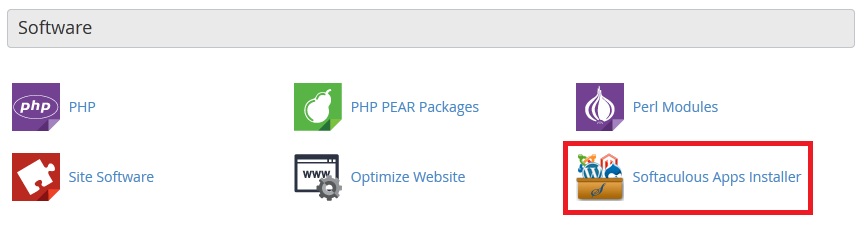
- Scroll to the Software section, or use the search box at the top.
- Click Softaculous Apps Installer.
- Type Magento in the search box.
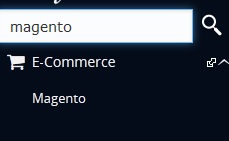
- Click the Magento icon.
- Click Install Now.
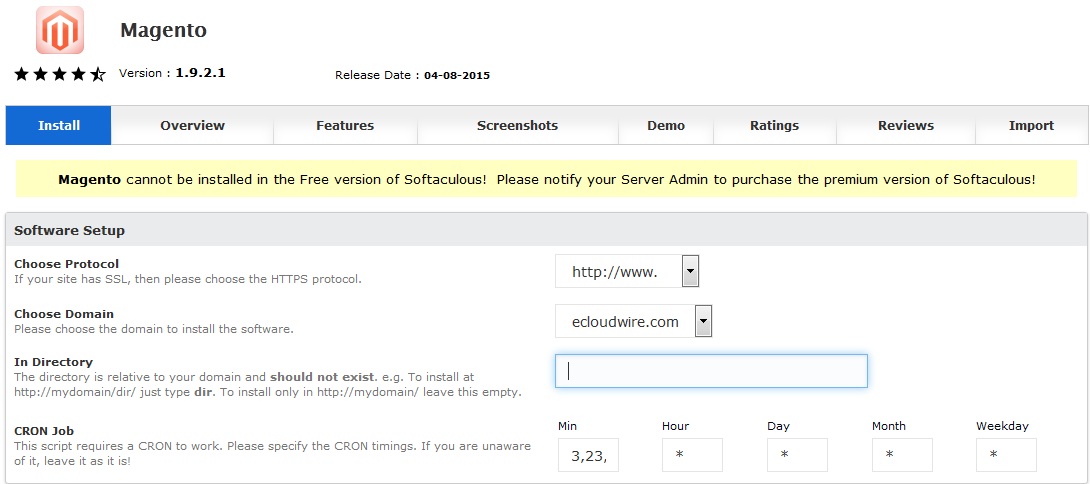
- Pick the Choose Protocol. Use
https://if you have an SSL certificate. An SSL certificate keeps customer data private. - Pick your Choose Domain.
- Empty the In Directory box to install on the main address.
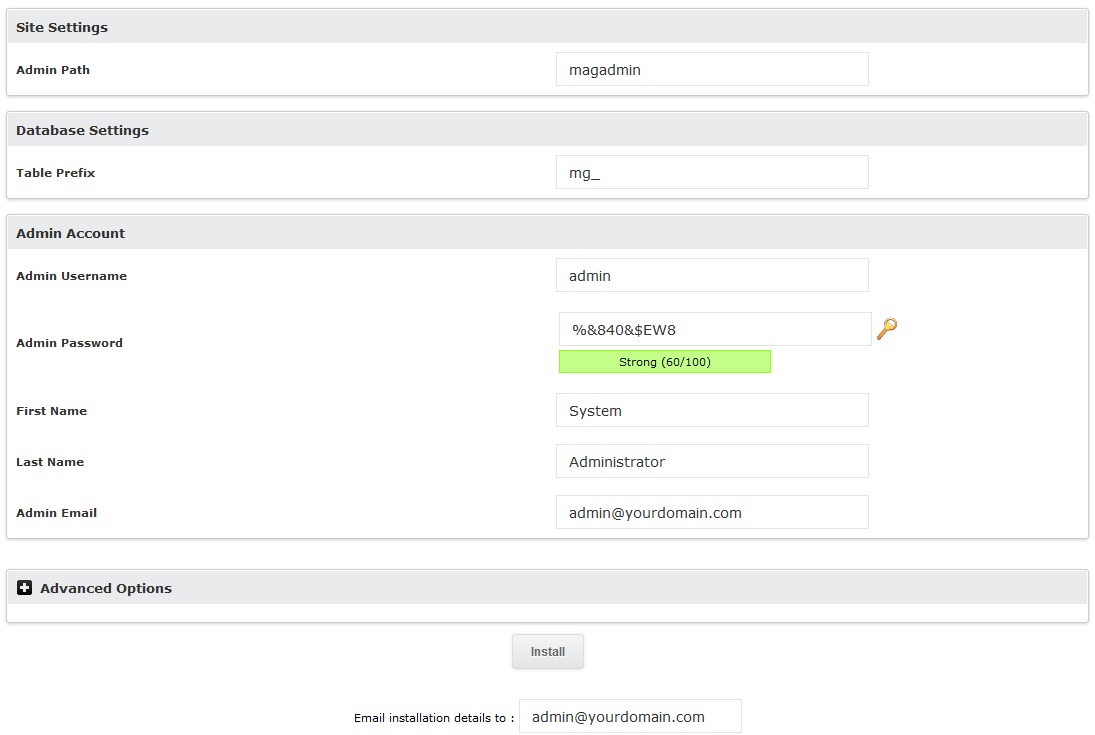
- Type a Store Name.
- Enter your Admin Username, Admin Password and Admin Email.
- Choose language, currency and time zone if the form asks.
- Click Install.
- Wait. Magento can take several minutes. Do not close the page.
When it finishes, you get a link to your store and a link to the admin panel.
Tip: Magento often uses a custom admin address, not just
/admin. Save the exact link Softaculous shows you.If the install fails
- Check that you have enough free disk space.
- Try again after a few minutes.
- If it keeps failing, open a support ticket.
Quick recap
- Open Softaculous inside cPanel.
- Search for Magento and click Install Now.
- Fill in domain, store name and admin details.
- Click Install and wait for it to finish.
- Save your store and admin links.