

What are OpenCart and Softaculous?
OpenCart is a free tool for building an online shop. You add products, and people can order them.
Softaculous is an installer inside your control panel. Think of it as an app store for websites. It does the setup work for you. Ask Hostvento support whether it is on your plan.
Before you start
- Your domain should point to your hosting.
- Choose a strong password for the admin account.
- Use an email address that you check often.
Steps
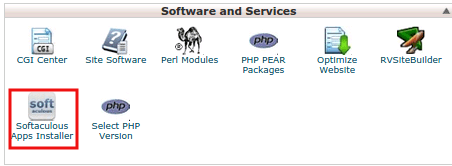
- Log in to your hosting control panel. Your welcome email has the details.
- Open Softaculous Apps Installer.
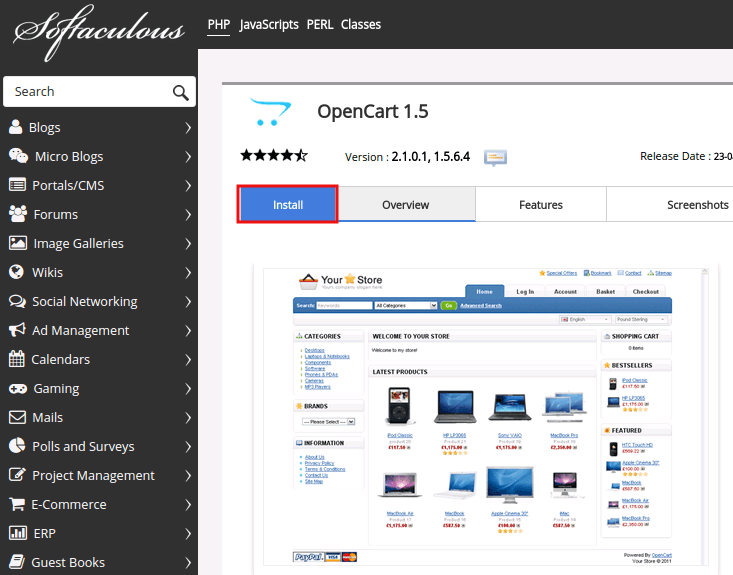
- Search for OpenCart.
- Click the OpenCart icon.
- Click Install Now.
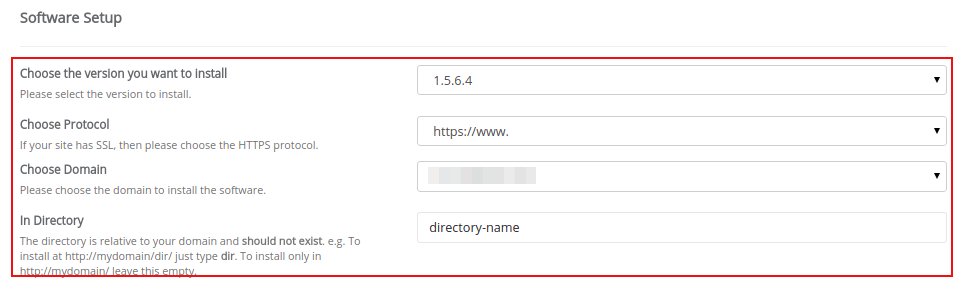
- Pick
https://in Choose Protocol if you have an SSL certificate. An SSL certificate makes your site safe to visit. - Pick the domain in Choose Domain.
- Leave In Directory empty to use the main address. Type a name like
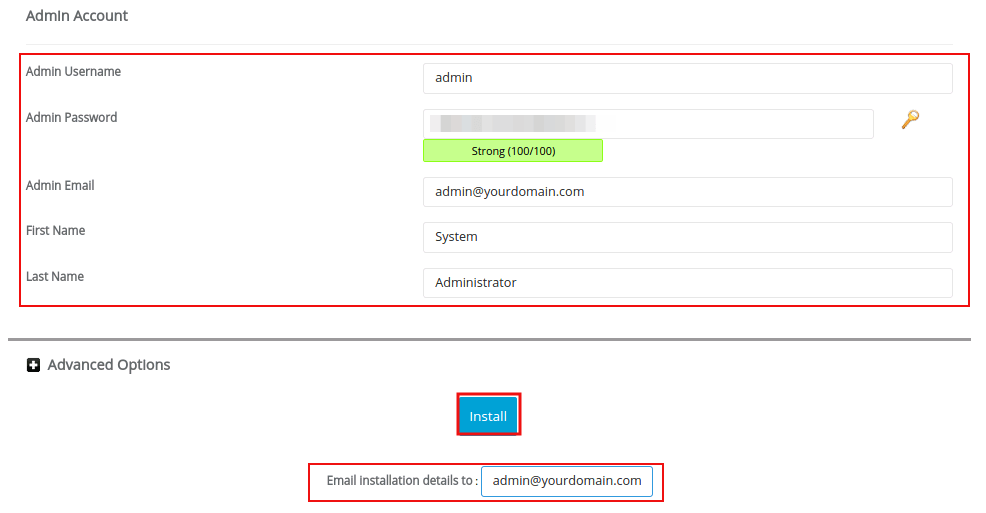
shopfor a folder. - Under Admin Account, type a username, a password and your email.
- Pick your language.
- Click Install.
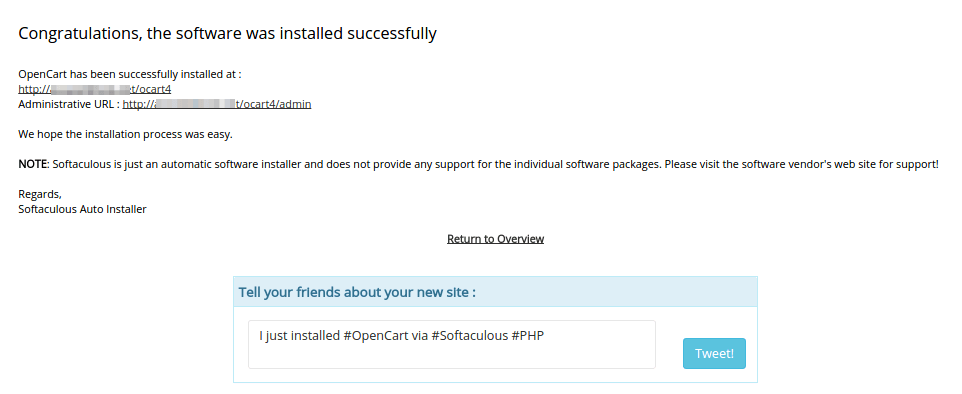
- Wait until Softaculous shows the success message.
You will see two links. One opens your shop. The other opens the admin area. Save both.
Tip: Do not use the word "admin" as your username. It is easy to guess, so it is less safe.
First things to do
- Open the admin link and log in.
- Go to Catalog > Products and add a product.
- Go to System > Settings and fill in your store details.
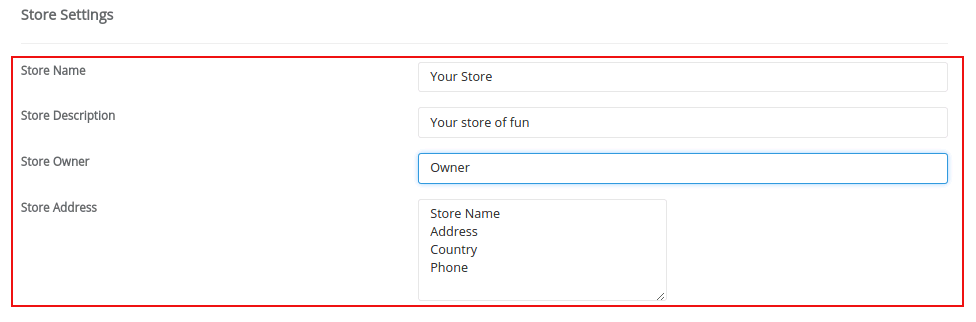
- Visit your shop address to see the result.
Need a new look? Our guide on installing an OpenCart theme can help.
Quick recap
- Open Softaculous and search for OpenCart.
- Click Install Now and fill in the form.
- Click Install and save the shop and admin links.
- Add products from the admin area.
- Stuck? Open a support ticket.