

What is the admin panel?
The admin panel is the private back room of your shop. Customers never see it. You use it to add products, check orders and change settings. Magento is a popular tool for building online shops.
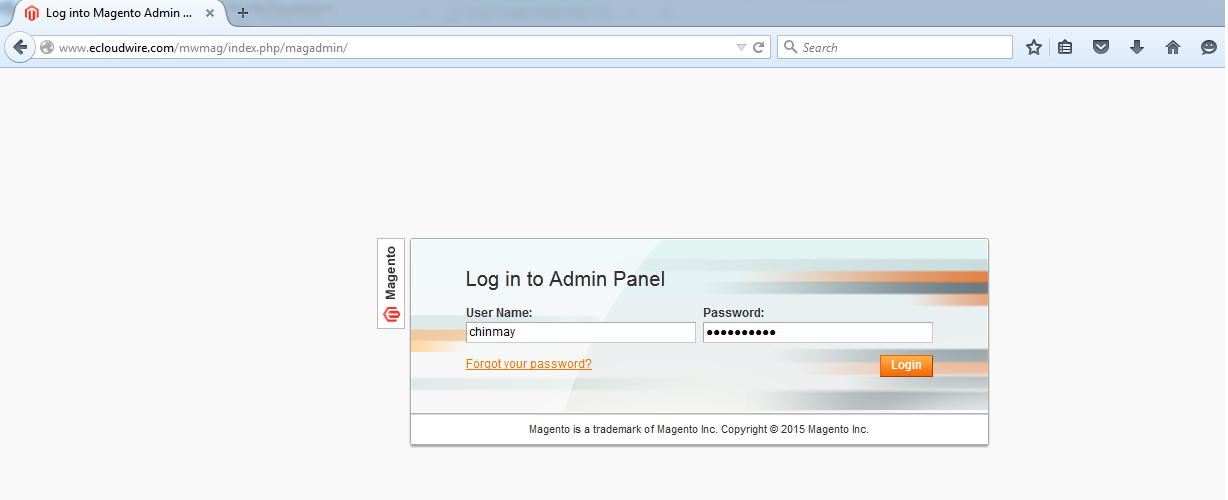
Find your admin address
Magento does not always use /admin. During install, a custom path is often set. It might look like /admin_abc123. This keeps hackers from guessing it.
You can find it in these places:
- The email or screen you saw after the install.
- The Softaculous install list, if you installed with Softaculous.
- The file
app/etc/env.php. Look for the line'frontName'under'backend'.
Steps
- Open a web browser.
- Type your site address, then a slash, then your admin path. Example:
https://yourdomain.com/admin_abc123. - Press Enter. The login page appears.
- Type your Username.
- Type your Password.
- Click Sign in.
You will land on the Magento dashboard. From here you can open the menu on the left to reach Sales, Catalog, Customers and more.
If you forgot your password
- On the login page, click Forgot your password?.
- Type your admin email.
- Click Retrieve Password.
- Open the email and follow the link to set a new password.
If you cannot log in
- Check that the address is typed exactly right.
- Clear your browser cache and cookies, then try again.
- Magento may lock your account after many wrong tries. Wait a little and try again.
- If you cannot find the path, open a support ticket.
Tip: Bookmark your admin address. Never share it or your password.
Quick recap
- The admin panel is the private area of your shop.
- Your admin path may be custom. Look in
app/etc/env.phpif you forgot it. - Go to the path, then enter your username and password.
- Use Forgot your password? to reset a lost password.