

What is WooCommerce
WooCommerce is a free WordPress plugin that turns your site into an online shop. It manages products, orders, taxes, shipping and payments.
Popular payment gateways
- WooCommerce Payments. Built in, lets you accept cards and manage payments from your dashboard.
- PayPal. Popular and trusted, with hosted payments.
- Stripe. Keeps customers on your site during payment and supports cards and many local methods.
- Square. Suits shops that also sell in a physical store.
- Authorize.Net. A solid choice that supports many payment types.
- Direct bank transfer. Customers pay straight from their bank account. You confirm manually.
- Cash on delivery. The customer pays when the order arrives.
Availability depends on your country.
Step 1: Install and activate WooCommerce
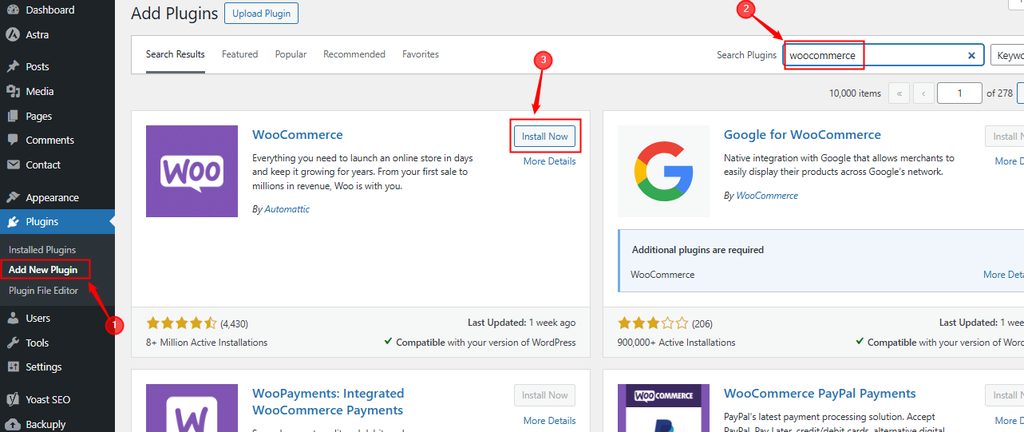
In the dashboard go to Plugins > Add New, search for WooCommerce, click Install Now and then Activate.
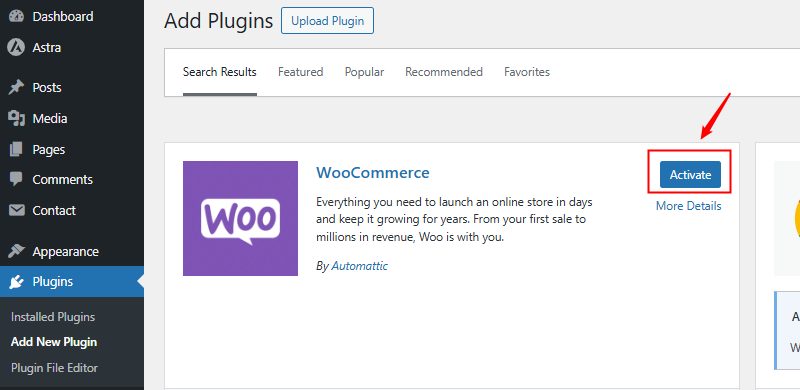
Run the setup wizard to set the store address, currency and products.
Step 2: Open the payment settings
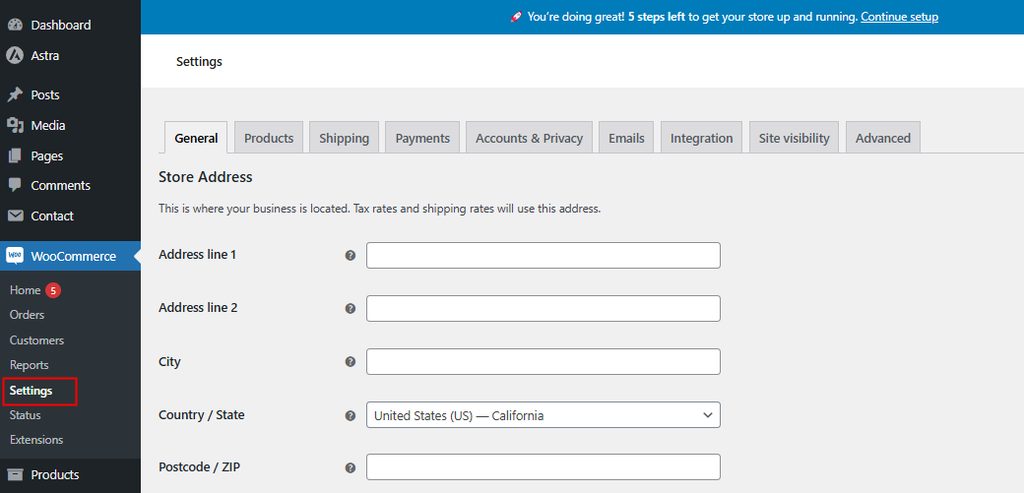
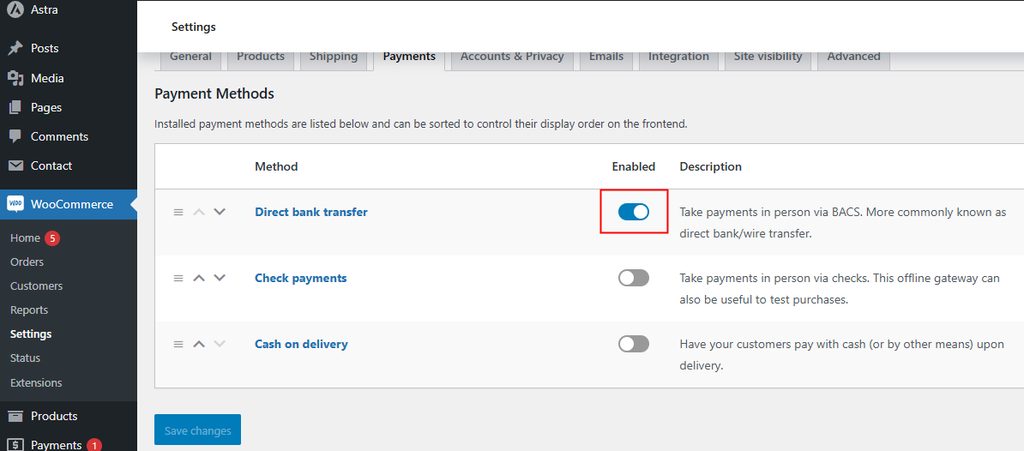
Go to WooCommerce > Settings > Payments.
Step 3: See the available payment methods
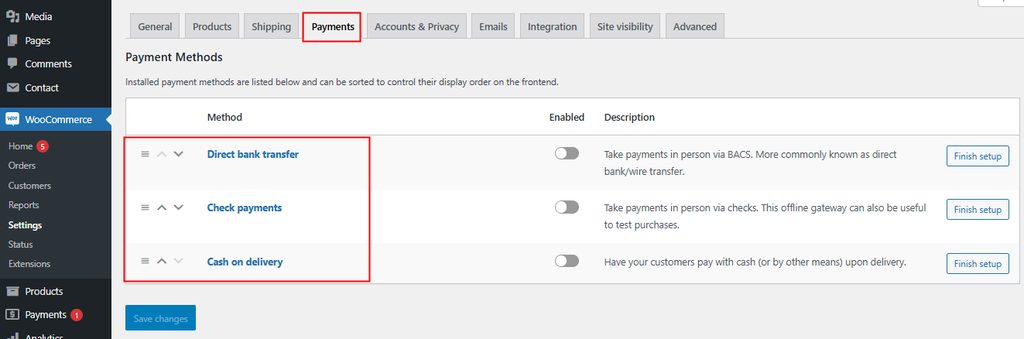
The page lists the methods available for your store.
Step 4: Enable a payment method
Use the toggle next to the method.
Step 5: Manage the method
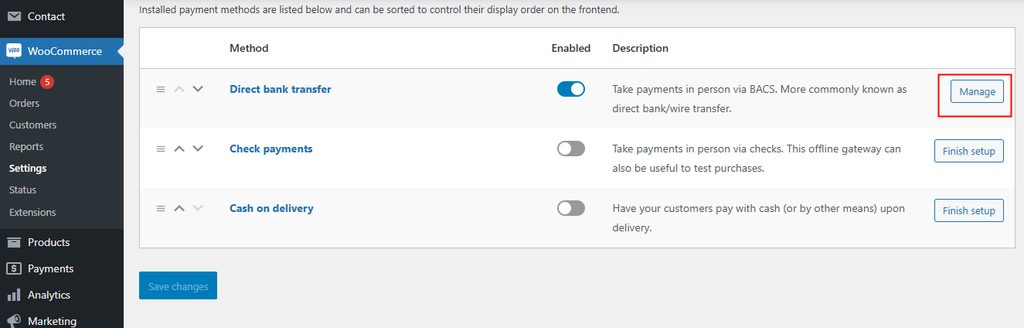
Click Manage (or Set up) to open its settings.
Step 6: Configure the gateway
Each gateway has its own options. For example, for a gateway such as Stripe or PayPal:
- Enter the API keys or connect your account.
- Use test mode first and place a test order.
- Set the title and description that customers see at checkout.
- Choose the payment actions (capture right away or authorize first).
For bank transfer enter your bank details. For cash on delivery set the instructions.
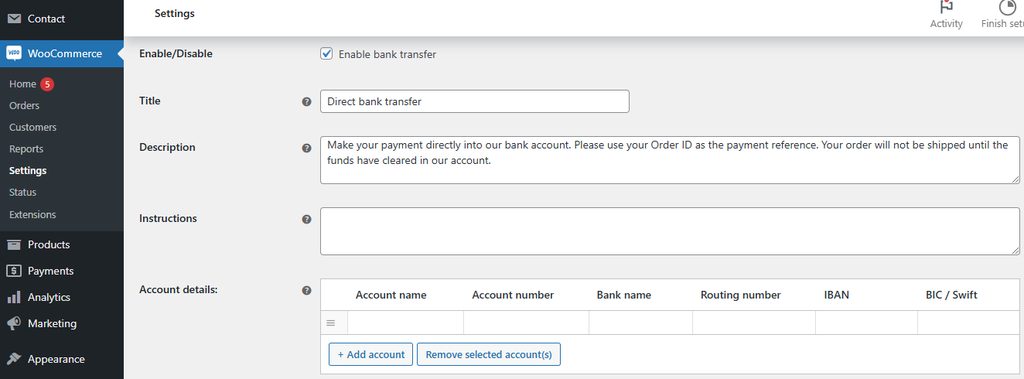
Save the changes.
Step 7: Add more gateways
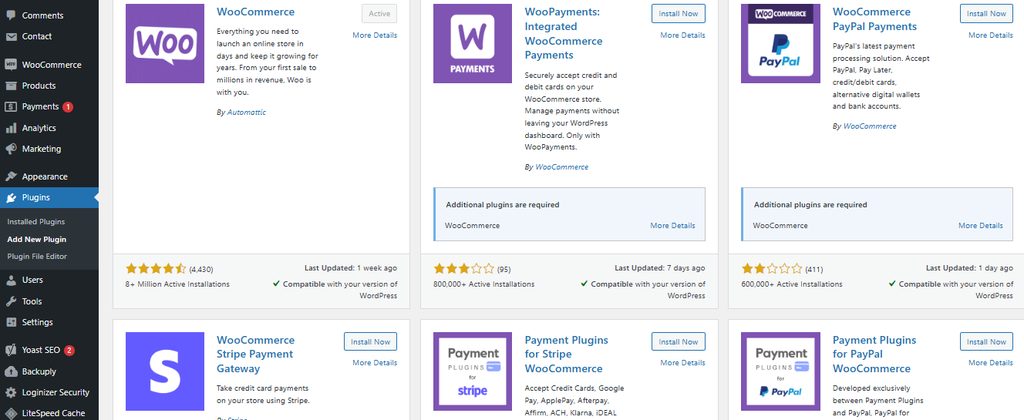
If you need other methods, go to Plugins > Add New and search for the gateway's plugin, or use Add payment methods in the Payments page.
Test before you go live
- Turn on the test mode of the gateway.
- Place a test order with a test card.
- Check that the order status and the email are right.
- Turn off the test mode.
Security tips
- Use HTTPS (an SSL certificate) on the whole shop.
- Never store card data on your server. Use a gateway that hosts the payment form.
- Keep WooCommerce and the gateway plugins updated.
- Use strong passwords and two-factor authentication for admins.
Quick recap
- WooCommerce > Settings > Payments, enable a method, manage it, test and go live.