

Compress big images
Large images are a top cause of slow pages.
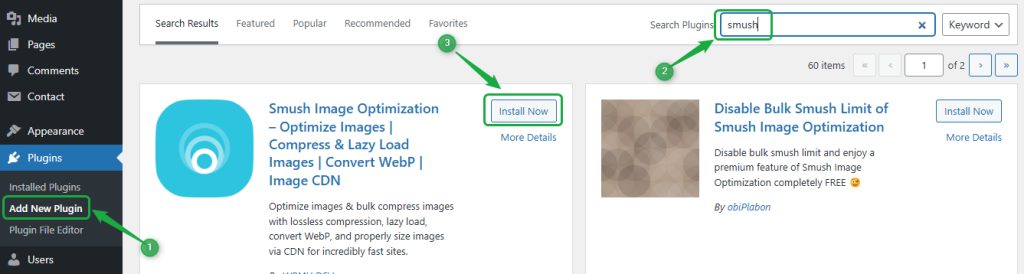
- Go to Plugins, then Add New. Search for Smush (or another image optimizer) and click Install Now.
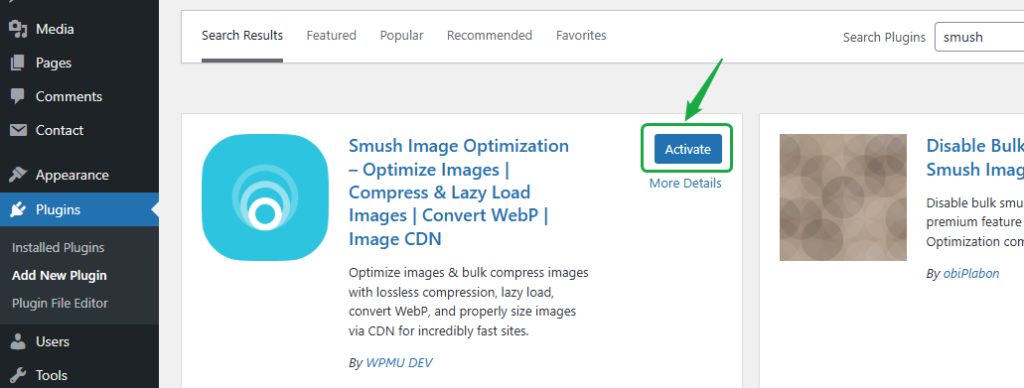
- Click Activate.
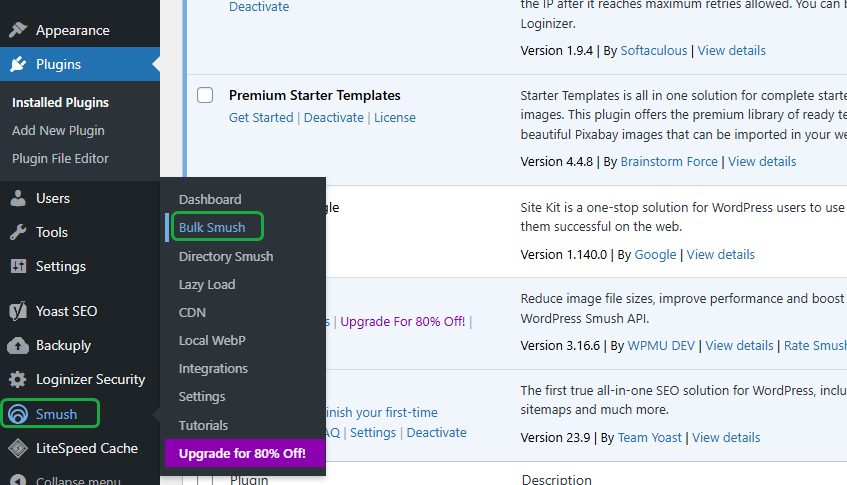
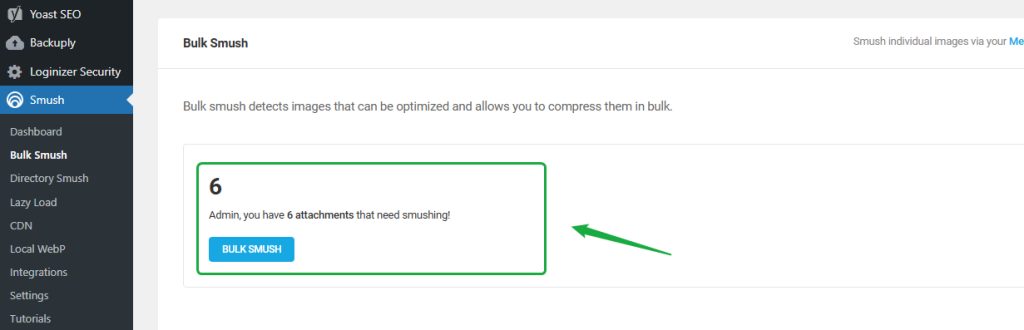
- Open the plugin and run the bulk optimization for your Media Library.
Also resize images before you upload them. A photo for a blog does not need to be wider than about 1600 pixels.
Turn off plugins you do not need
Each plugin adds code and database queries. Remove plugins you do not use.
- Go to Plugins, then Installed Plugins.
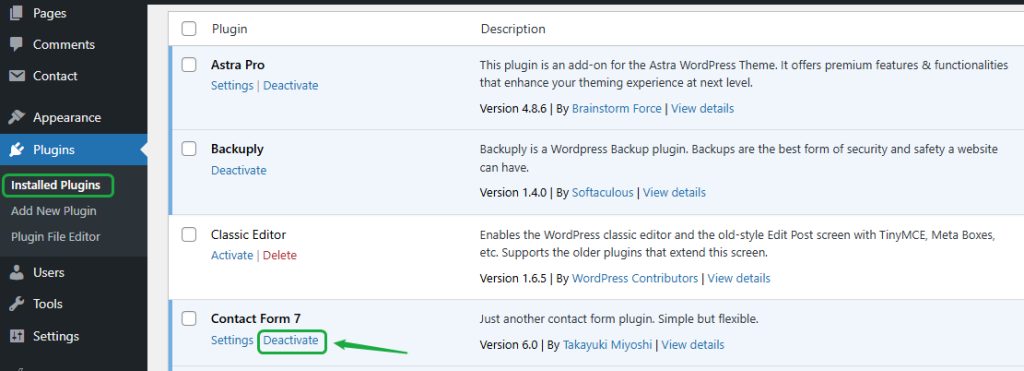
- Deactivate and delete the ones you do not need.
Use reliable hosting
If your traffic has grown, a basic plan may not be enough. Move to a plan with more CPU and memory, or to a VPS. Ask Hostvento support if you are unsure.
Use a light theme
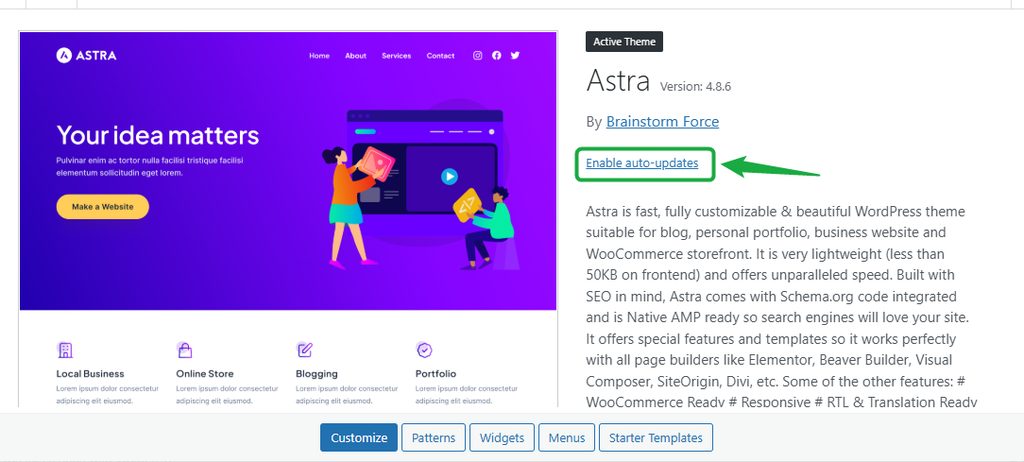
A heavy theme with many built-in features and scripts slows the site. Choose a fast, well-coded theme.
Clean the database
Remove old revisions, spam comments, expired transients and unused data. A plugin such as WP-Optimize does this for you. Always take a backup first.
Reduce the traffic load
Block bad bots and abusive IP addresses with a firewall or a security plugin. Add rate limits where you can.
Limit external scripts
Third-party scripts (ads, chat widgets, social buttons) load from other servers and slow the page. Keep only what you need.
Good practices
- Caching. Use a caching plugin or the cache of your host.
- Minify CSS, JavaScript and HTML.
- Use a CDN to serve images and files from locations close to the visitor.
- Limit post revisions. Add this to
wp-config.php:
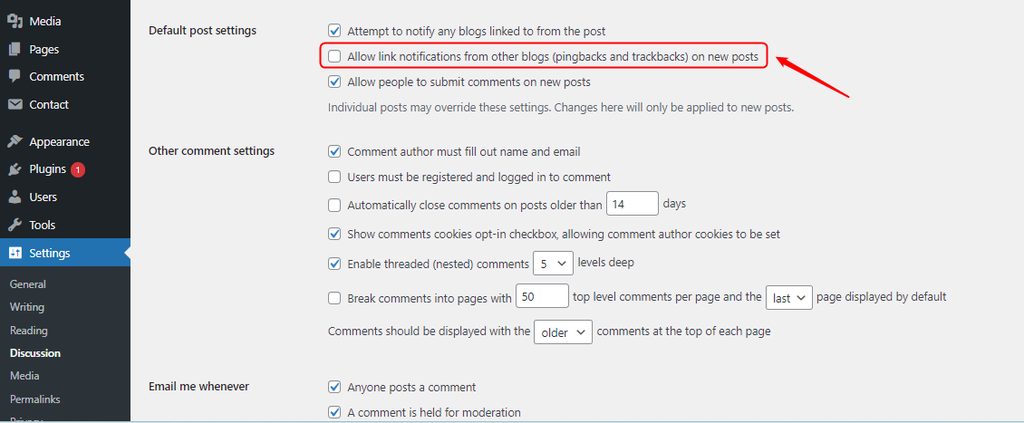
define('WP_POST_REVISIONS', 3);- Turn off pingbacks and trackbacks. Go to Settings, then Discussion and untick the options.
Quick recap
- Compress images, remove plugins and clean the database.
- Use caching, a CDN and good hosting.
- Keep external scripts to a minimum.