

Why you need a CSR
To get an SSL/TLS certificate from a certificate authority (CA), you send a CSR. It holds your domain name and details, and your public key. Certificates give you:
- Encryption and data security for visitors.
- Trust. Browsers show a padlock.
- SEO benefits. Search engines prefer HTTPS.
- Compliance with industry rules.
What OpenSSL is
OpenSSL is a free tool and library for working with keys, certificates and encryption. It is installed on most Linux servers.
Step 1: Create the private key
openssl genpkey -algorithm rsa -out private.key -pkeyopt rsa_keygen_bits:2048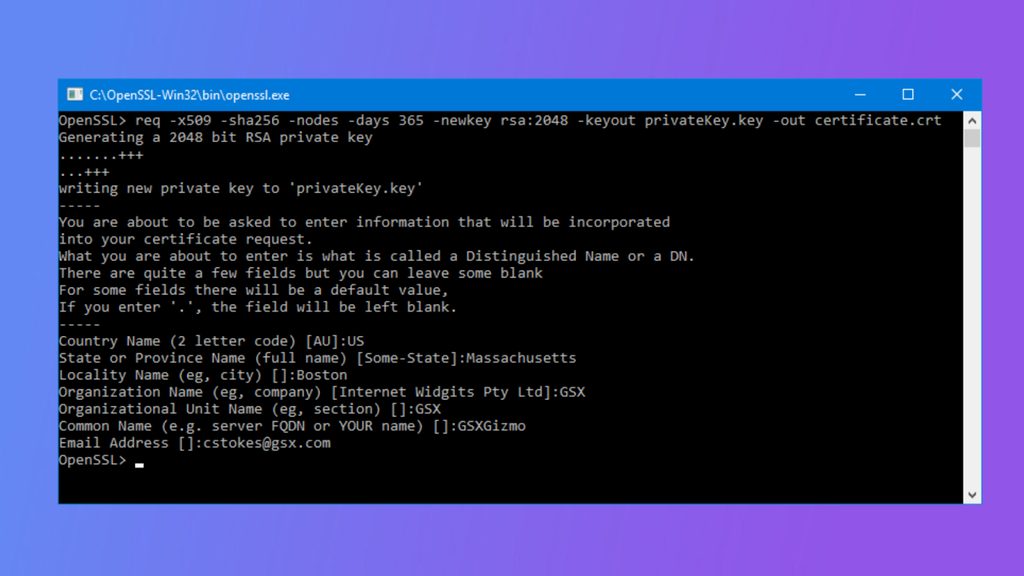
To protect the key with a password (AES-256):
openssl genpkey -aes256 -algorithm rsa -out private.key -pkeyopt rsa_keygen_bits:2048private.key secret. Never send it to anyone, not even to the CA. Do not lose it, because the certificate works only with this key.Step 2: Create the CSR
- Open a terminal on your server.
- Run this command, with the path of your key:
openssl req -new -key private.key -out domain.csr- OpenSSL asks for the details of the request:
- Country Name (two letters, for exampleUS)
- State or Province
- Locality (city)
- Organization Name
- Organizational Unit (can be empty)
- Common Name: the full domain name, for examplewww.example.com(for a wildcard certificate:*.example.com)
- Email address
- Leave the "challenge password" and optional company name empty. - A file called
domain.csris created.
To skip the questions, give the subject in the command:
openssl req -new -key private.key -out domain.csr -subj "/C=US/ST=State/L=City/O=Company/CN=www.example.com"Step 3: Check the CSR
openssl req -text -noout -verify -in domain.csrCheck that the Common Name and other details are right.
Step 4: Send it to the CA
Open domain.csr in a text editor and copy all of it, including the lines -----BEGIN CERTIFICATE REQUEST----- and -----END CERTIFICATE REQUEST-----. Paste it into the order form of the CA.
After the CA checks your domain, it sends you the certificate and the intermediate chain. Install them in Apache or Nginx with your private.key.
Quick recap
- Create a private key, then a CSR with
openssl req -new. - Use the full domain name as Common Name.
- Keep the private key secret.