

What is a CSR?
CSR stands for Certificate Signing Request. It is a block of text with your domain name and details. You send it to the certificate seller, and they build your certificate from it. A private key is made at the same time. The private key is a secret file that matches your certificate. Never share it.
Option 1: in cPanel
cPanel is the panel for one hosting account.
- Log in to cPanel.
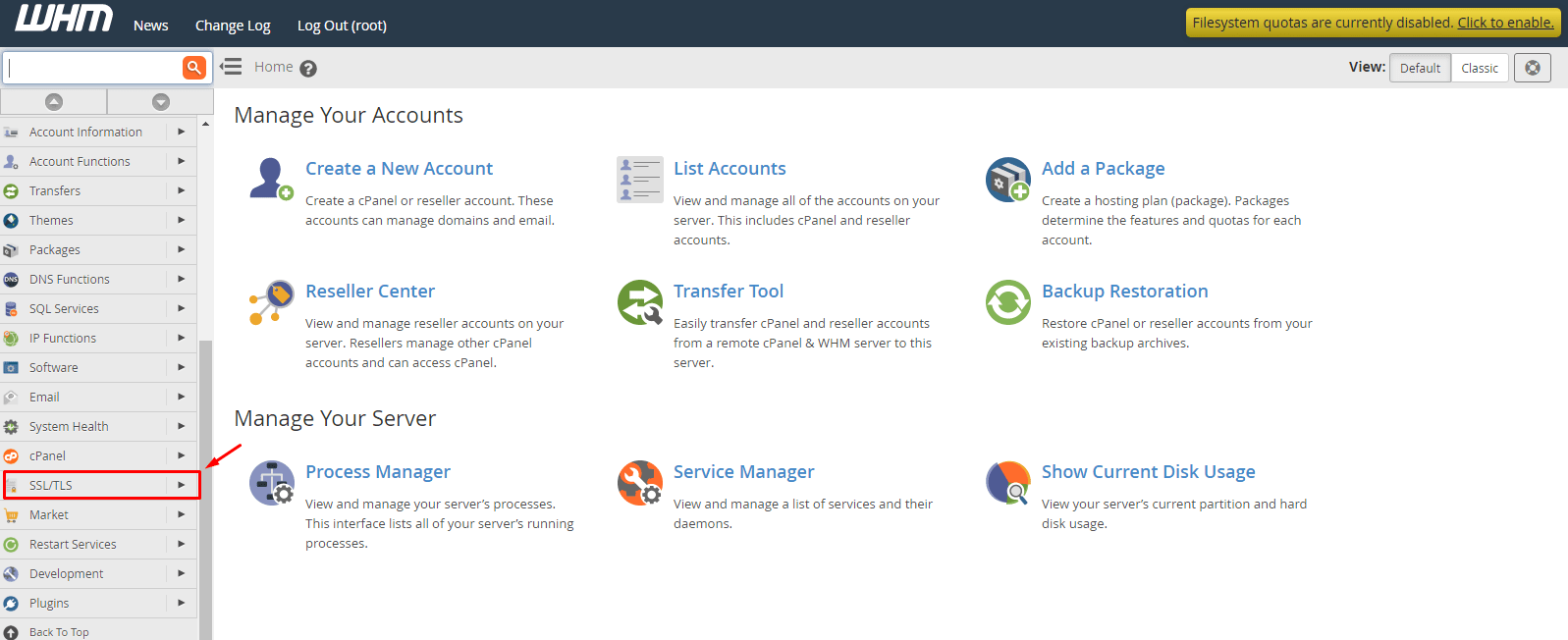
- Open SSL/TLS.
- Click Generate, view, or delete SSL certificate signing requests.
- Pick a key type, such as RSA, 2048 bit.
- Type your domain in the Domains box.
- Fill in city, state, country, company and email.
- Click Generate and copy the CSR text.
Option 2: in WHM
WHM is the Web Host Manager. Resellers, VPS and dedicated server owners use it. This option needs WHM access.
- Log in to WHM.
- Type Generate an SSL Certificate in the search box on the left.
- Click Generate an SSL Certificate and Signing Request.

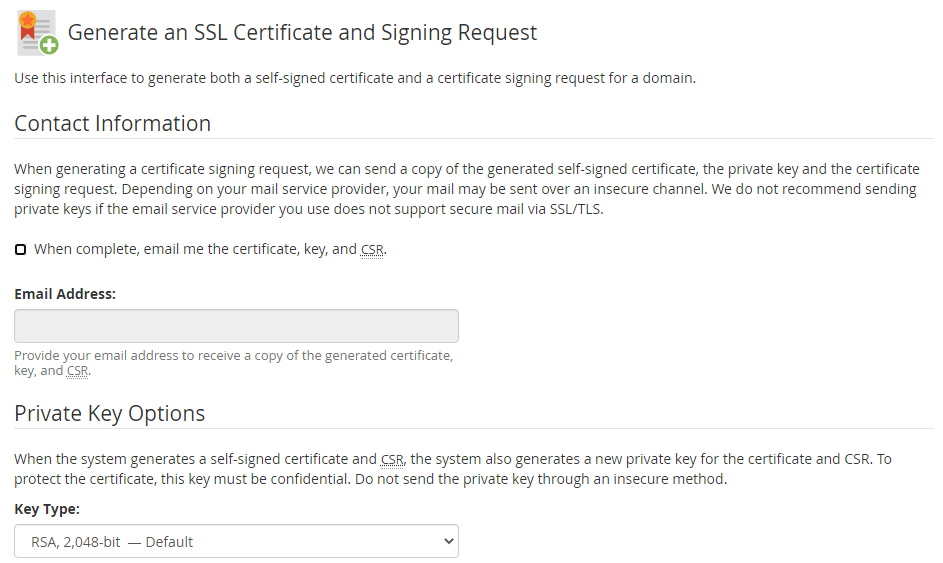
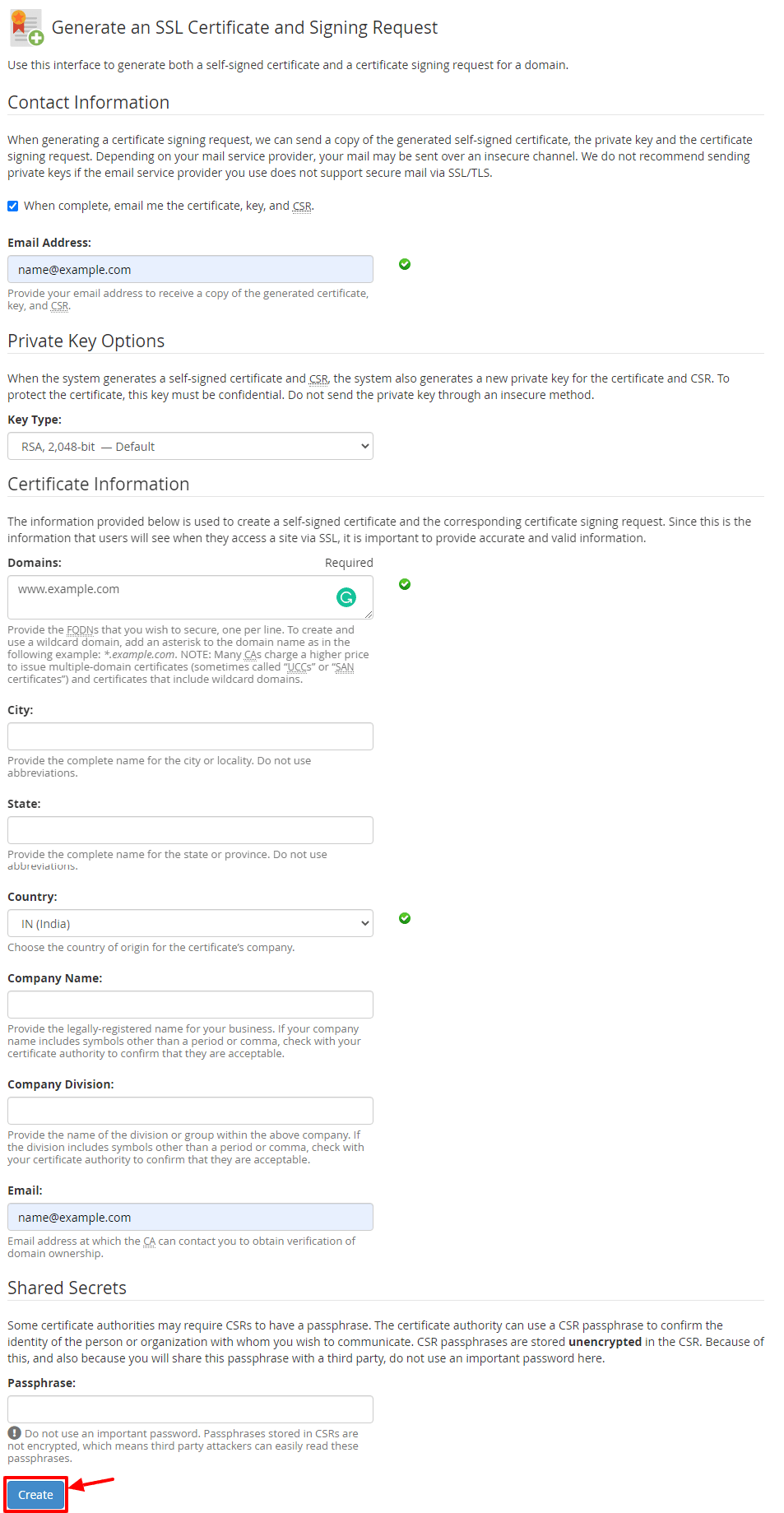
- Choose the key type.
- Enter the domain name or names.
- Fill in the company, city, state, country and email.
- Enter a password if you want to protect the key. Many people leave this empty, because a password stops the web server from restarting without help.
- Click Create.
- WHM shows the CSR, the key and sometimes a self-signed certificate. Copy the CSR and the private key. Save them somewhere safe.
What next?
- Paste the CSR into the seller's order form.
- Prove you own the domain.
- Install the certificate when it arrives. In WHM use Install an SSL Certificate on a Domain. In cPanel use Manage SSL sites.
Tip: Do not create a second CSR after ordering. It makes a new key, and the first certificate will no longer match. See also support if you need help.
Quick recap
- A CSR is the request text for a certificate.
- cPanel: SSL/TLS then the CSR page.
- WHM: Generate an SSL Certificate and Signing Request.
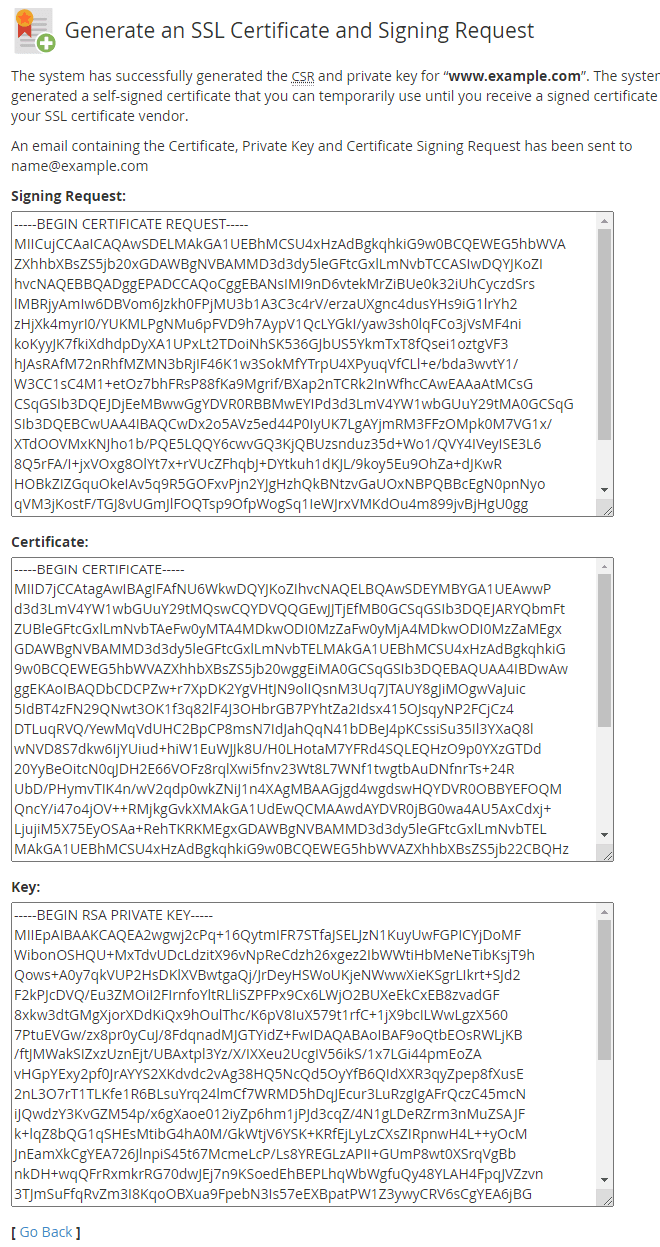
- Copy and keep the private key safe.