

What is a CSR?
CSR stands for Certificate Signing Request. It is a block of text that holds your domain name and company details. You give it to the certificate seller. They use it to make your certificate. When you make a CSR, cPanel also makes a private key. The private key is a secret file that must match your certificate. Keep it safe.
Details you will need
- The domain name, such as
example.com. - Your city, state and two-letter country code.
- Your company name, or your own name for a personal site.
- A valid email address.
Steps
- Log in to cPanel from the link in your welcome email or from your client area.
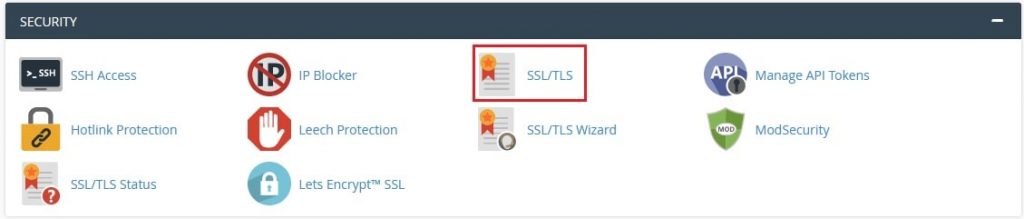
- Open SSL/TLS in the Security section.
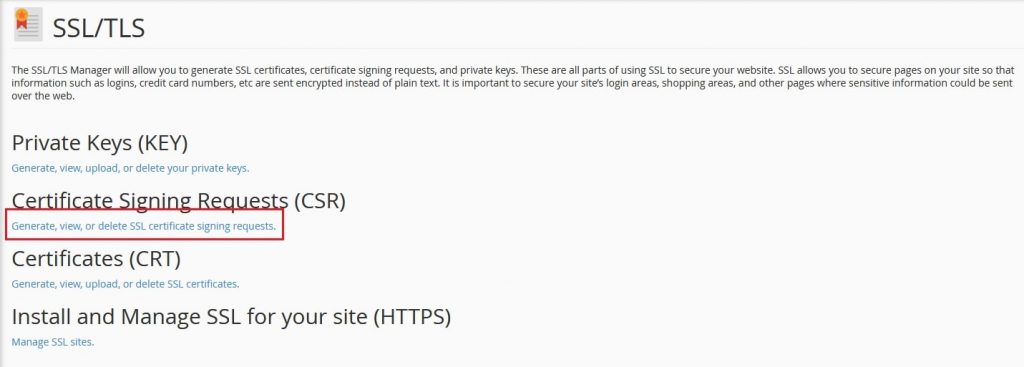
- Under Certificate Signing Requests (CSR), click Generate, view, or delete SSL certificate signing requests.
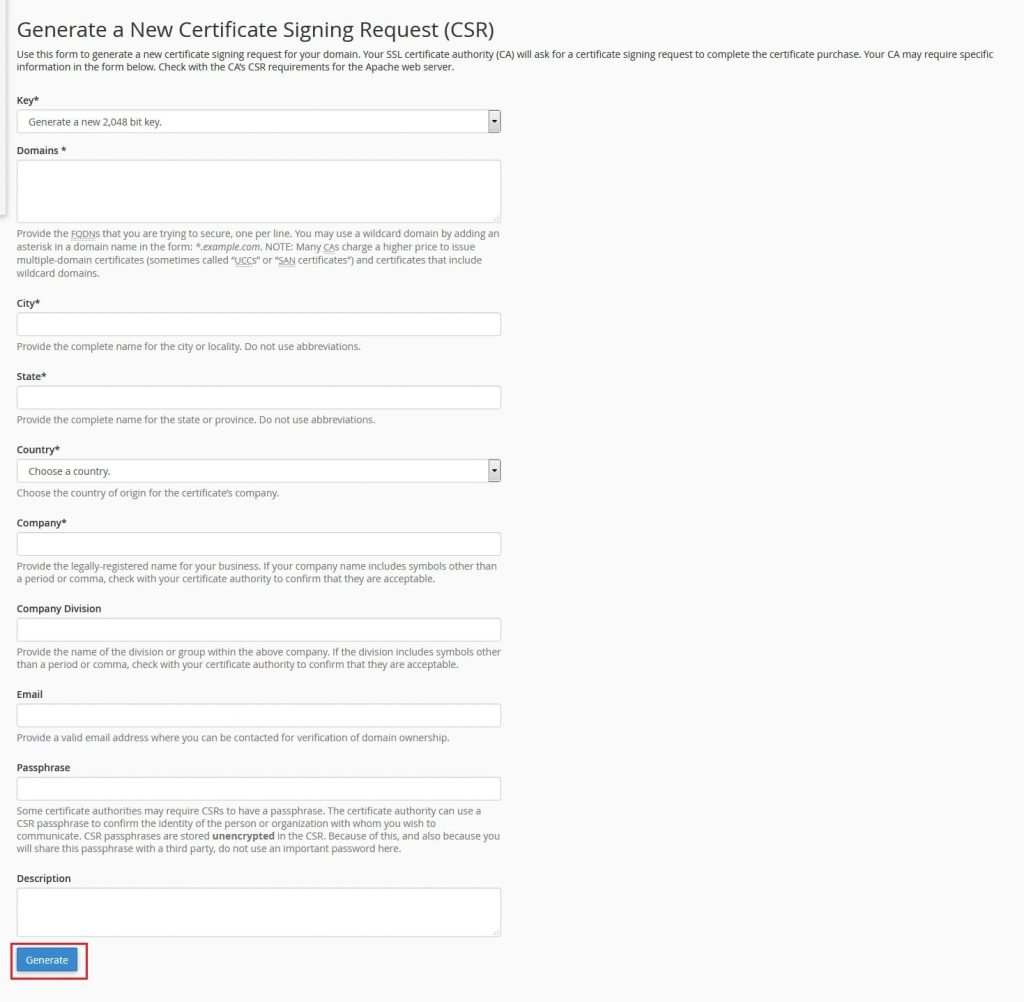
- Choose a key type. RSA, 2048 bit is a common choice.
- In the Domains box, type your domain. For a wildcard certificate, type
*.example.com. - Fill in City, State and Country. Use the full state name, not short letters.
- Fill in Company and, if you like, Company Division.
- Enter your Email.
- Click Generate.
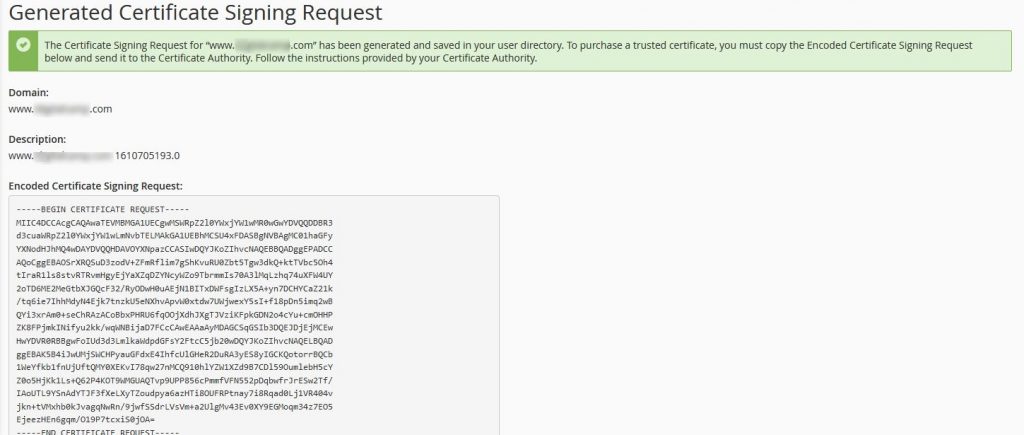
- cPanel shows the CSR text. Copy all of it, including the lines that start with five dashes.
What next?
- Paste the CSR into the order form of your certificate seller.
- Prove you own the domain when they ask.
- When you get the certificate, install it in SSL/TLS, then Manage SSL sites.
cPanel keeps the private key for you. It will fill it in when you install the certificate with the same domain.
Tip: Do not make a new CSR after you place the order. A new CSR makes a new key, and it will not match the first certificate.
Need help? Open a ticket at https://secure.hostvento.com/submitticket.php.
Quick recap
- A CSR is the request text for an SSL certificate.
- Find it under SSL/TLS in cPanel.
- Fill in the domain and details, then click Generate.
- Copy the CSR and give it to the seller.