

What you need
- A domain with several subdomains.
- Access to the DNS settings of the domain.
- An Ubuntu 22.04 server with sudo access.
- OpenSSL.
- A working Nginx or Apache web server.
A wildcard certificate such as *.example.com covers all first-level subdomains: blog.example.com, shop.example.com and so on.
Step 1: Create the CSR
Create a private key:
sudo openssl genrsa -out /etc/ssl/private/yourdomain.key 2048
Create the CSR. Use *.example.com as the Common Name:
sudo openssl req -new -key /etc/ssl/private/yourdomain.key -out /etc/ssl/certs/yourdomain.csr
Step 2: Order the certificate
- Log in to your certificate provider.
- Choose a wildcard SSL certificate.
- Paste the contents of the CSR file.
- Finish domain validation by email or DNS record.
When it is approved you get the certificate (yourdomain.crt) and the CA bundle (ca_bundle.crt).
Step 3: Install it
Nginx
sudo cp yourdomain.crt /etc/ssl/certs/
sudo cp ca_bundle.crt /etc/ssl/certs/
sudo sh -c 'cat /etc/ssl/certs/yourdomain.crt /etc/ssl/certs/ca_bundle.crt > /etc/ssl/certs/yourdomain-chain.crt'
sudo nano /etc/nginx/sites-available/your_site
In the server block:
server {
    listen 443 ssl;
    server_name example.com *.example.com;

    ssl_certificate     /etc/ssl/certs/yourdomain-chain.crt;
    ssl_certificate_key /etc/ssl/private/yourdomain.key;
}
Test and reload:
sudo nginx -t
sudo systemctl reload nginx
Apache
sudo a2enmod ssl
sudo nano /etc/apache2/sites-available/your_site-ssl.conf
<VirtualHost *:443>
ServerName example.com
ServerAlias *.example.com
SSLEngine on
SSLCertificateFile /etc/ssl/certs/yourdomain.crt
SSLCertificateKeyFile /etc/ssl/private/yourdomain.key
SSLCertificateChainFile /etc/ssl/certs/ca_bundle.crt
</VirtualHost>sudo a2ensite your_site-ssl.conf
sudo apache2ctl configtest
sudo systemctl reload apache2Step 4: Test it
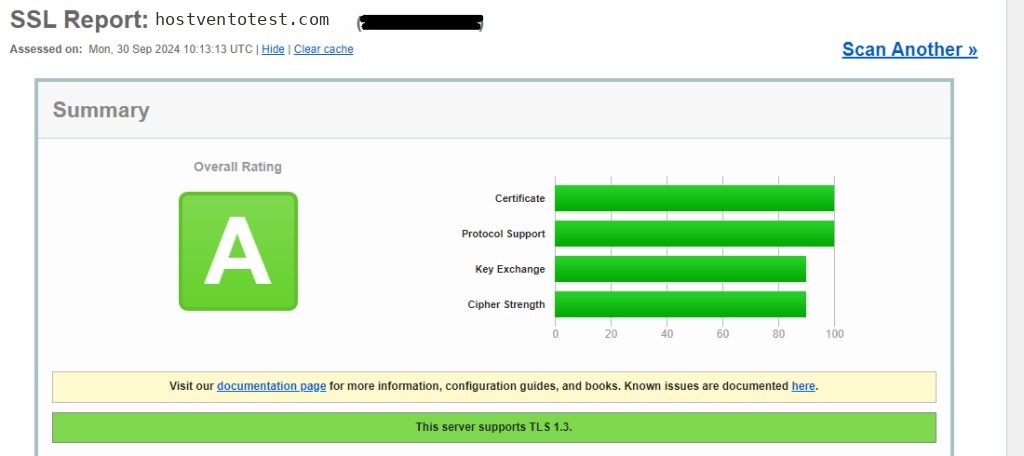
Open a subdomain with https:// and check the padlock. You can also test the setup with an online SSL checker.
Quick recap
- Make a key and a CSR for
*.example.com. - Install the certificate and chain in your web server.
- Test with a few subdomains.