

What is an SSL certificate
An SSL certificate encrypts the traffic between your visitors and your server. It also shows the padlock and uses HTTPS.
What you need
- A domain name.
- Nginx installed on a Linux server.
- Root or sudo access.
- OpenSSL installed.
Step 1: Create the key and the CSR
A CSR (Certificate Signing Request) is a file you send to the certificate provider.
- Create a folder for the SSL files:
sudo mkdir /etc/nginx/ssl
- Generate a private key:
sudo openssl genpkey -algorithm RSA -pkeyopt rsa_keygen_bits:2048 -out /etc/nginx/ssl/private.key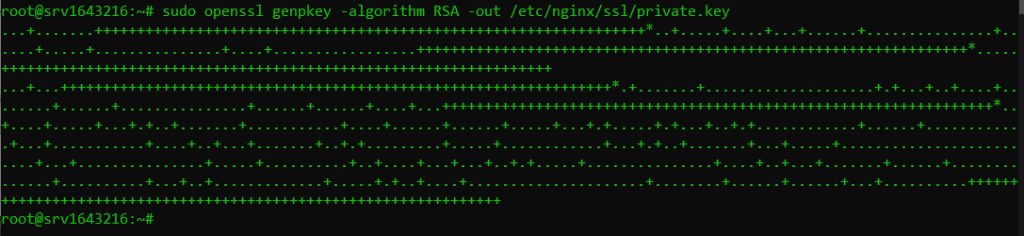
- Generate the CSR:
sudo openssl req -new -key /etc/nginx/ssl/private.key -out /etc/nginx/ssl/csr.pem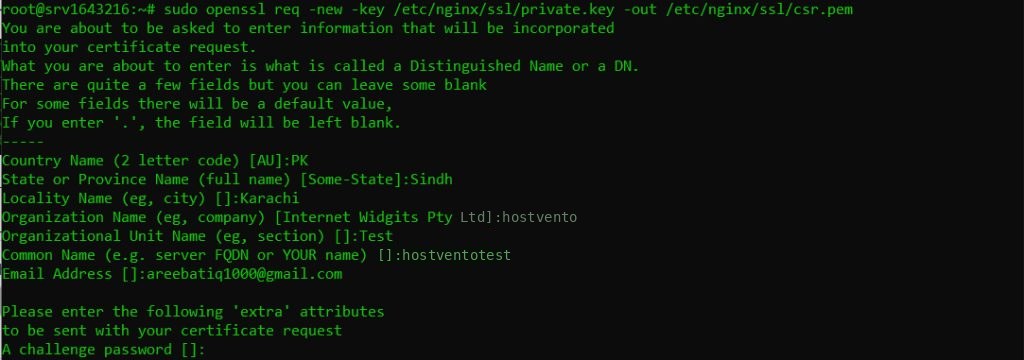
Answer the questions. Set Common Name to your domain.
Warning: Keep
private.key secret and never send it to anyone.Step 2: Get the certificate
Send the contents of csr.pem to your certificate provider. After validation you receive:
- Server certificate, which is your domain certificate.
- Intermediate certificate, which links your certificate to the root.
- Root certificate, which belongs to the authority.
Step 3: Install it on Nginx
- Copy the files to the SSL folder:
sudo cp /path/to/your_domain.crt /etc/nginx/ssl/
sudo cp /path/to/intermediate.crt /etc/nginx/ssl/- Join the server and intermediate certificates into one file (server first):
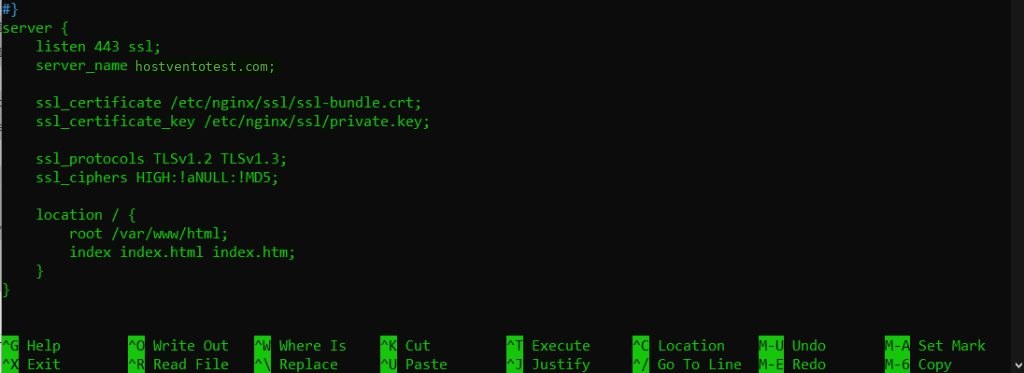
sudo sh -c 'cat /etc/nginx/ssl/your_domain.crt /etc/nginx/ssl/intermediate.crt > /etc/nginx/ssl/fullchain.crt'- Edit your server block, for example
/etc/nginx/sites-available/default:
server {
    listen 443 ssl;
    server_name example.com www.example.com;

    ssl_certificate     /etc/nginx/ssl/fullchain.crt;
    ssl_certificate_key /etc/nginx/ssl/private.key;
}
- Test the configuration and reload Nginx:
sudo nginx -t
sudo systemctl reload nginx
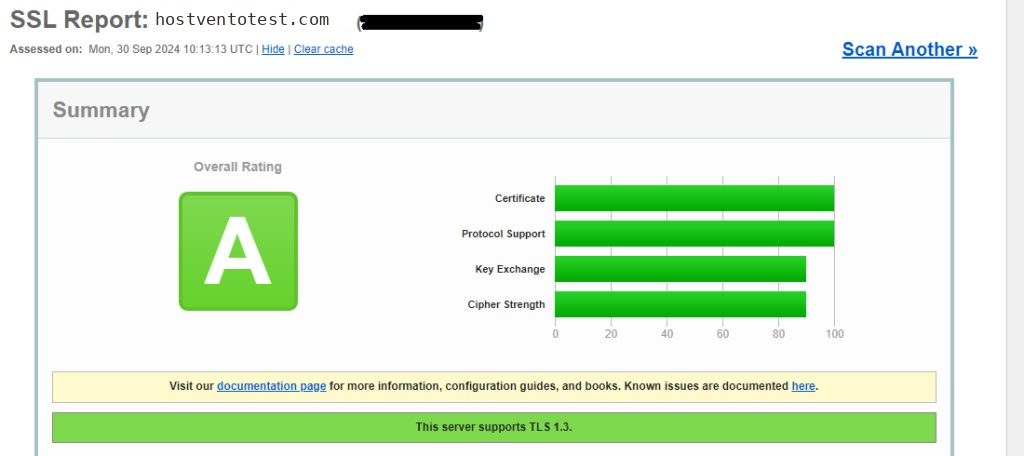
Step 4: Test the result
Open https://example.com and check the padlock. You can also run an online SSL test.
Quick recap
- Create a key and a CSR with OpenSSL.
- Get the certificate from the provider.
- Join the certificate and the intermediate, set
ssl_certificateandssl_certificate_key. - Run
nginx -tand reload.