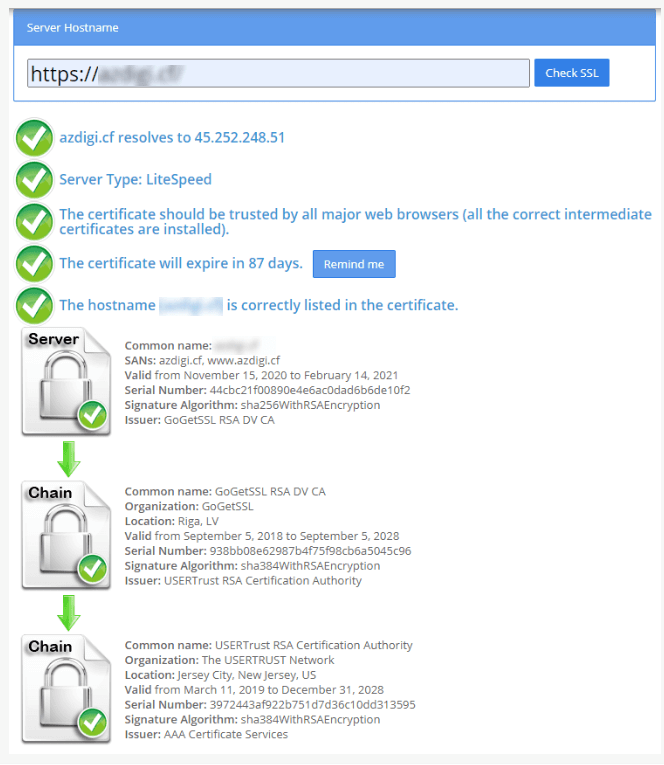
What do you need?
An SSL certificate is a digital badge that makes your website safe, so it loads over HTTPS. CyberPanel is a control panel, which is a web page where you manage your sites. A paid certificate comes from a certificate company. After you pass their checks, they send you files.
You need these three items:
- Certificate: the file for your domain, often ending in
.crt. - Private key: a secret file made when you created your certificate request (CSR). Never share it with anyone.
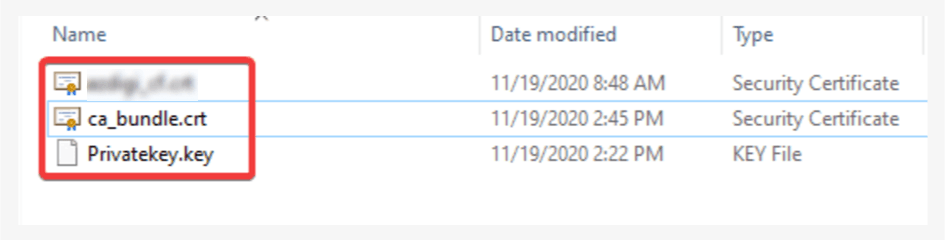
- CA bundle (also called chain or intermediate): extra files that link your certificate to a trusted company. Sometimes this part is optional.
Steps
- Open your certificate files in a plain text editor, such as Notepad. Each file is made of text that starts with a line like
-----BEGIN CERTIFICATE-----. - Log in to CyberPanel.
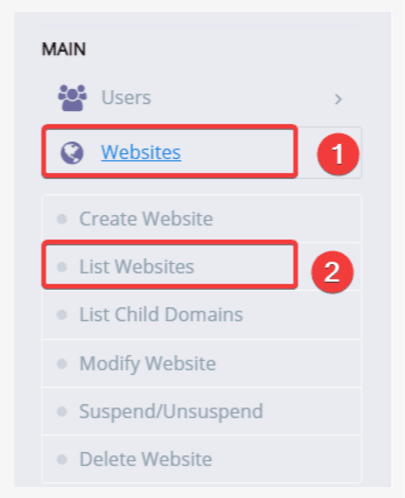
- In the left menu, click Websites, then List Websites.
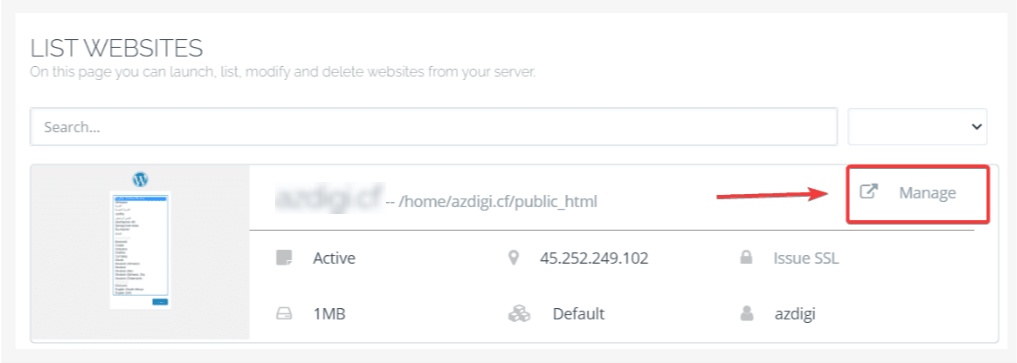
- Find your domain and click Manage.
- Scroll down and click SSL (the name may appear as Manage SSL).
- Choose your domain if it asks you.
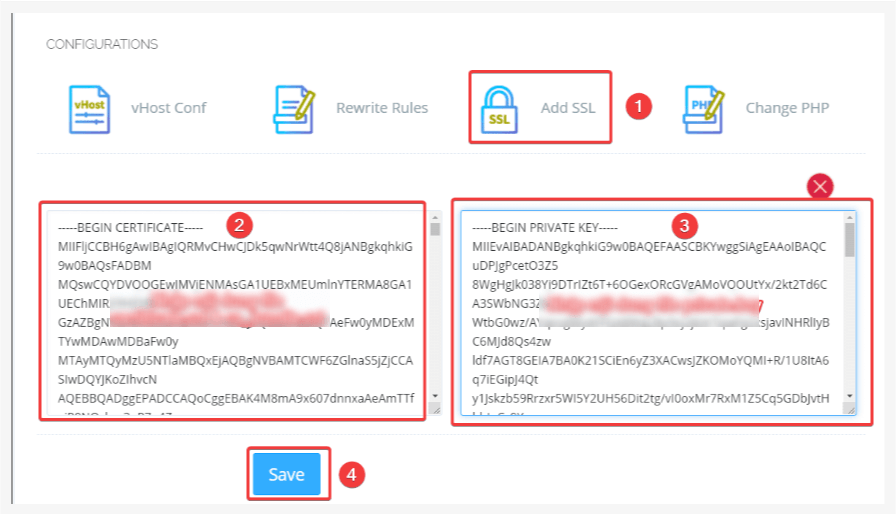
- In the Private Key box, paste the full text of your private key. Include the BEGIN and END lines.
- In the Certificate box, paste your certificate text.
- If there is a box for the CA bundle or chain, paste it there. If not, you can put it under your certificate in the same box, right after it.
- Click Save or Issue SSL.
- Open
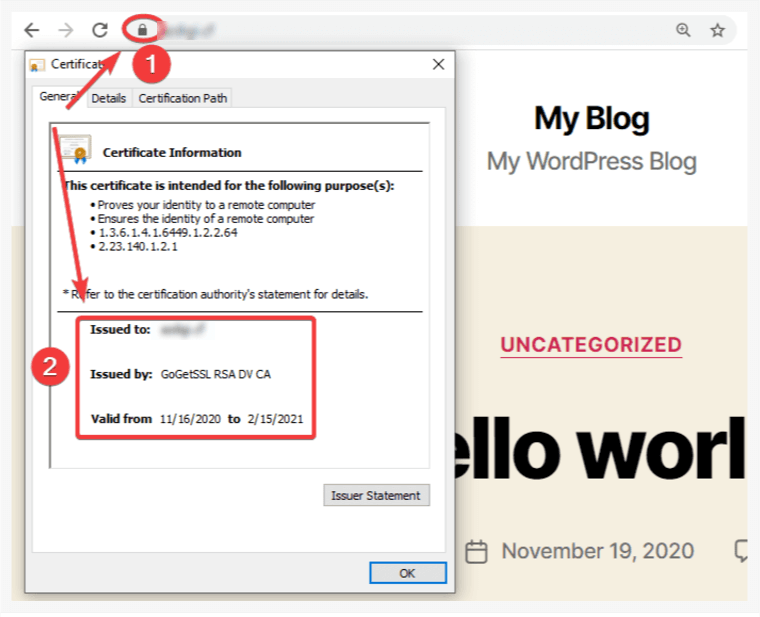
https://yourdomain.comand look for the padlock.
Other menu route
In some versions, you can also go to SSL in the left menu and choose Manage SSL or Sub/Domain SSL. Menu names can change between versions, so look for the SSL page that has a place to paste a key and certificate.
Common problems
- Key does not match. The certificate must be made from the same CSR as the key. Use the matching pair.
- Extra spaces. Copy the text exactly. Do not add blank spaces before or after.
- Warning about trust. You may have forgotten the CA bundle. Add it.
Tip: Save a copy of your key and certificate files in a safe place. If you need help, open a support ticket.
Quick recap
- You need the certificate, the private key and usually the CA bundle.
- Open the SSL page for your site in CyberPanel.
- Paste each item into its box and save.
- Open the site with HTTPS and check for the padlock.