

Overview
OpenVPN builds an encrypted tunnel between your devices and your server. Without strong sign-in, anyone with the config file could connect. FreeRADIUS is a free server for authentication, authorization and accounting. It supports user name and password, certificates and tokens. When OpenVPN asks FreeRADIUS to check each client, you manage all users in one place.
Step 1: Install and set up FreeRADIUS
- Update your system packages.
- Install FreeRADIUS with your package manager (
aptoryum).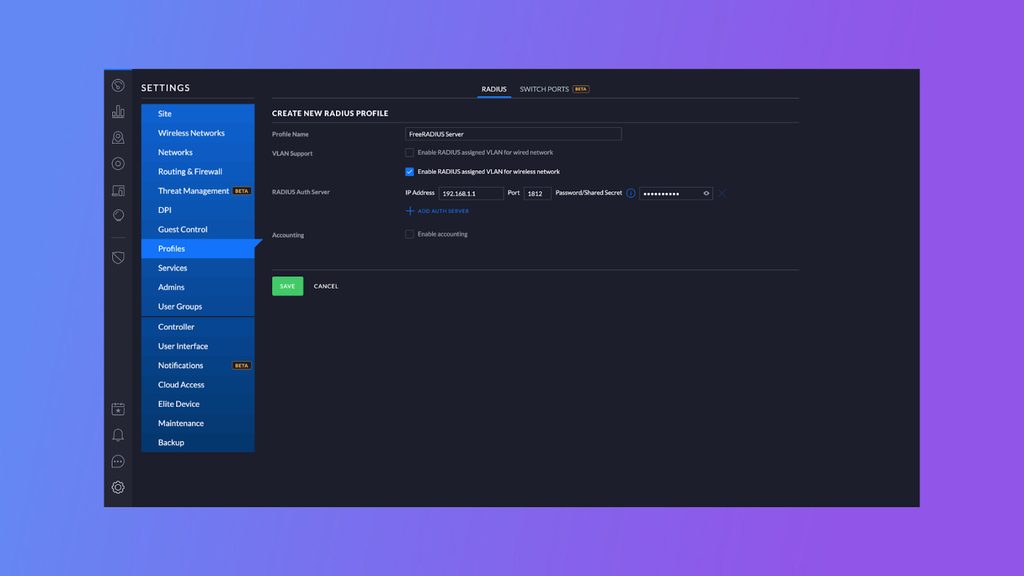
- Edit the main configuration file
radiusd.confto set log paths, ports and database connections. - Choose a database for users: MySQL, PostgreSQL or SQLite, and add its settings.
- Enable and start the service so it runs at boot.
Step 2: Connect OpenVPN to FreeRADIUS
- Install OpenVPN on the server with your package manager. OpenVPN talks to RADIUS through a RADIUS plugin, so install that plugin too.
- Open the OpenVPN
server.conffile in a text editor. - In the authentication part, set OpenVPN to use FreeRADIUS. Enter the IP address or host name of the FreeRADIUS server and the shared secret. The same secret must be in the FreeRADIUS client list.
Step 3: Prepare the clients
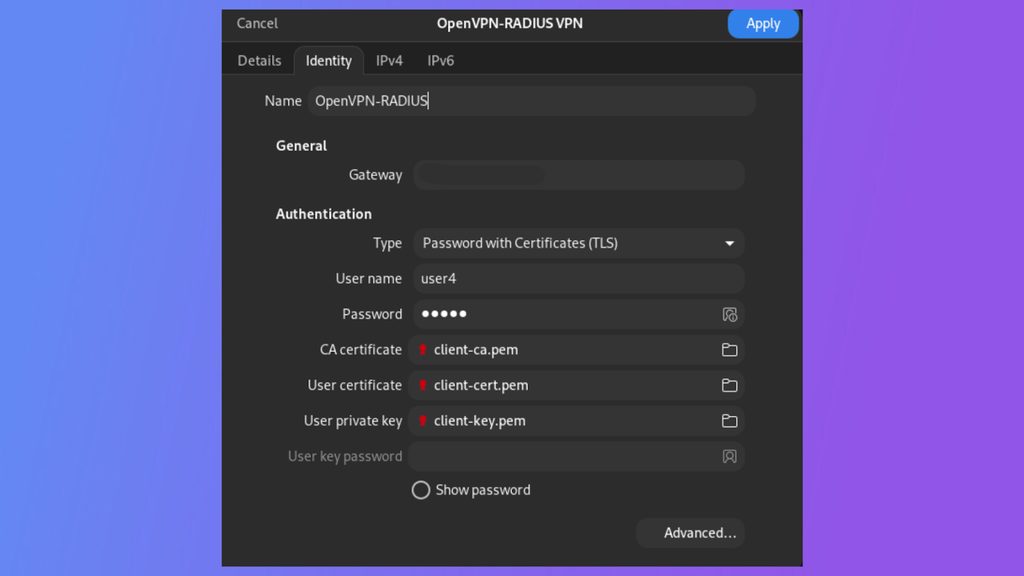
- Make client certificates and keys with Easy-RSA or OpenSSL. Use a Certificate Authority (CA) to sign them.
- Give each client its certificate, key and config file.
- In
client.conf, add the settings for certificate and user sign-in. They must match the server settings.
Step 4: Test
- Start the OpenVPN server and connect a client.
- Watch the FreeRADIUS log to see the sign-in request and the result.
Tip: Run FreeRADIUS in debug mode (
freeradius -X) during the first tests. It prints every step of the check.Quick recap
- FreeRADIUS holds the users, OpenVPN asks it who may connect.
- Share one secret between the two servers.
- Test with a single client and read the logs.