

Why check
- Find big files and folders that eat your space.
- Free space before the disk is full.
- Spot a folder that grows for no reason. That can point to logs gone wild or even malware.
Use du for folders and df for whole disks.
du: size of a folder
Basic use:
du /path/to/directory
The numbers are hard to read. Add -h to see KB, MB or GB:
du -h ~/Documents
Show only the first level of subfolders with --max-depth=1:
du -h --max-depth=1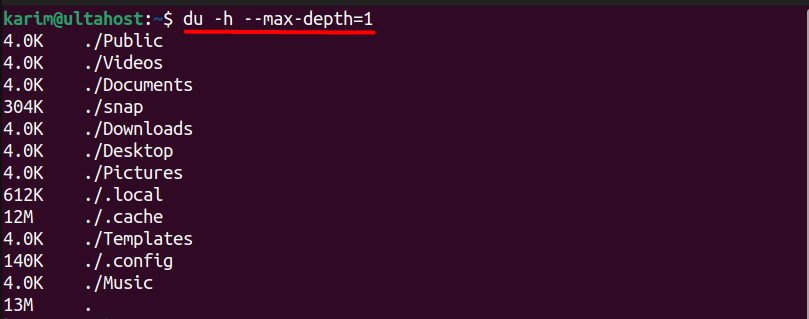
Show only the total of a folder with -s:
du -sh
The dot . means the current folder. Give a path to check another one: du -sh /var/log.
Find what fills the disk. This lists the first-level folders from big to small:
du -h --max-depth=1 / | sort -rh
Go into the biggest folders one by one and run the command again.
df: free space on a disk
df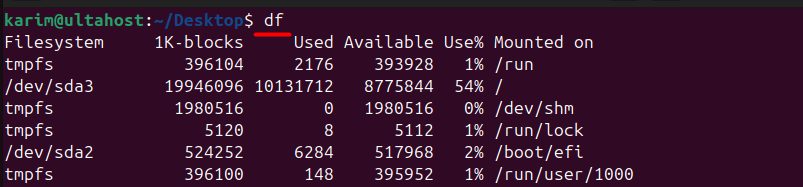
Add -h for readable sizes:
df -h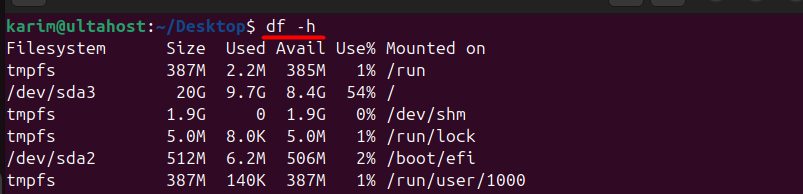
Check one partition:
df -h /dev/sda2
Show the file system type with -T:
df -T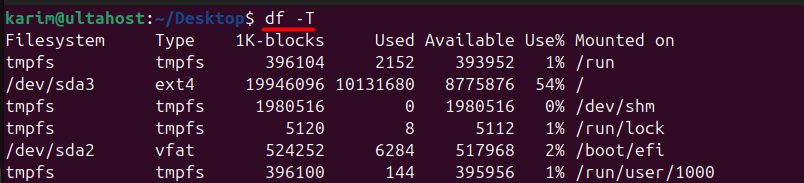
Check inodes (the number of files) with -i. A disk can be "full" because it ran out of inodes:
df -i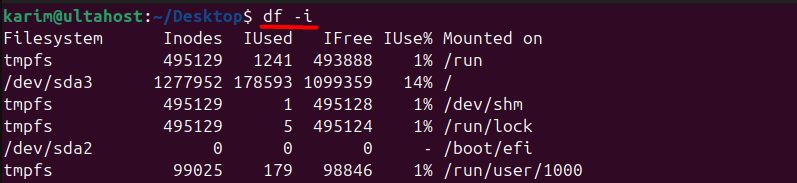
Combine the options:
df -hT
Quick recap
du -sh foldergives the size of one folder.du -h --max-depth=1 / | sort -rhfinds the biggest folders.df -hshows free space,df -ishows free inodes.