

What a Bash script is
A Bash script is a text file with commands that run one after another. Use scripts to automate jobs you repeat, such as backups and updates.
Step 1: Pick an editor
You can use any text editor. nano is easy for beginners and vim is more powerful. Install them if needed:
sudo apt install nano
sudo apt install vim
Step 2: Write the script
Create the file. The extension .sh is a habit and not a must:
nano bash_script.shThe first line is the shebang. It tells the system which program runs the file:
#!/bin/bash
Add your commands below it:
#!/bin/bash
echo "Hello, World!"
Save and close the file.
Step 3: Make it executable
chmod +x bash_script.sh
Step 4: Run it
./bash_script.shYou can also start it with bash and no execute right:
bash bash_script.shStep 5: Test and debug
Test the script on a copy of your data first. To see each command as it runs, start it in debug mode:
bash -x bash_script.shA full example
- Create the file:
nano bash_script.sh
- Write this:
#!/bin/bash
# Store a number in a variable
number=10
# Print the number
echo "The number is: $number"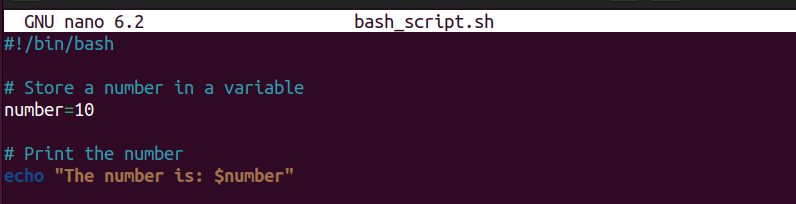
- Give execute rights to all users (use
chmod +xif you only need yourself):
chmod a+x bash_script.sh
- Run it with either command:
./bash_script.sh
bash bash_script.sh
Bash basics
- Comments start with
#. - Variables are set without spaces:
name="Hostvento", and used with$name. - Conditions:
if [ "$a" -gt 5 ]; then ... fi - Loops:
for i in 1 2 3; do echo $i; done - Input:
read answerwaits for the user. - Exit codes:
exit 0means success.
Quick recap
- Start with
#!/bin/bash. - Make the file executable with
chmod +x. - Run it with
./script.sh, and debug withbash -x.