

Why add swap
Swap is disk space that Linux uses when RAM is full. It does not replace RAM, but it can stop programs from being killed when memory runs out. It is useful on small VPS plans.
Step 1: Check the current swap
sudo swapon --show
free -h
If swapon --show prints nothing, you have no swap.
Step 2: Check the free disk space
df -h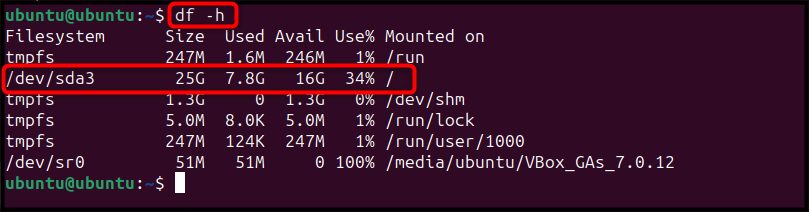
Step 3: Create the swap file
Create a file of 1.5 GB (change the size as you like):
sudo fallocate -l 1.5G /swap.img
Check it:
ls -lh /swap.img
Step 4: Turn it on
Only root should read the file:
sudo chmod 600 /swap.img
Prepare it as swap:
sudo mkswap /swap.img
Turn it on:
sudo swapon /swap.img
Step 5: Make it permanent
Open /etc/fstab:
sudo nano /etc/fstabAdd this line at the end:
/swap.img none swap sw 0 0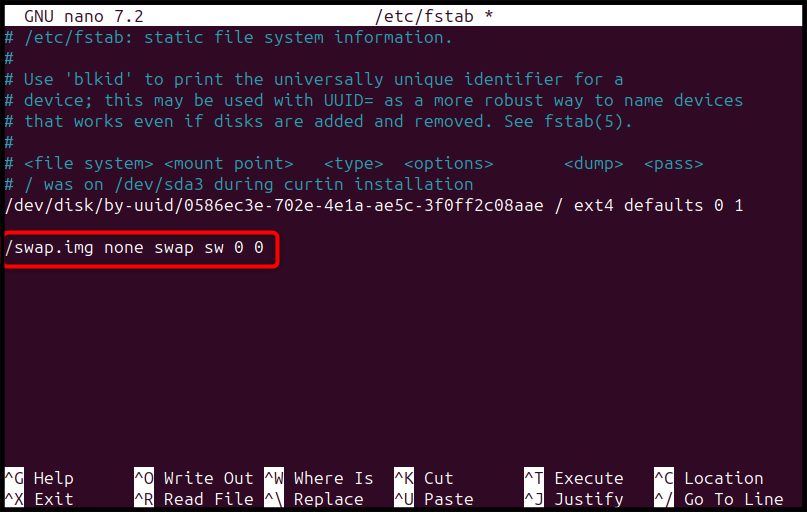
Step 6: Check it
sudo swapon --show
free -h
Adjust swappiness
The swappiness value (0-100) says how eagerly the system uses swap. A low value means swap is used less. For servers, 10-20 is common.
Check the value:
cat /proc/sys/vm/swappiness
Set it for now:
sudo sysctl vm.swappiness=20
Make it permanent. Open sudo nano /etc/sysctl.conf and add:
vm.swappiness=20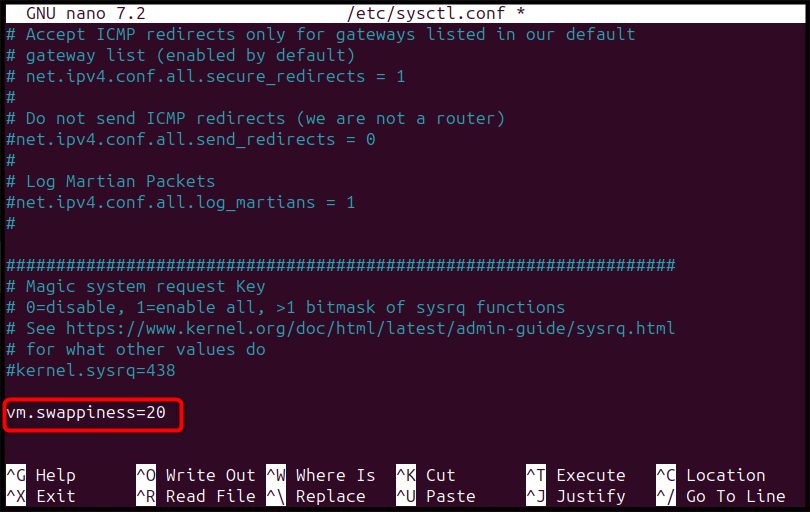
Adjust the cache pressure
vfs_cache_pressure controls how quickly the system frees the cache of file names. The default is 100.
cat /proc/sys/vm/vfs_cache_pressure
sudo sysctl vm.vfs_cache_pressure=120
To keep it, add vm.vfs_cache_pressure=120 to /etc/sysctl.conf too.
Remove the swap file
sudo swapoff /swap.img
sudo rm /swap.img
Then delete the line from /etc/fstab.
Quick recap
- Make the file, set mode 600, run
mkswapandswapon. - Add the line to
/etc/fstab. - Tune
vm.swappiness.