

Syntax
cut [OPTION] [FILE]OPTION says what to cut and FILE is the input. If you leave out the file, cut reads from a pipe.
Common options
| Option | Meaning |
|---|---|
-b, --bytes | Select bytes |
-c, --characters | Select characters |
-f, --fields | Select fields (columns) |
-d, --delimiter | Set the field separator (the default is a tab) |
--complement | Show everything except the selection |
-s, --only-delimited | Skip lines that have no delimiter |
--output-delimiter | Set the separator of the output |
Examples
These examples use a file called file.txt.
Bytes
cut -b 1-5 file.txt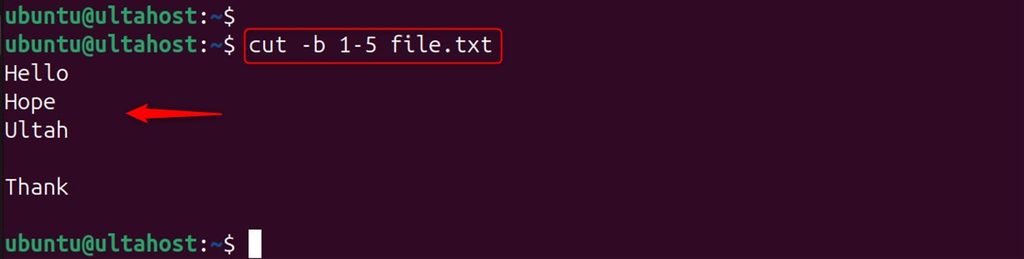
It prints the first 5 bytes of each line.
Characters
cut -c 1 file.txt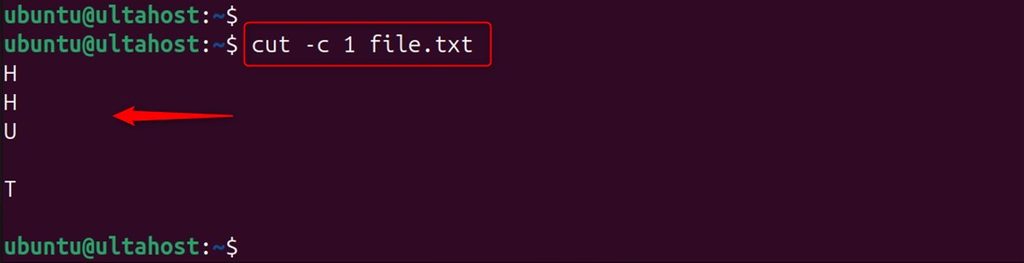
Use a range for more characters:
cut -c 1-10 file.txt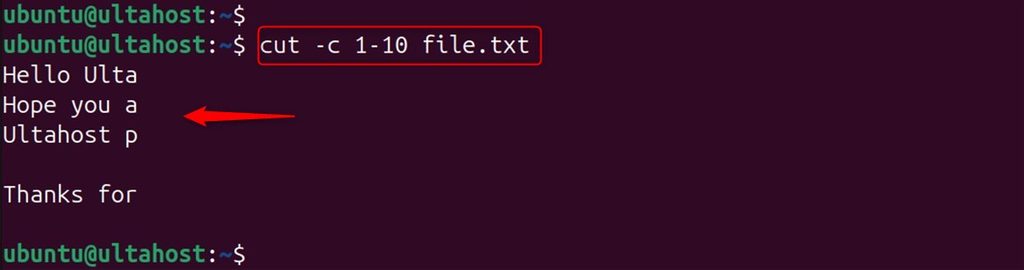
Use a comma for several ranges:
cut -c 1-10,20-30 file.txt
Fields with a delimiter
Take the second field of a comma-separated file:
cut -d ',' -f 2 file.txt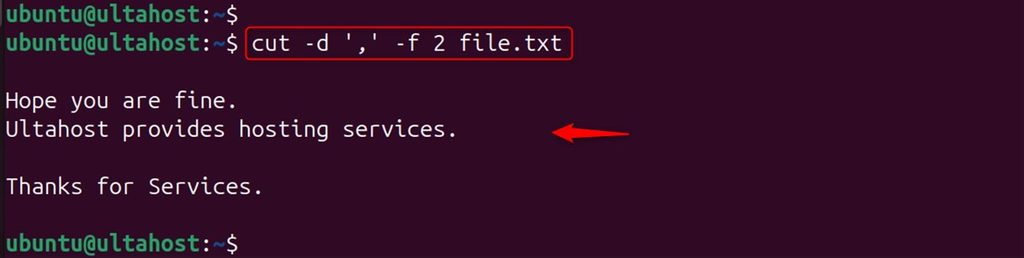
Take the second and fourth fields:
cut -d "," -f 2,4 file.txt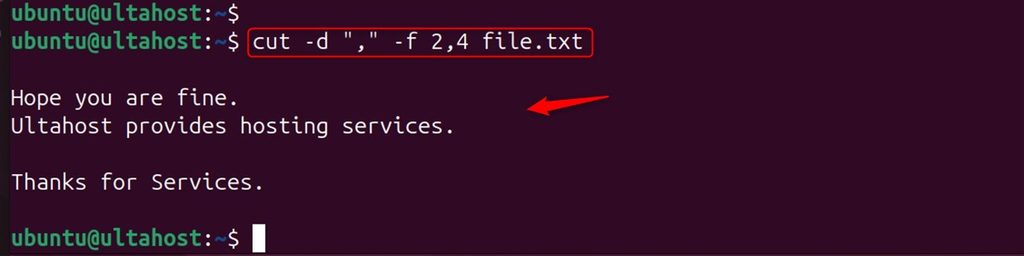
Take a range of fields, with a space as the separator:
cut -d " " -f 2-4 file.txt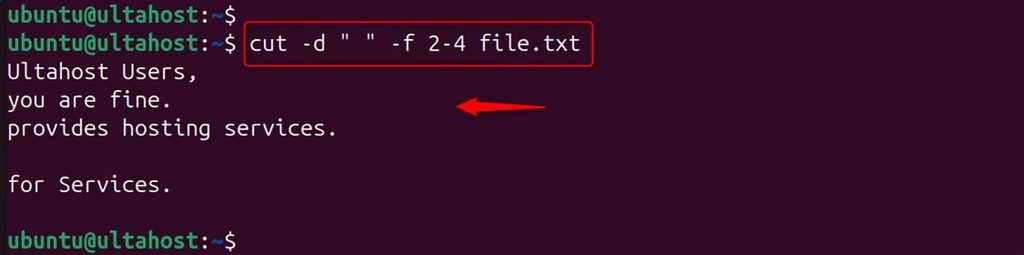
Change the output separator
cut -d ',' -f 1,2 --output-delimiter=';' file.txt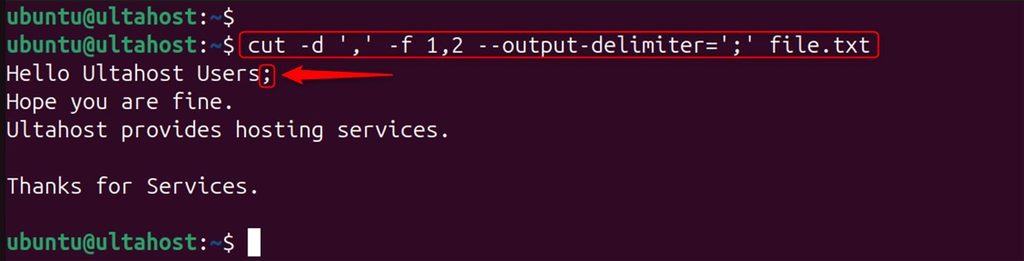
Skip lines without a delimiter
cut -d "," -s -f 1 file.txt
Use cut after another command
List the user names of the system (the first field of /etc/passwd):
getent passwd | cut -d ':' -f1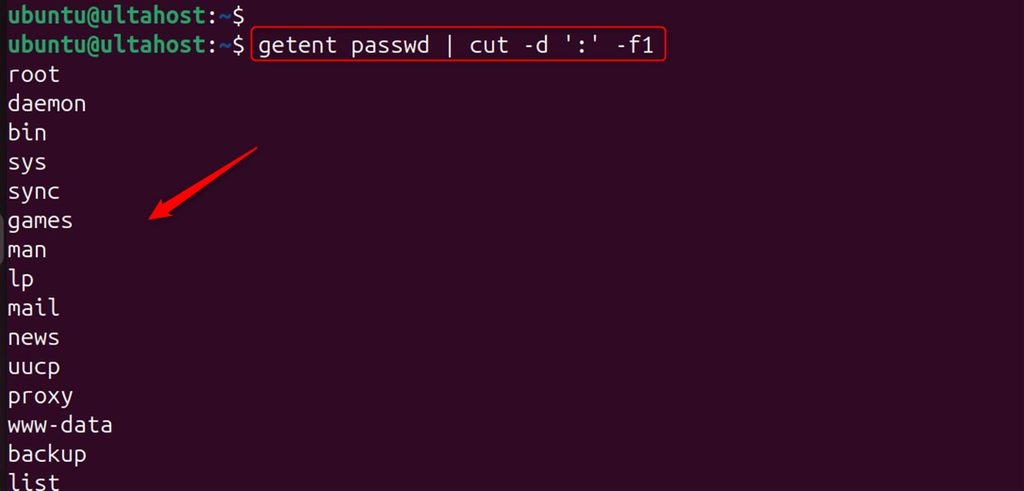
Show everything except one field
cut -d ',' --complement -f1 file.txt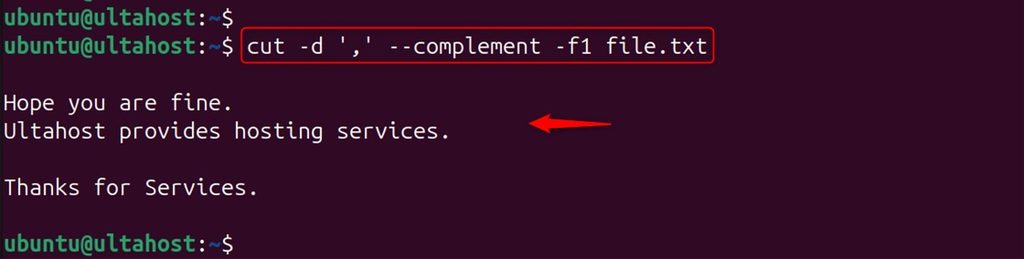
For all options, run:
cut --help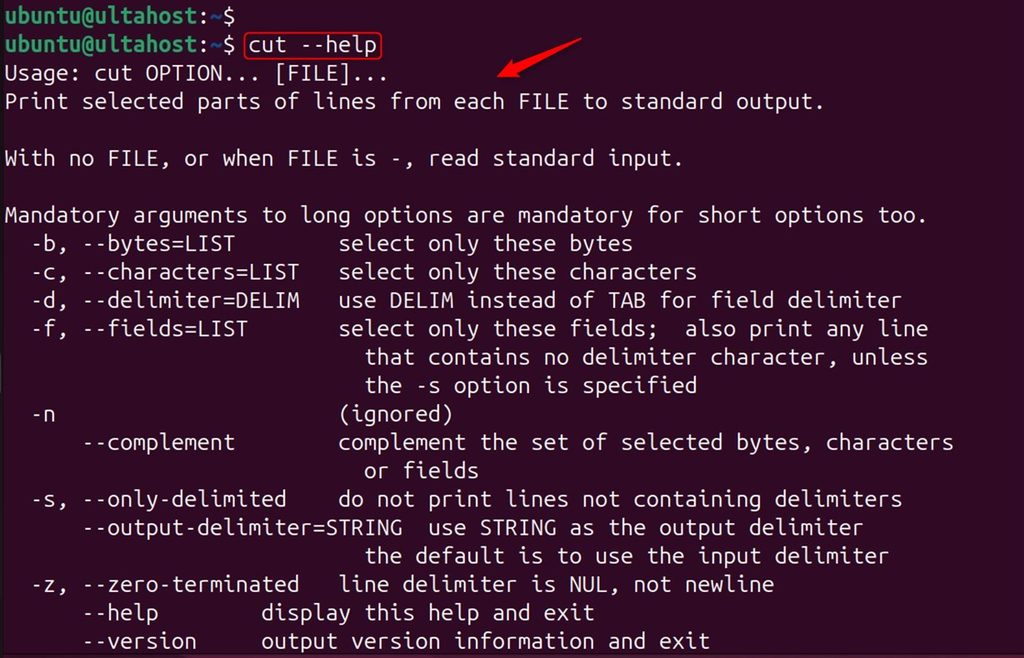
Quick recap
-dsets the separator and-fpicks the fields.-cpicks characters and-bpicks bytes.- Pipe other commands into
cutto get a clean list.