

What head does
head prints the beginning of a file. By default it prints the first 10 lines. It is helpful for a quick look at big files, such as logs.
head [options] fileNameOptions
| Option | What it does |
|---|---|
-n | Number of lines to show from the start |
-c | Number of bytes to show from the start |
-v | Always print the file name |
-q | Never print the file names (for several files) |
Examples
These examples use a file called sampleFile.txt. First look at all of it:
cat sampleFile.txt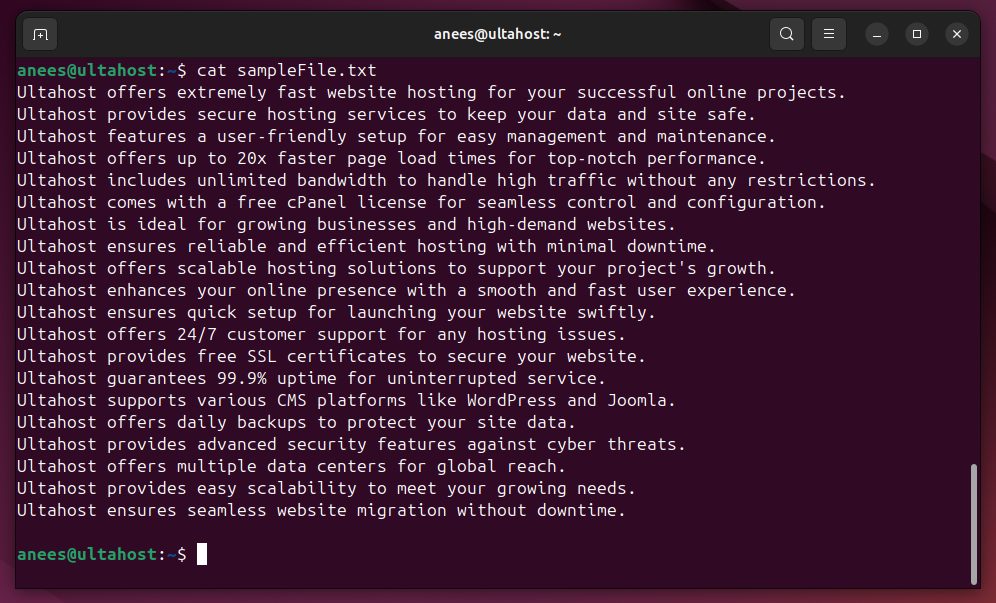
1. Basic use
head sampleFile.txt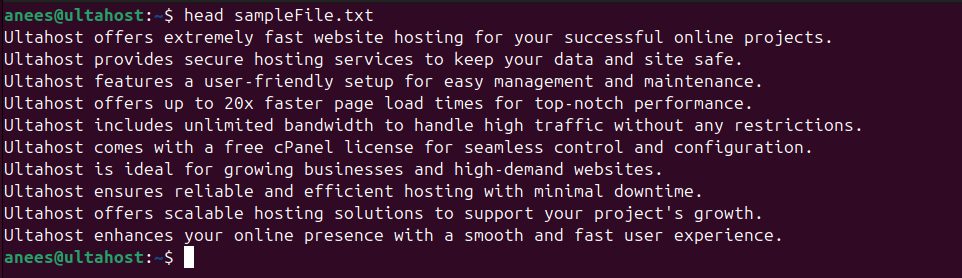
2. A number of lines with -n
head -n 7 sampleFile.txt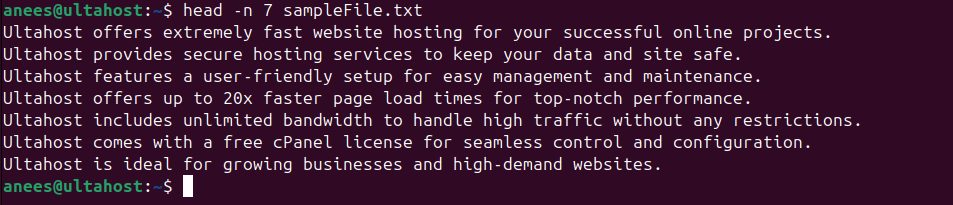
You can use head -n -3 to show everything except the last 3 lines.
3. A number of bytes with -c
head -c 14 sampleFile.txt
4. Show the file name with -v
head -n 3 -v sampleFile.txt
5. Several files
head -n 3 sampleFile.txt exampleFile.txt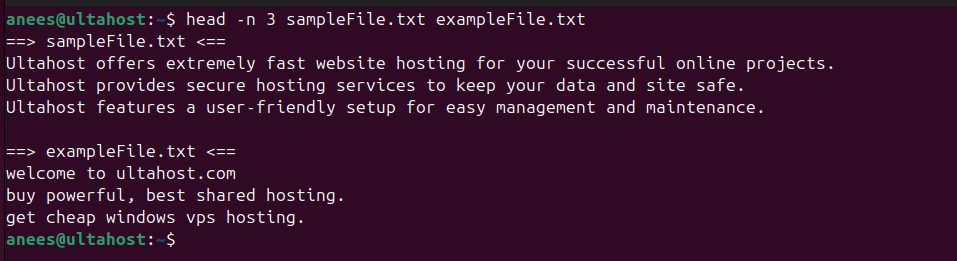
head prints a header with the name of each file.
6. Hide the file names with -q
head -n 3 -q sampleFile.txt exampleFile.txt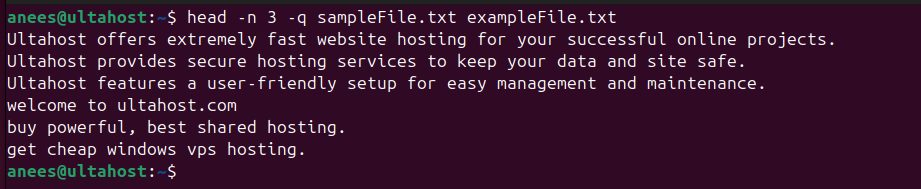
7. Save the result in a file
head -n 5 sampleFile.txt > sampleClone.txt
cat sampleClone.txt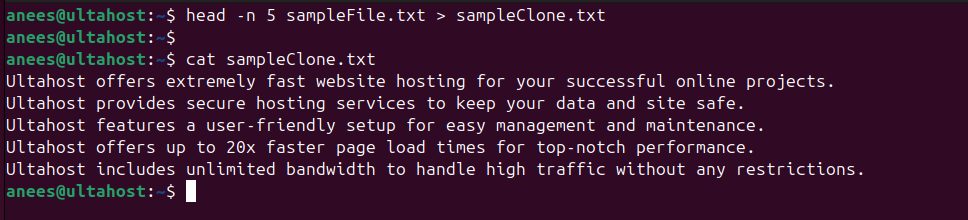
8. Use it in a pipe
ls -l | head -n 6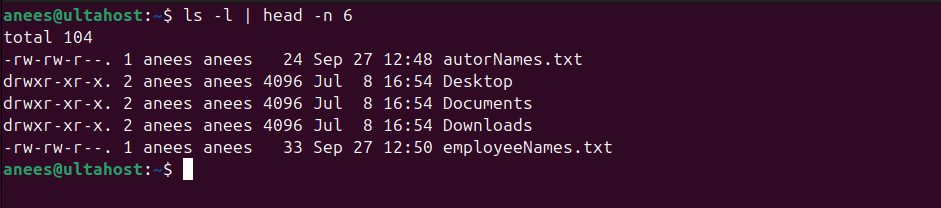
Quick recap
headshows the first 10 lines by default.-nsets lines,-csets bytes.- Use it in pipes to limit long output. The partner command
tailshows the end.