

What a .tar.gz file is
- .tar means "tape archive". It joins many files and folders into one file.
- .gz means the file is compressed with gzip.
Together, a .tar.gz (or .tgz) file is a compressed bundle of files. It is the most common archive format on Linux.
Extract an archive
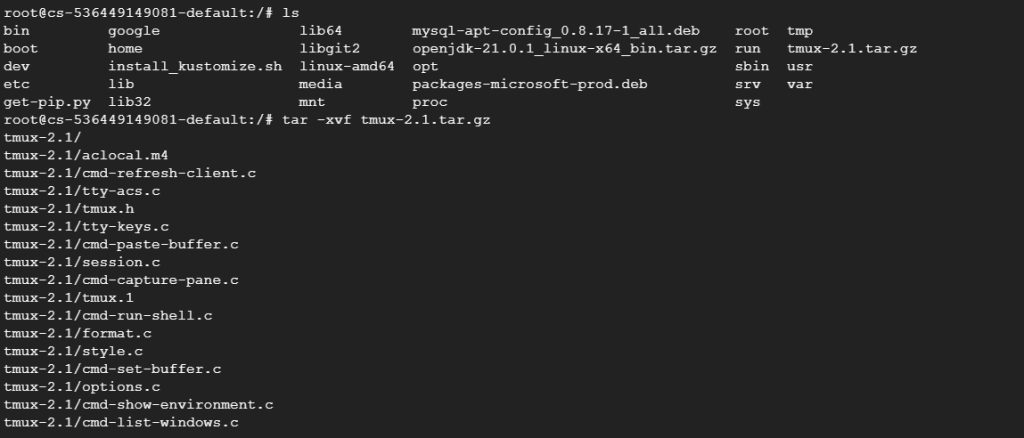
tar -xvf filename.tar.gz-xextracts the files.-vshows the names of the files while it works (verbose).-fnames the archive file. It must be the last option before the file name.-zis optional on moderntar. It tells tar that the archive is gzip compressed:tar -xzvf filename.tar.gz.
Example:
tar -xvf tmux-2.1.tar.gz
Extract into a chosen folder
Use -C and give the folder. The folder must exist:
mkdir -p /opt/myapp
tar -xvf filename.tar.gz -C /opt/myapp
Extract only some files
Name the files or folders you want after the archive name:
tar -xvf data.tar.gz home/List the content without extracting
tar -tvf archive.tar.gzCreate a .tar.gz file
tar -czvf archive.tar.gz folder_nameWhy use .tar.gz
- Smaller size. Compression saves disk space and speeds up downloads.
- Order. Many files become a single file.
- Works everywhere. The
tarandgziptools exist on almost every system.
Quick recap
tar -xvf file.tar.gzunpacks it.- Use
-C folderto pick the target. tar -tvflists the content first.