

What the error means
When you run apt you see a message such as:
E: Could not get lock /var/lib/dpkg/lock-frontend. It is held by process ...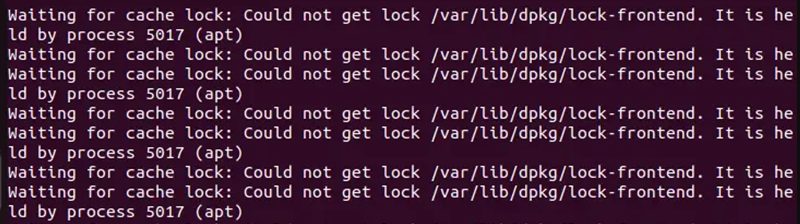
Ubuntu allows only one package job at a time, so it uses a lock file. The error appears because:
- Another program (
apt,aptitude, Synaptic or the Software Center) is running. - An earlier job crashed or stopped and left the lock.
- A background service, such as automatic updates, is busy.
Fixes
Try them in this order, from the safest.
1. Close other programs. Close the Software Center, Synaptic and any terminal that runs apt.
2. Wait a few minutes. Automatic updates often run in the background. Try again later.
3. Reboot
sudo reboot
4. Clean the package cache
sudo apt clean
5. Let automatic updates finish
sudo unattended-upgrades -v
6. Find the process that holds the lock
sudo lsof /var/lib/dpkg/lock-frontendThe output shows the process ID (PID) and the program name. You can read about the command with man lsof.
7. Restart a stuck service
sudo systemctl restart <service_name>8. Stop the process
First ask it nicely (SIGTERM):
sudo kill <PID>If it does not stop, force it (SIGKILL):
sudo kill -9 <PID>9. Last resort: remove the lock files
Do this only when no package process is running (check with ps aux | grep -i apt):
sudo rm /var/lib/dpkg/lock
sudo rm /var/lib/dpkg/lock-frontend
sudo rm /var/cache/apt/archives/lock
sudo dpkg --configure -aPrevent it
- Run only one package command at a time.
- Run automatic updates at quiet hours.
- Update and upgrade the system on a regular basis.
Quick recap
- The lock protects the package database.
- Wait, reboot, or find and stop the process that holds it.
- Remove the lock files only as a last step, and run
dpkg --configure -a.