

How Linux permissions work
Every file and folder has three kinds of permission:
- Read (
r) - Write (
w) - Execute (
x)
They apply to three groups: the owner, the group and others. See them with:
ls -la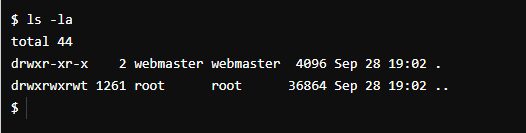
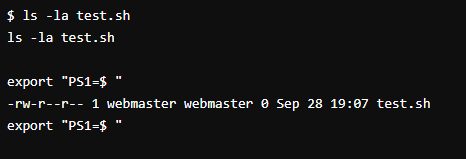
For example -rwxr-xr-- means: the owner can read, write and run; the group can read and run; others can only read.
Why you get "Permission denied"
- The file or folder belongs to another user or group.
- The permissions are wrong.
- You try to reach a system file without root rights.
- The script is not set as executable.
Fixes
1. Change the permissions. If you have the right to, add what is missing. Give the owner read, write and execute:
chmod u+rwx test.sh2. Take ownership. If you are root or have sudo, give the file to your user:
sudo chown username test.sh3. Use sudo. If you are not the owner and a system folder is involved, run the command as root:
sudo mkdir /opt/testUse sudo only when you need it.
Permission denied when running a script
Make the script executable and run it:
chmod +x test.sh
./test.sh
If you still get an error, the file system may be mounted with noexec. Run the script with bash test.sh instead.
Other causes
- A parent folder has no execute (
x) permission. You needxon every folder in the path. - SELinux or AppArmor blocks the access. Check the logs (
/var/log/audit/audit.log). - SSH keys: the private key must have mode 600 (
chmod 600 ~/.ssh/id_rsa).
Warning: Do not use
chmod 777 to "fix" problems. It lets everyone change the file. Give only the rights that are needed.Quick recap
- Read the permissions with
ls -la. - Use
chmod,chownorsudoto fix the access. - Make scripts executable with
chmod +x.