

Why it happens
- Wrong package name. A typo or a name that does not exist in Kali.
- Old package list. The local list is out of date.
- Wrong repositories.
sources.listis missing the Kali repository. - Network problems. apt cannot reach the repository.
Steps
1. Check the name for typos. Search for the package:
apt search package_name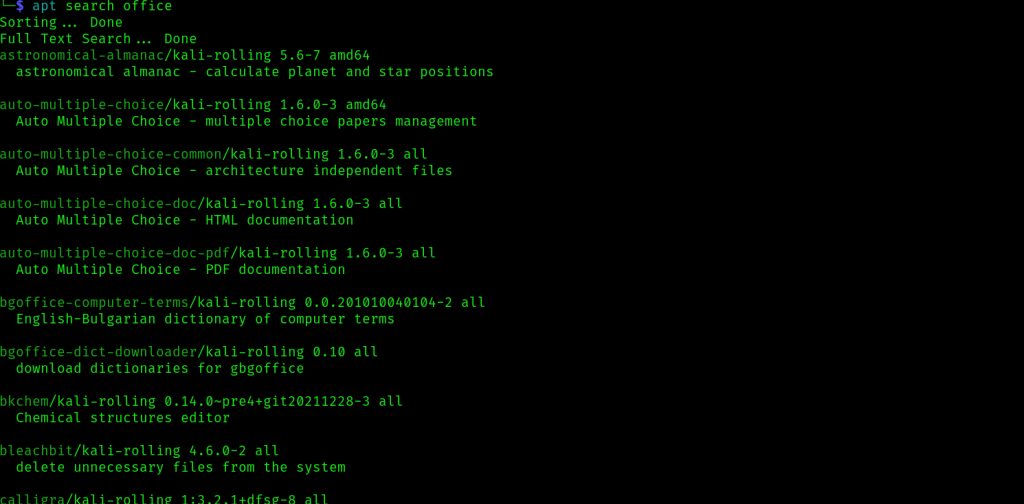
2. Update the package list
sudo apt-get update
sudo apt-get upgrade
3. Check the repository file
cat /etc/apt/sources.list
For Kali Linux, it should contain this line:
deb https://http.kali.org/kali kali-rolling main contrib non-freeNewer Kali releases also use non-free-firmware. If the line is missing or wrong, edit the file:
sudo nano /etc/apt/sources.list4. Add or update the repository key. The key of the Kali archive can expire. The current method puts the key in a keyring:
sudo wget https://archive.kali.org/archive-keyring.gpg -O /usr/share/keyrings/kali-archive-keyring.gpgThen run sudo apt update again.
5. Clean the apt cache
sudo apt clean6. Test your network
ping google.com7. Try aptitude. It can give better hints:
sudo apt-get install aptitude
sudo aptitude search package_name
sudo aptitude install package_name
For example, to find an office suite, run apt search office.
Quick recap
- Check the name, then run
apt update. - Make sure
sources.listhas the Kali repository. - Renew the archive key and test the network.