

Why use Snap
- Easy installs and updates. Snaps update by themselves.
- Better security. Each snap runs in a sandbox.
- Many apps. The Snap Store has thousands.
(Snap is already installed on most Ubuntu releases. Follow these steps if it is missing.)
Install snapd
Step 1: Open a terminal.
Step 2: Update the package lists
sudo apt update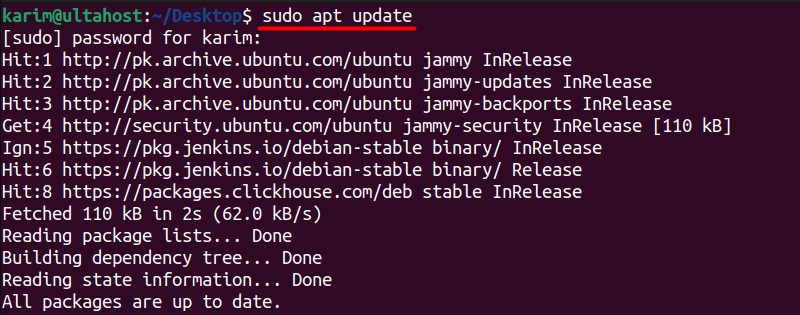
sudoruns the command with admin rights.aptis the package manager of Ubuntu.updaterefreshes the list of packages.
Step 3: Install snapd
sudo apt install snapd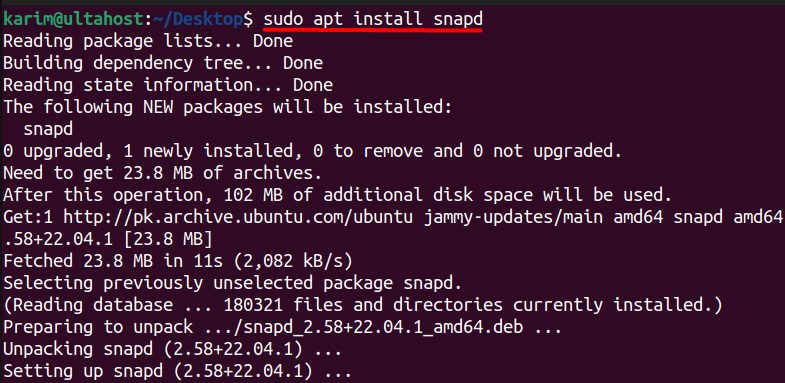
Check it
snap --version
Update snaps
sudo snap refresh
Find and install apps
Search the Snap Store:
snap search vlc
Install an app:
sudo snap install vlc
Some apps need the --classic option because they need wider access:
sudo snap install code --classicUseful commands
| Command | What it does |
|---|---|
snap list | Lists the installed snaps |
snap info vlc | Shows details of a snap |
sudo snap refresh vlc | Updates one snap |
sudo snap remove vlc | Removes a snap |
Remove an app
sudo snap remove vlc
Quick recap
sudo apt install snapd.snap searchandsudo snap installadd apps.sudo snap refreshupdates them.