

What is ENTRYPOINT
ENTRYPOINT in a Dockerfile sets the program that runs when the container starts. Docker adds the CMD value, or the arguments you give to docker run, after it.
Example:
FROM ubuntu
ENTRYPOINT ["/bin/bash"]
Every container from this image starts with Bash.
Override it with docker run
docker run --entrypoint <new-entrypoint> [OPTIONS] IMAGE [ARGUMENTS]This is useful to debug an image, open a shell, or run a different tool inside it.
Example
Step 1: Create a Dockerfile
FROM ubuntu
LABEL maintainer="admin"
RUN apt update
ENTRYPOINT ["echo"]
CMD ["Greetings from Docker!"]
Step 2: Build the image
sudo docker build -t my-image .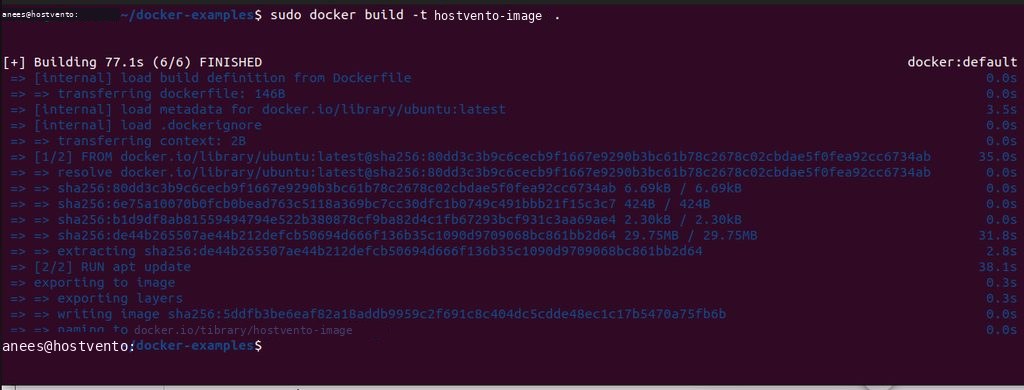
Step 3: Run it with the default ENTRYPOINT
sudo docker run my-image
The output is Greetings from Docker!, because the container runs echo "Greetings from Docker!".
Step 4: Override the ENTRYPOINT
sudo docker run --entrypoint /bin/bash my-image -c "echo 'Overridden entrypoint'"
Now Bash is the entrypoint. The arguments after the image name (-c "echo ...") go to Bash, and the CMD value is dropped.
Step 5: Compare
sudo docker run my-image
sudo docker run --entrypoint /bin/bash my-image -c "echo 'Overridden entrypoint'"
More examples
Open a shell in an image:
docker run -it --entrypoint /bin/sh my-imageRun a command once:
docker run --rm --entrypoint ls my-image -la /etcGood to know
--entrypointtakes only the program. Put the arguments after the image name.- To remove the entrypoint use
--entrypoint "". - In Docker Compose use the
entrypoint:key.
Quick recap
docker run --entrypoint PROGRAM IMAGE ARGSreplaces the DockerfileENTRYPOINT.