

What is RDP
Remote Desktop Protocol (RDP) is a Microsoft protocol that lets you control a Windows computer from another device over a network. It is used by people who work from home and by support staff.
- The RDP server is the Windows PC you connect to.
- The RDP client is the device you connect from.
Only some Windows editions can act as an RDP server. Windows Home cannot. Windows Pro, Enterprise and Windows Server can. For access from outside a company network, a Remote Desktop Gateway or a VPN is the safe way.
Enable Remote Desktop on Windows
- Open the Start menu.
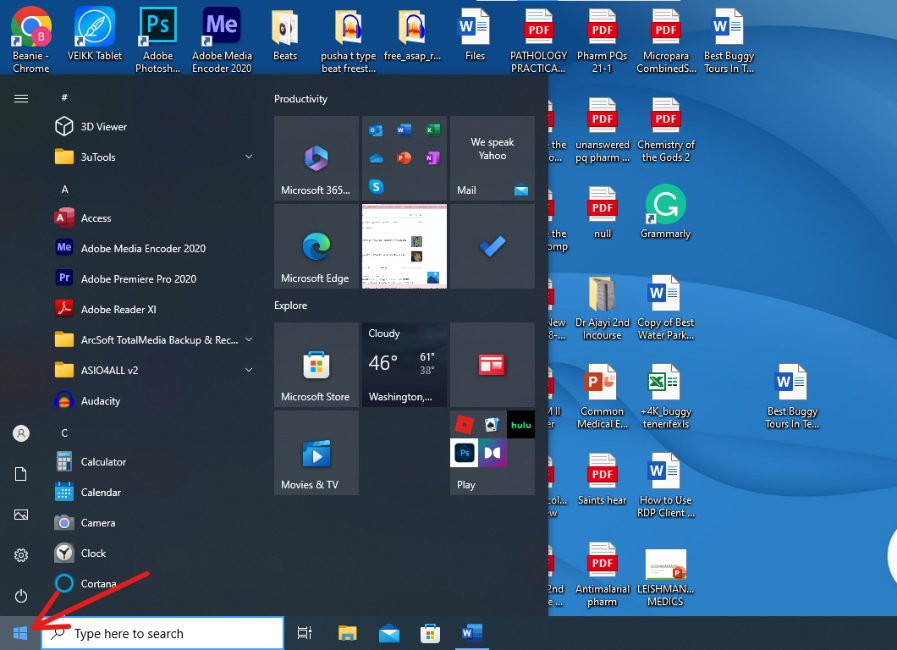
- Click Settings.
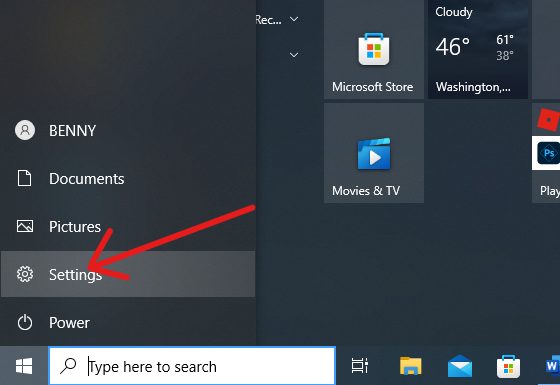
- Select System.
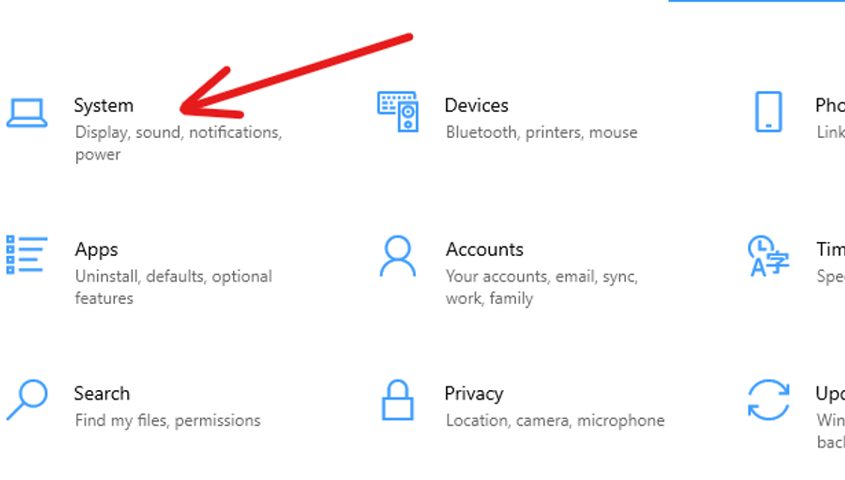
- Scroll down the left menu and click Remote Desktop.
- Turn Enable Remote Desktop on.
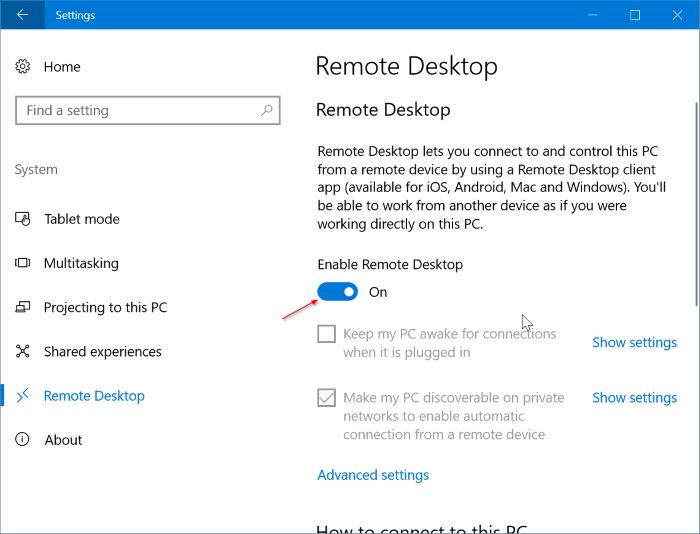
- Under How to connect to this PC you see the PC name to use in the Remote Desktop app.
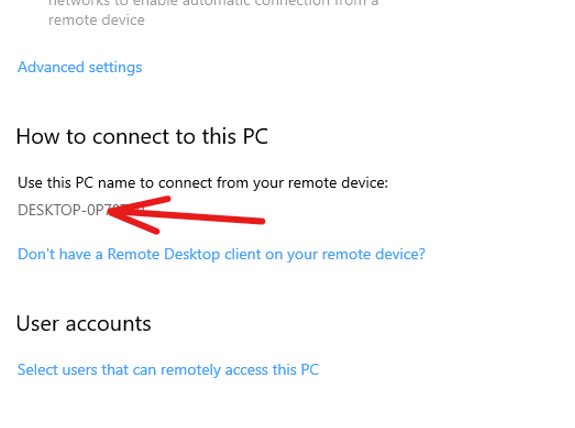
- By default, administrators can connect. To let other users in, click Select users that can remotely access this PC and add them.
You only need to do this once on the Windows computer.
Connect from macOS
macOS has no built-in RDP client. Install Microsoft Remote Desktop (now called Windows App) from the App Store.
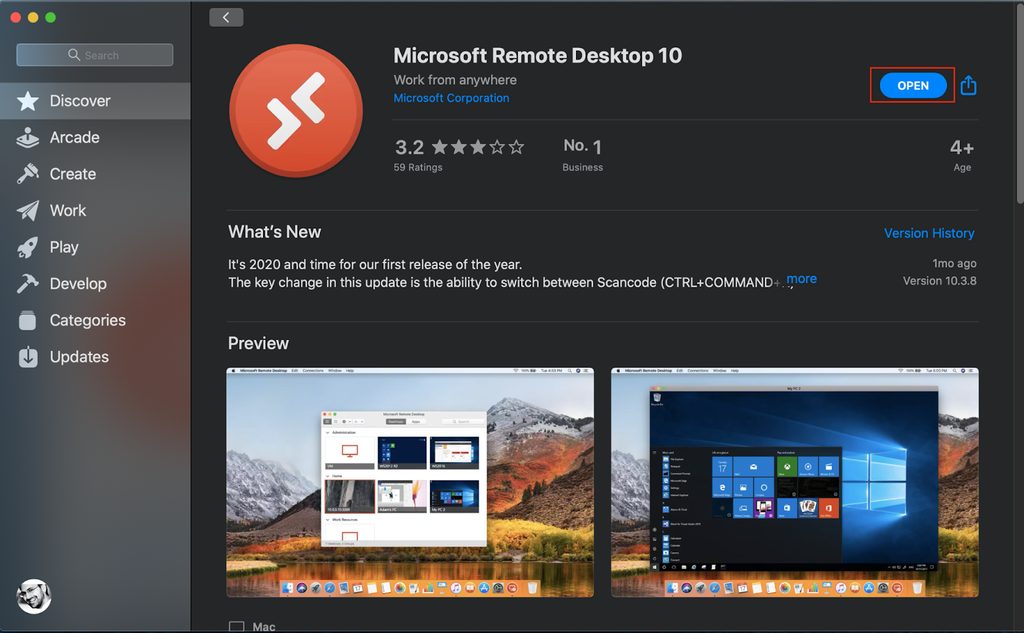
Then:
- Open the app.
- Click the + icon and choose Add PC.
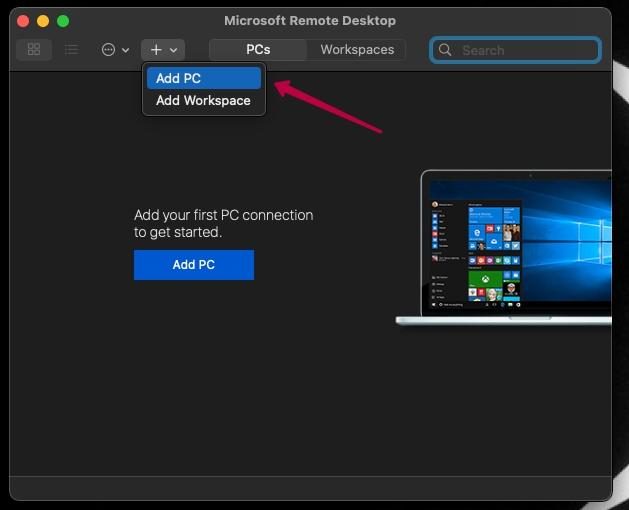
- In PC name enter the IP address or name of the Windows computer.
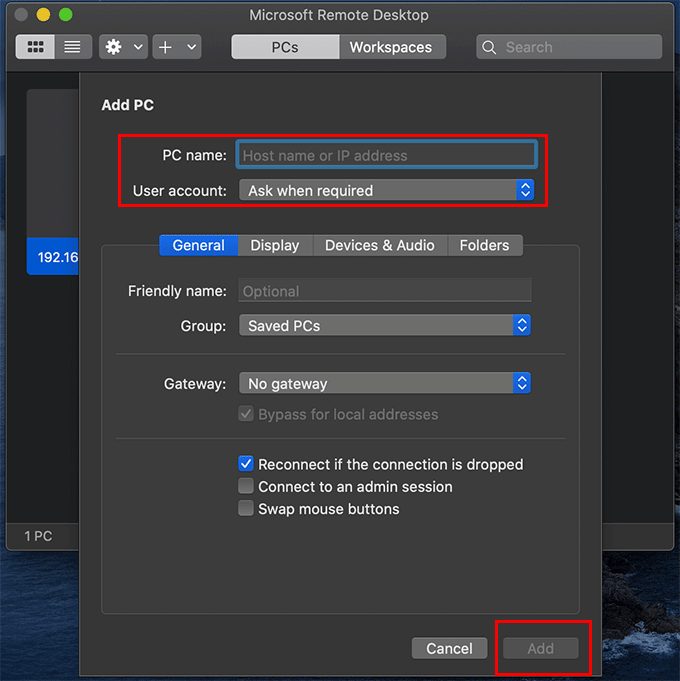
- Under User account, choose Add User Account to save your login so you do not enter it each time.
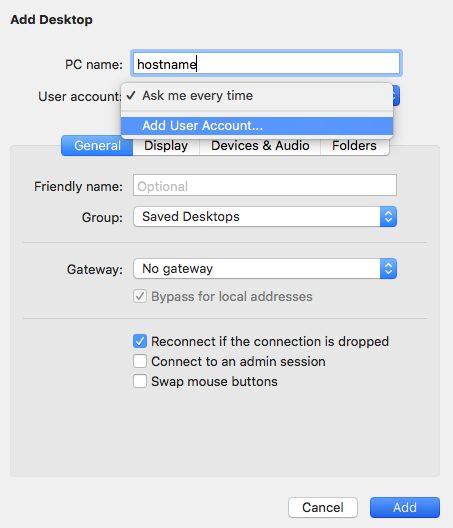
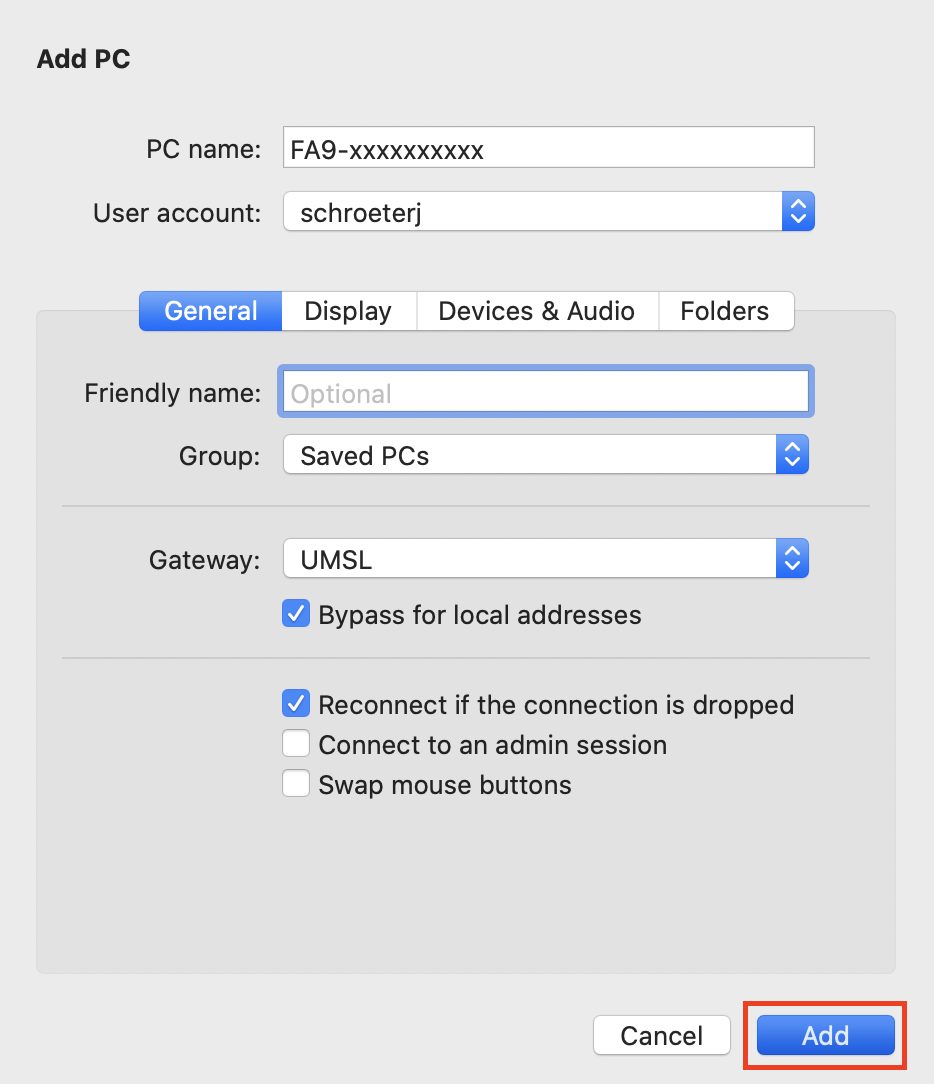
- Enter the username and password of the Windows account. You can also set a friendly name.
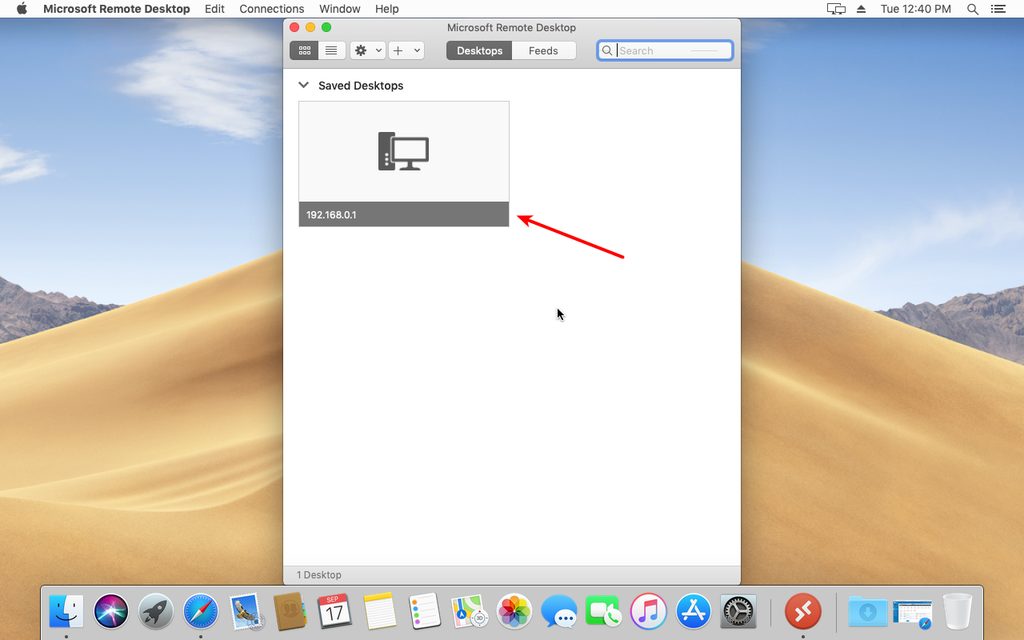
- Click Add. The connection appears in the list.
- Double-click it (or right-click and choose Connect). Enter your login if you did not save it.
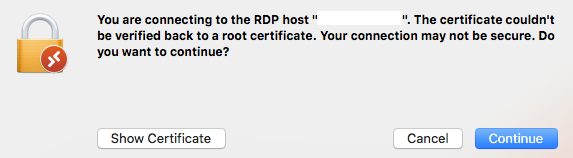
- If a certificate warning appears, check that it is your server, then click Continue. The Windows desktop opens on your Mac.
Keep RDP connections secure
An open RDP port is a target for attacks, so:
- Use a strong password. At least 12 characters, with letters, numbers and symbols.
- Keep Network Level Authentication (NLA) on. It asks for credentials before the session starts. It is on by default in modern Windows.
- Update Windows and the client to get security fixes.
- Do not expose port 3389 to the whole internet. Use a VPN, a gateway, or allow only trusted IP addresses in the firewall.
- Use two-factor authentication where you can.
Quick recap
- Enable Remote Desktop on Windows, install the Microsoft client on the Mac, add the PC and connect.
- Protect the connection with strong passwords, NLA and a firewall.