

What is in the database
Every WordPress site has a MySQL or MariaDB database. It stores your posts and pages, comments, users, settings, categories and the data of your plugins and themes. The data sits in tables such as wp_posts, wp_comments, wp_users and wp_options.
Warning: A wrong change in the database can break your site or delete data. Take a backup before you edit anything.

Open it with phpMyAdmin in cPanel
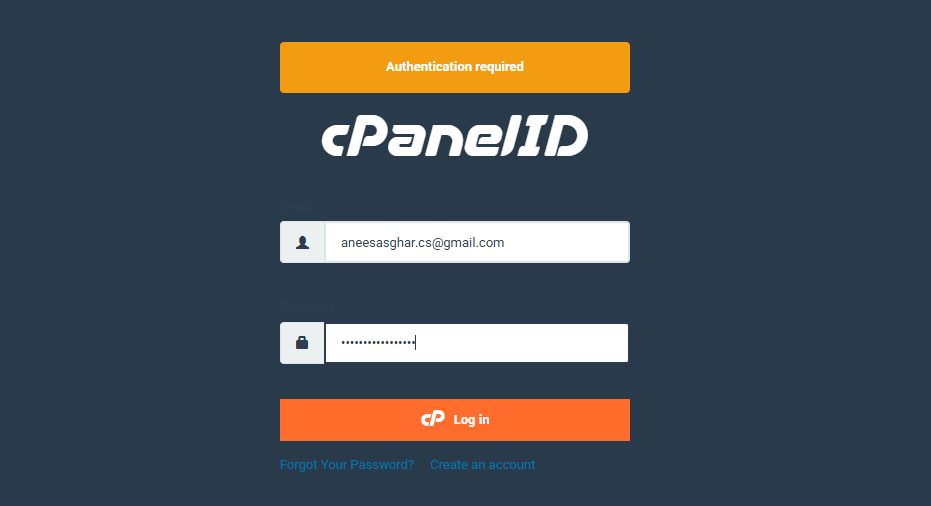
- Log in to cPanel. Your welcome email has the address and login details.
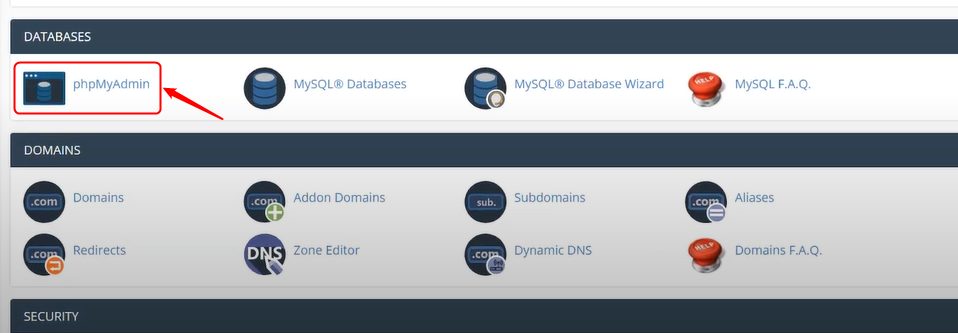
- Scroll to the Databases section and click phpMyAdmin.
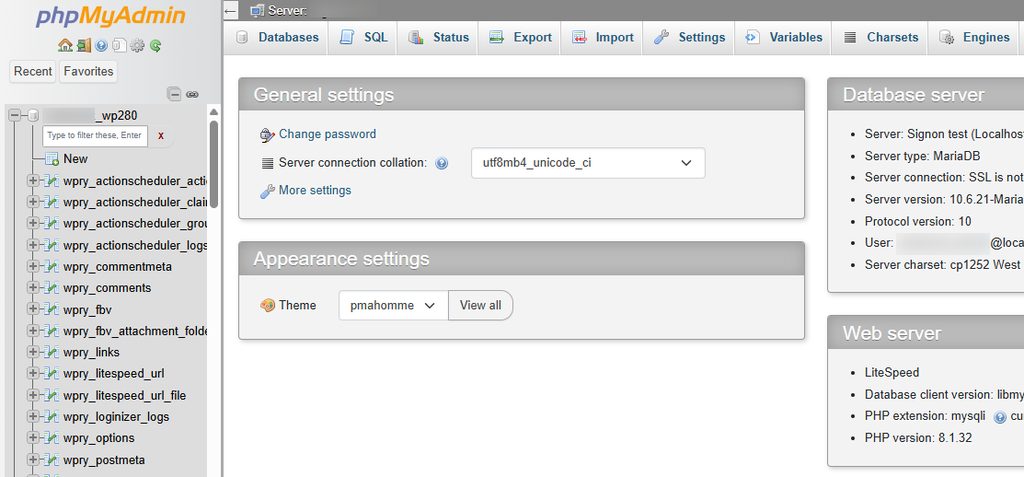
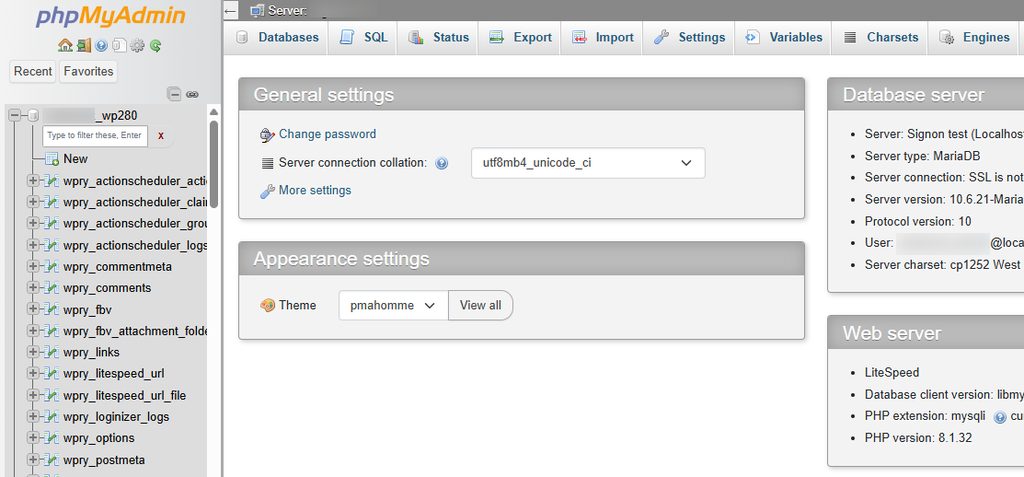
- phpMyAdmin opens. The tables of your databases are listed on the left.
Find the right database
An account can have several databases. To find the one your site uses:
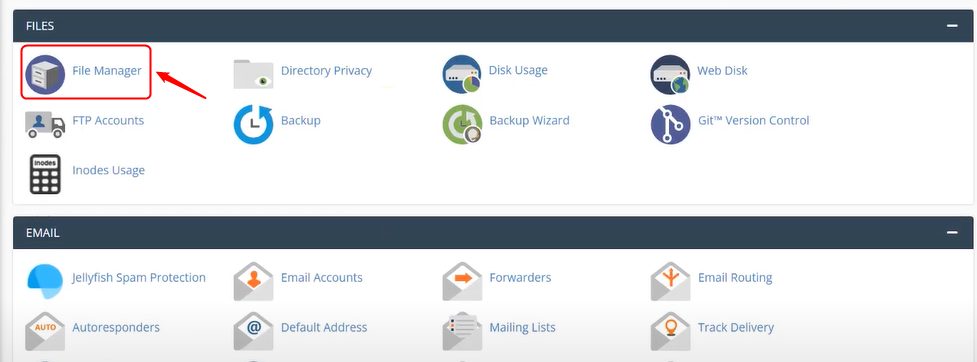
- Go back to the main cPanel page and open File Manager.
- Open the
public_htmlfolder.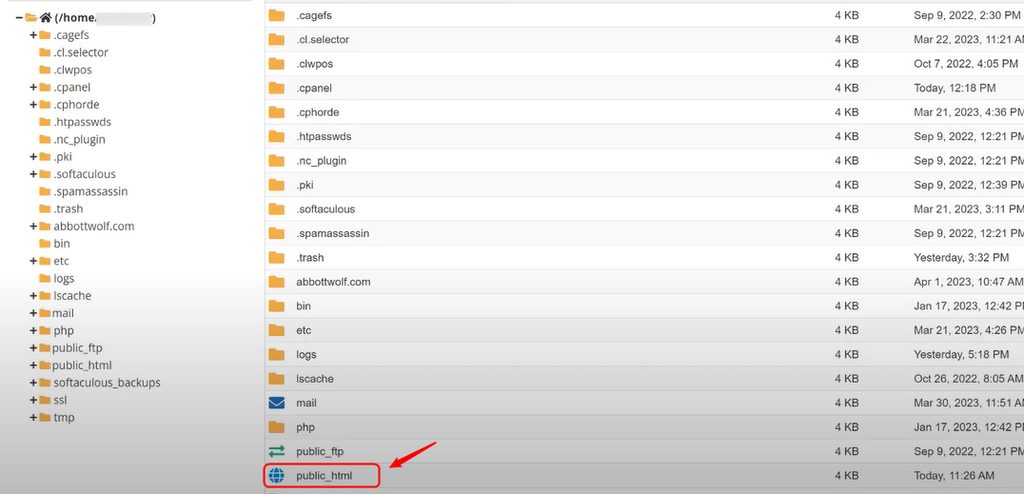
- Right-click the file
wp-config.phpand choose Edit. Look for the lineDB_NAME. The value is the name of your database.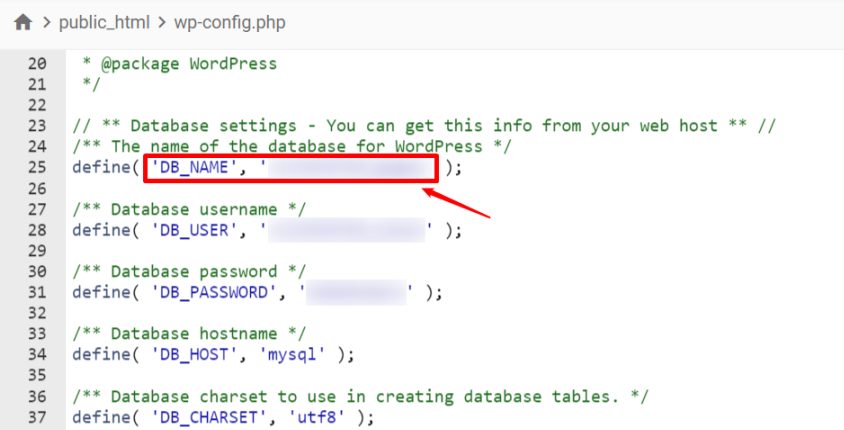
- Return to phpMyAdmin and select that database.
Open it from the WordPress dashboard
Use this way only if you have no access to cPanel. It needs a plugin.
- In the dashboard, go to Plugins, then Add New Plugin.
- Search for
wp phpmyadmin, then click Install Now and Activate.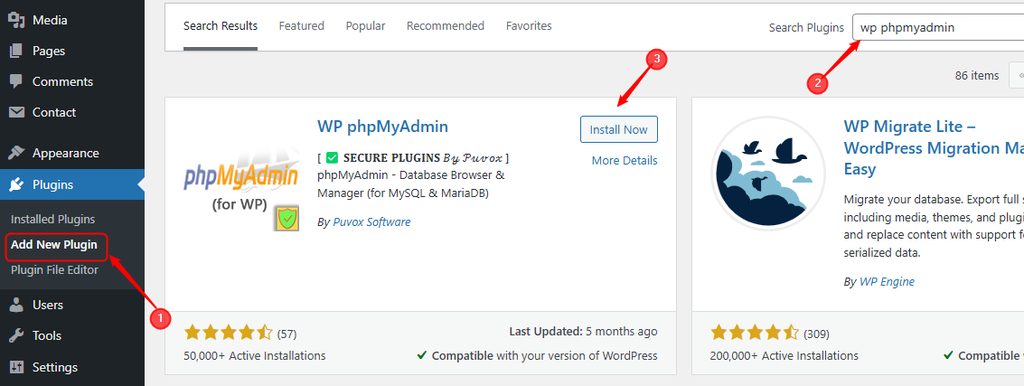
- Click the button Enter local phpMyAdmin or Enter hosting's phpMyAdmin.
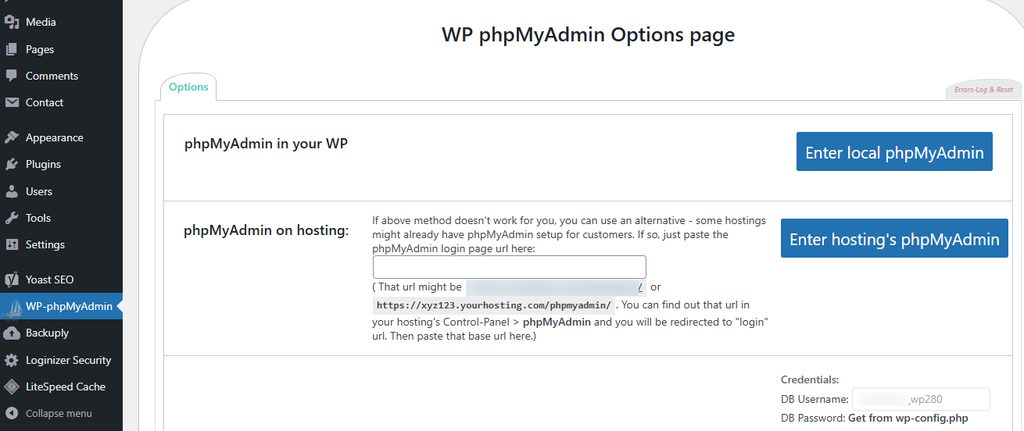
- Browse the tables, edit rows or run SQL queries.
Example: delete spam comments
This query removes all comments marked as spam:
DELETE FROM wp_comments WHERE comment_approved = 'spam';Quick recap
- The database holds almost everything on your site.
- phpMyAdmin in cPanel is the best way in.
- Read
wp-config.phpto find the right database name. - Back up first, then edit.