

Why use a child theme
- Safe updates. The parent theme can update without wiping out your changes.
- Flexibility. You get a safe space to test and change code.
- Order. Your edits stay apart from the original theme.
A child theme inherits the look and function of its parent. It holds only the files you change.

Method 1: Make it by hand
- Open
wp-content/themeswith FTP or File Manager. Create a new folder, such astwentytwentyfour-child. - In the new folder, create
style.css:
/*
Theme Name: Your Child Theme Name
Theme URI: https://example.com/
Author: Your Name
Author URI: https://example.com/
Template: parent-theme-slug
Version: 1.0.0
Description: A child theme for the parent theme.
*/
Replace parent-theme-slug with the folder name of the parent theme.
- In the same folder, create
functions.php:
<?php
add_action( 'wp_enqueue_scripts', 'enqueue_child_theme_styles' );
function enqueue_child_theme_styles() {
    wp_enqueue_style( 'parent-style', get_template_directory_uri() . '/style.css' );
    wp_enqueue_style( 'child-style', get_stylesheet_directory_uri() . '/style.css', array( 'parent-style' ) );
}- Go to Appearance, then Themes. Activate your child theme.
Method 2: Use a plugin
Plugins such as Child Theme Configurator or Create Block Theme make the files for you.
Example with Create Block Theme:
- Go to Plugins, then Add New. Install and activate Create Block Theme.
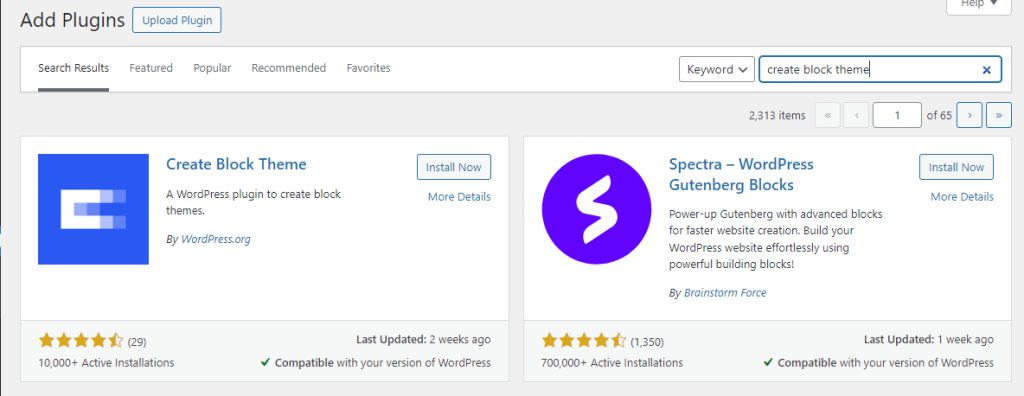
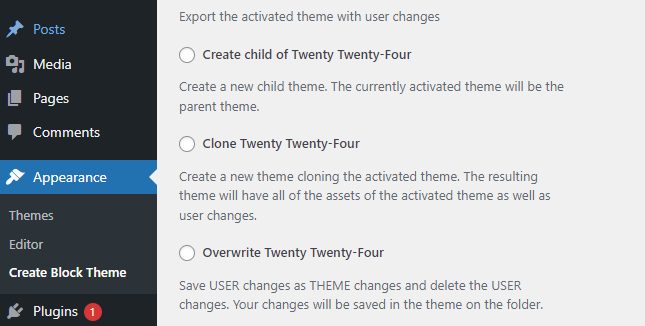
- Go to Appearance, then Create Block Theme. The plugin lets you create a blank theme, a copy of the active theme, a child theme of the active theme, or a new style variation. Choose Create child theme.
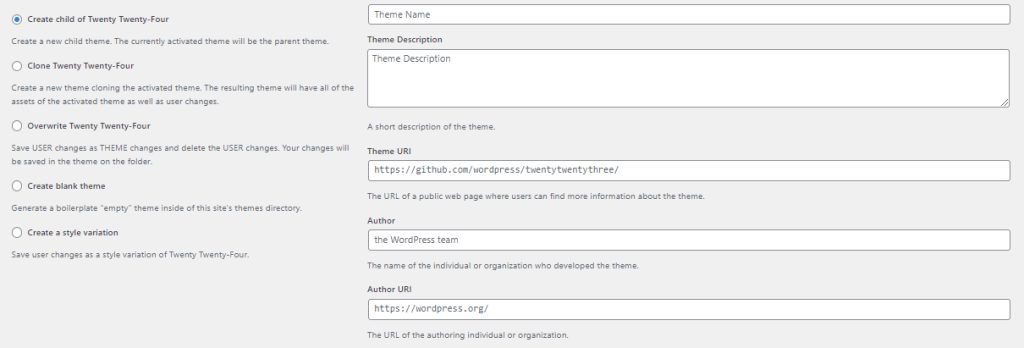
- Fill in the theme name and the other details.
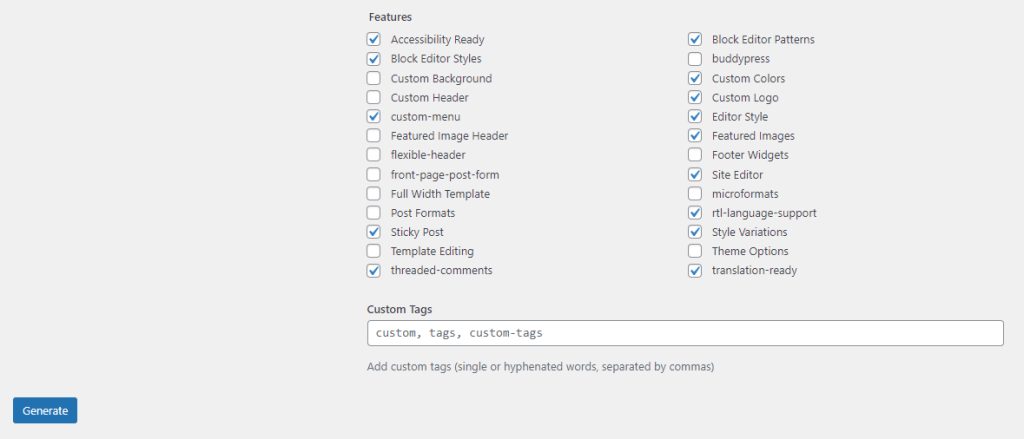
- Scroll down, choose the settings to copy from the parent theme and generate the child theme.
Customize your child theme
- style.css. Add CSS rules that override the parent theme.
- Template files. Copy a file such as
header.phporfooter.phpfrom the parent into the child folder and edit the copy. WordPress uses the child file first.
Good to know
- Use version control, such as Git, to track your changes.
- Test on a staging site before you change the live site.
- Keep your child theme updated, and be careful with the code.
When you do not need one
- You want only a few small style changes. The Additional CSS box in the Customizer is enough.
- You are not comfortable with code. A mistake can break the site.
Quick recap
- A child theme needs a folder,
style.cssandfunctions.php. - Activate it, then edit the child files and not the parent.
- A plugin can generate it for you.