

What is user registration?
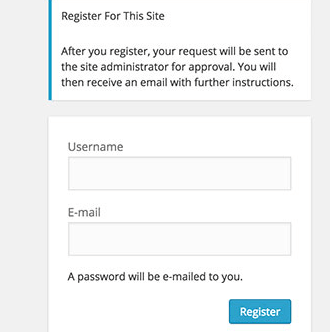
User registration lets visitors create an account on your site. It is handy for shops, forums and member sites. It can also attract spam bots. A bot is a small program that makes fake accounts by itself. So you should decide who may join.
Turn registration off
Most sites do not need public sign-ups. By default WordPress keeps them off.
- Log in to your dashboard.
- Go to Settings, then General.
- Find Membership.
- Make sure Anyone can register is not ticked.
- Click Save Changes.
Turn registration on safely
- Go to Settings, then General.
- Tick Anyone can register.
- Open the New User Default Role list.
- Choose Subscriber. This role can log in and edit its own profile but cannot change the site.
- Click Save Changes.
Warning: Never set the default role to Administrator or Editor. Anyone could then take over your site.
Understand the roles
| Role | What it can do |
|---|---|
| Subscriber | Log in and edit own profile |
| Contributor | Write posts but not publish them |
| Author | Publish own posts |
| Editor | Manage all posts and pages |
| Administrator | Control everything |
Reduce spam sign-ups
- Install a plugin that adds a CAPTCHA to the registration form. A CAPTCHA is a small test that only humans can pass.
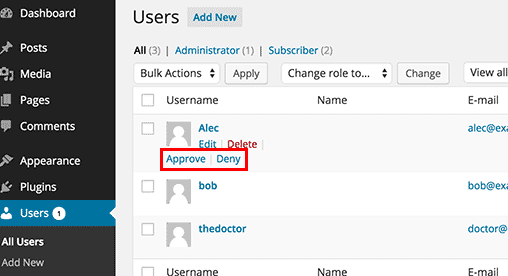
- Install a plugin that lets you approve each new user by hand.
- Use an email check so a new user must click a link sent to their inbox.
Clean up fake users
- Go to Users, then All Users.
- Tick the box next to accounts you do not know.
- Open Bulk actions, choose Delete, and click Apply.
Deleting a user can also remove their posts. Check the choices on the next screen before you confirm.
Quick recap
- Registration is set under Settings, then General.
- Keep it off unless your site needs it.
- Use the Subscriber role as the default.
- Add a CAPTCHA or manual approval to stop bots.