

What the error means
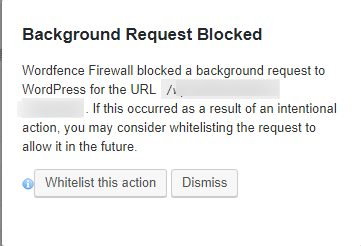
WordPress sends requests to its own site in the background, for example for scheduled tasks, the Site Health check and updates. If these requests are blocked, WordPress shows a "background request blocked" message, and some features stop working.
Common causes
- A security plugin that blocks some HTTP requests.
- Server security rules that block requests the site sends to itself.
- A wrong .htaccess file.
- A firewall or wrong PHP settings.
- Old versions of WordPress, themes or plugins.
Solution 1: Check the security plugin
- In the dashboard, open the settings of your security plugin (Wordfence, iThemes Security, All In One WP Security and others).
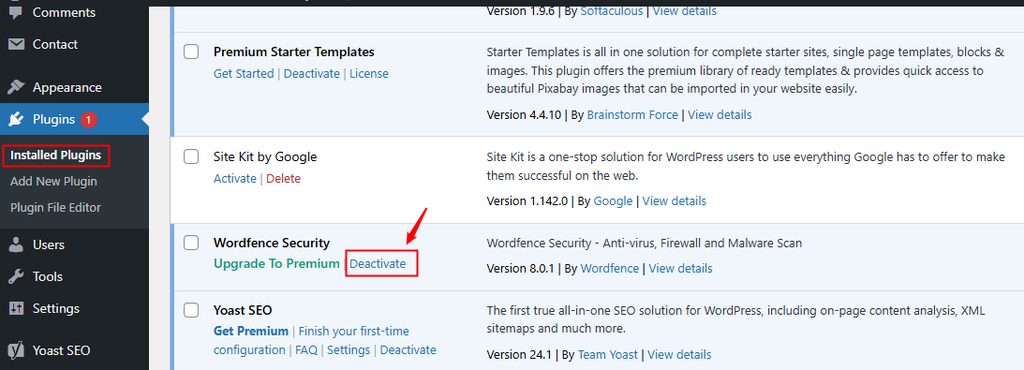
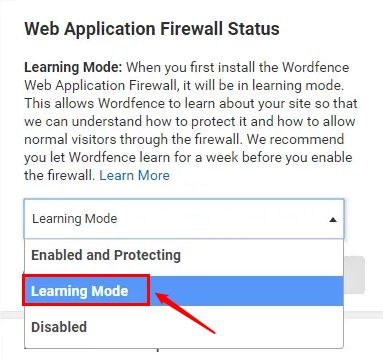
- Look for options that block external or loopback requests, or for a firewall or "block HTTP requests" setting. Turn them off or add your own domain to the allow list.
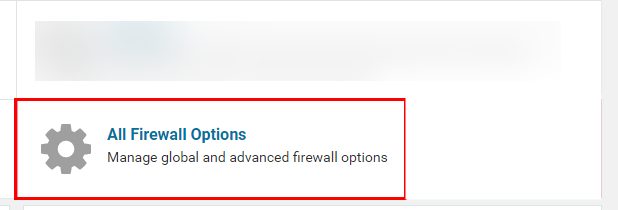
- To check if the plugin is the cause, turn it off for a moment and see if the message goes. Then turn it on and change the setting.
Solution 2: Check the .htaccess file
- Open your site files with File Manager or FTP and find
.htaccess. - Make a backup copy.
- Rename the file to
.htaccess.oldand reload the site. If the error is gone, make a new default file under Settings, Permalinks, Save Changes.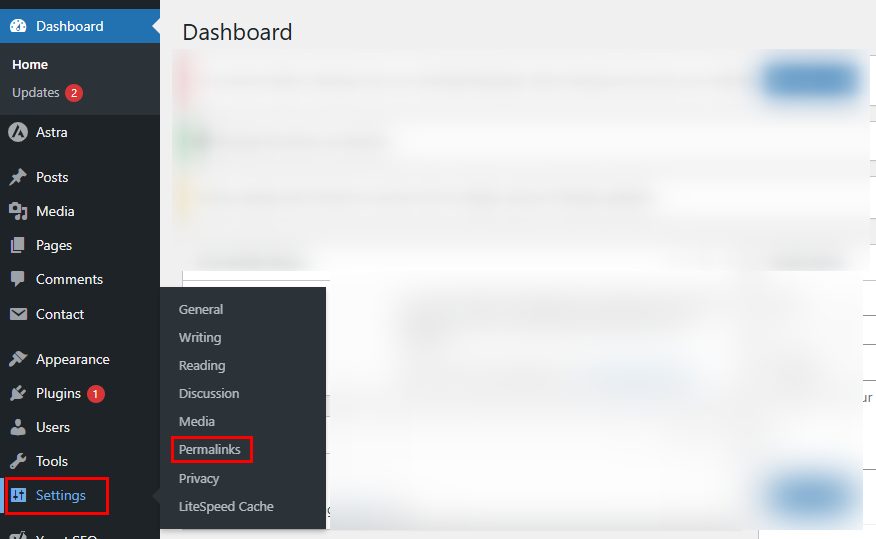
A default WordPress .htaccess file looks like this:
# BEGIN WordPress
<IfModule mod_rewrite.c>
RewriteEngine On
RewriteBase /
RewriteRule ^index\.php$ - [L]
RewriteCond %{REQUEST_FILENAME} !-f
RewriteCond %{REQUEST_FILENAME} !-d
RewriteRule . /index.php [L]
</IfModule>
# END WordPress
Solution 3: Update everything
Update WordPress, the theme and the plugins. Take a backup first.
Solution 4: Check the server
- Ask Hostvento support whether the server firewall or ModSecurity blocks requests from your site to itself.
- Check that your PHP version is a supported one, and that
curlis enabled. - Make sure no
define('WP_HTTP_BLOCK_EXTERNAL', true);line inwp-config.phpblocks the requests. If you use it, add your own domain toWP_ACCESSIBLE_HOSTS.
Quick recap
- The block usually comes from a security plugin,
.htaccessor the server firewall. - Allow requests to your own site.
- Keep WordPress and plugins updated.