

Steps
- Log in to HestiaCP.
- Go to the Web section and click the domain you want to use.
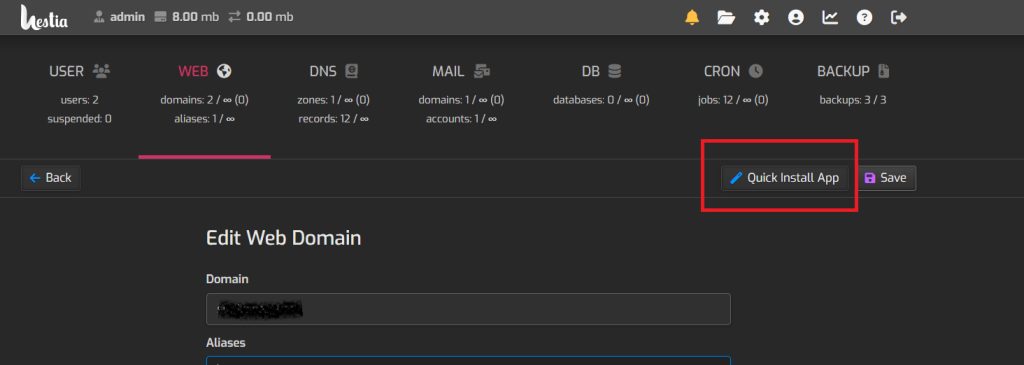
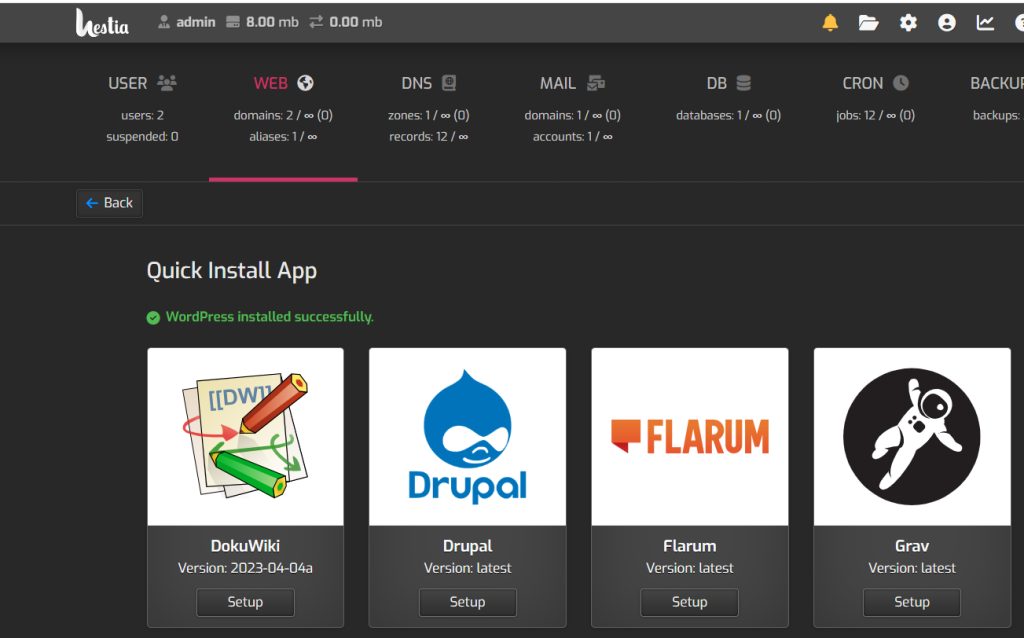
- On the Edit Web Domain page click Quick Install App.
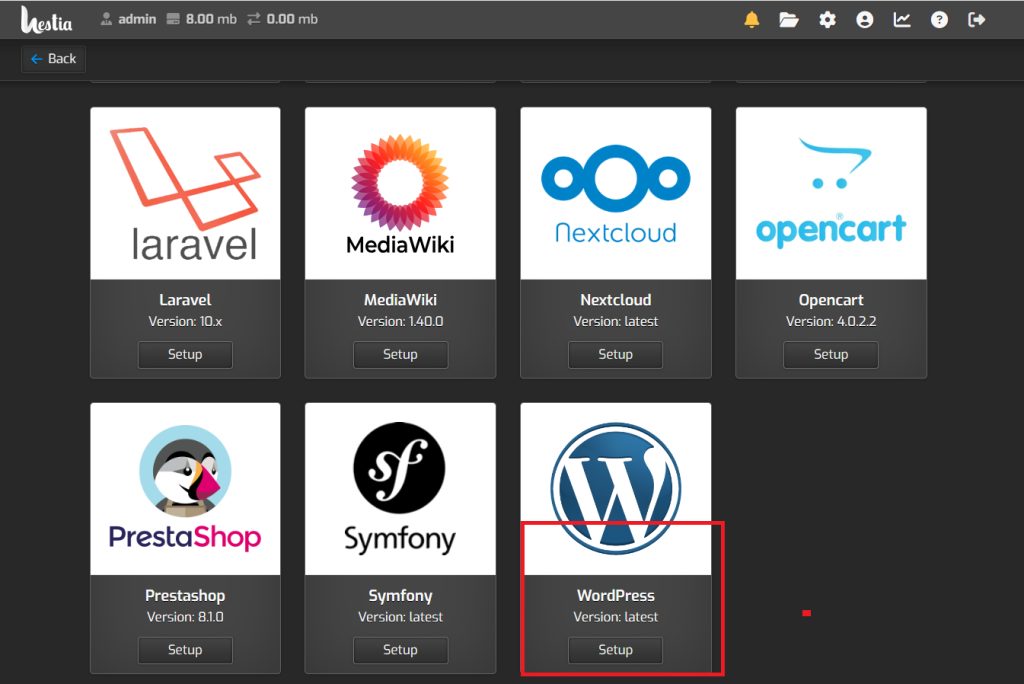
- Scroll down to WordPress and click Setup.
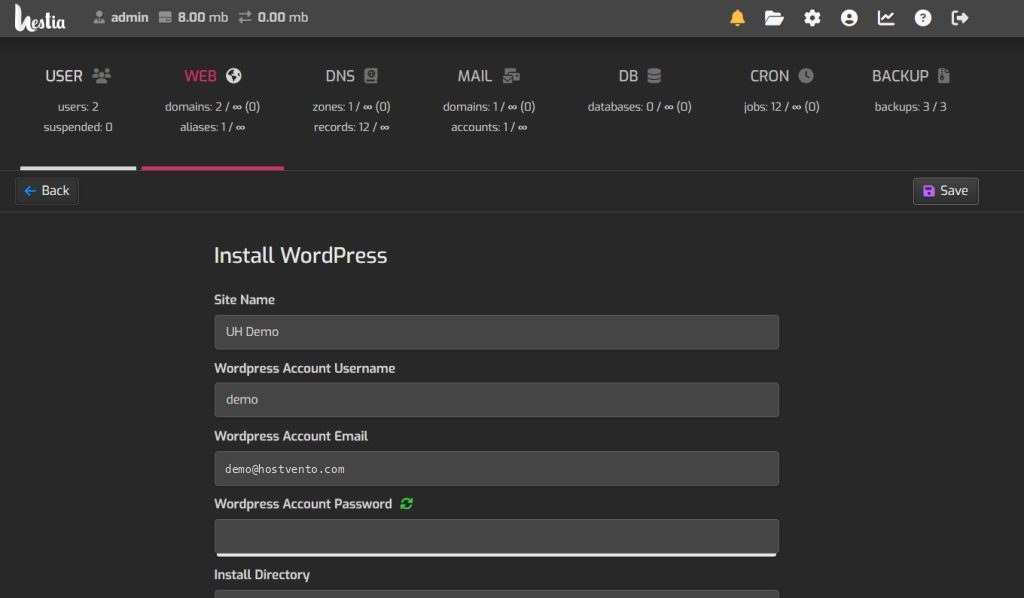
- Enter the site name, the admin email, the username and the password.
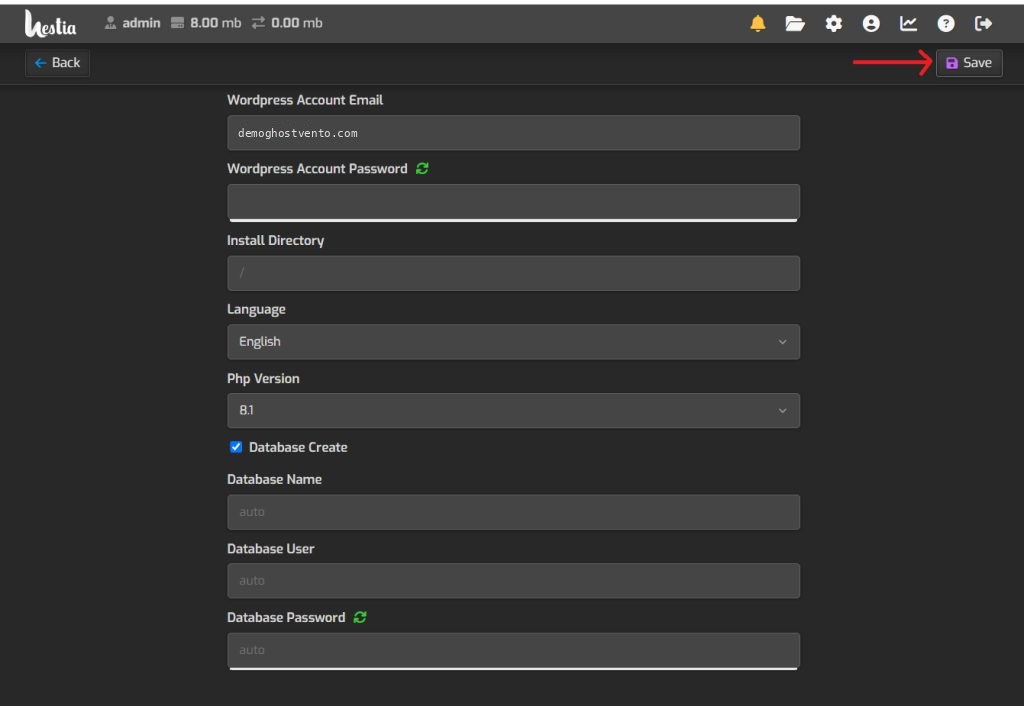
- Click Save. The installation starts.
- In a few seconds a message confirms the installation.
Open the site
Visit your domain in a browser. Log in at yourdomain.com/wp-admin.

Tip: If the domain already has files in
public_html, move them first. The installer needs an empty folder.Quick recap
- Web > domain > Quick Install App > WordPress > Setup.