

What is an exclude list?
cPanel is a control panel for hosting. When it makes a backup, it packs your files into one big archive, like packing a suitcase. An exclude list is a list of things to leave out of the suitcase. This makes backups smaller and faster.
Good things to leave out are old zip files, large video folders you already keep elsewhere, and cache folders. A cache folder holds temporary copies that a site can rebuild.
Important warning
Anything you exclude will not be in the backup. If you lose it, you cannot restore it. Only exclude files you can get back from somewhere else. Download a full copy of your site first if you are unsure.
Steps
- Log in to cPanel.
- Open File Manager.
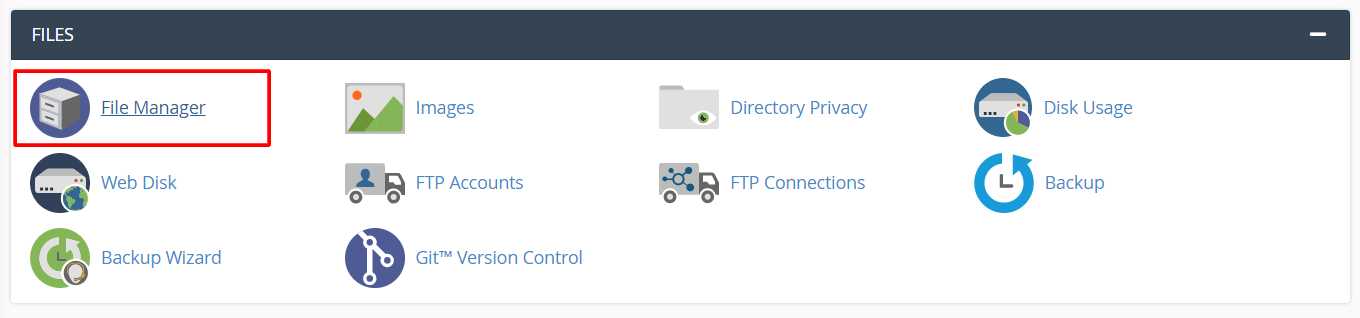
- Click Settings at the top right. Tick Show Hidden Files (dotfiles). Click Save.
- Go to your home folder. This is the top folder of your account, not
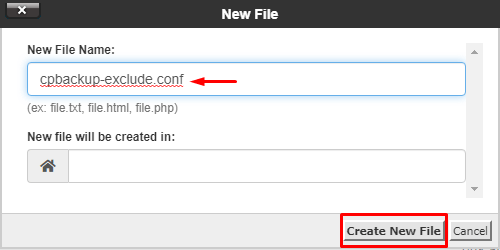
public_html. - Click + File and make a new file named
cpbackup-exclude.conf.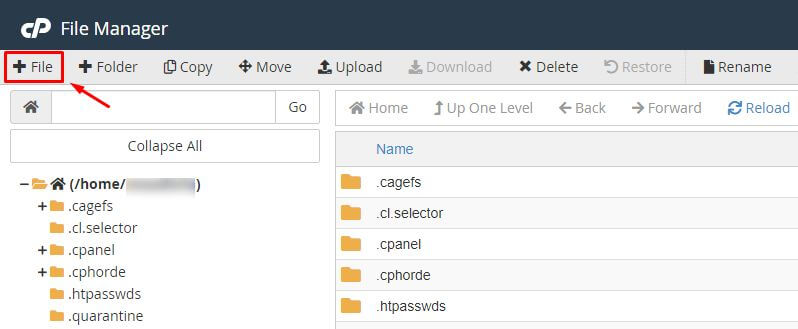
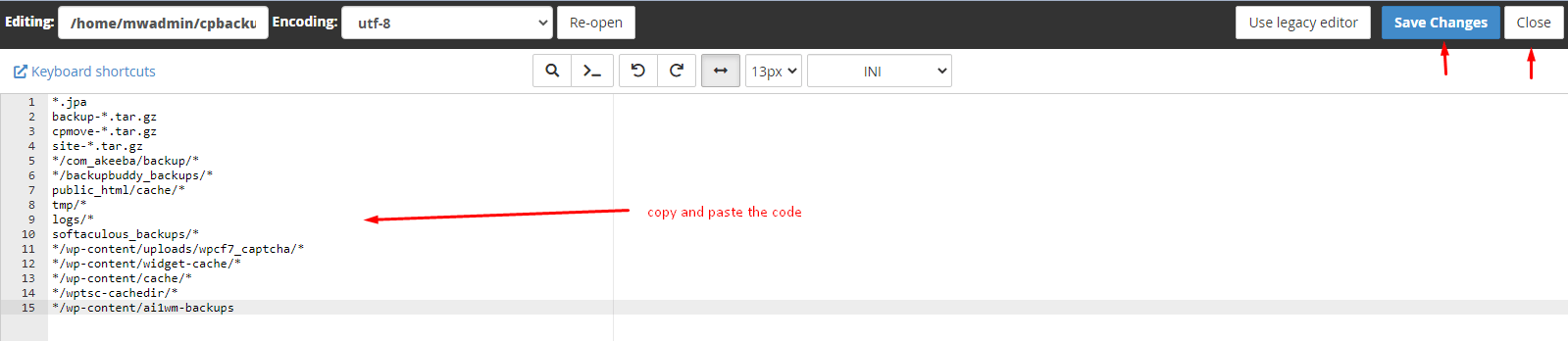
- Right-click the file and choose Edit.
- Type one path per line. Paths start from your home folder. For example:
public_html/old-videos
public_html/wp-content/cache
backups-old.zip
These lines tell cPanel to skip the two folders and the one file.
- Click Save Changes.
The next backup that cPanel makes will use the list.
Does it work on my plan?
Backups on a hosting server are run by the server owner. Some setups use other backup tools that ignore this file. If you want to be sure, ask Hostvento support. You can open a support ticket.
*.zip. Test with a small list first.Quick recap
- An exclude list tells cPanel what to skip in backups.
- Create
cpbackup-exclude.confin your home folder. - Write one path per line.
- Excluded files are not saved, so only skip what you can replace.