
What is cPanel?
cPanel is the control panel for your hosting. It is like a remote control for your website. A backup is a safe copy of your files, emails and databases. If something breaks, you can use the copy.
Two kinds of backup
| Type | What it saves |
|---|---|
| Full backup | Everything in your account: files, databases, emails and settings. |
| Partial backup | One part only: the home folder, one database, or your email forwarders and filters. |
A database is a big filing cabinet. It holds the posts, pages and settings of many sites.
Make a full backup
- Log in to cPanel. Your welcome email shows how.
- In the Files section, click Backup. On some setups it is called Backup Wizard.
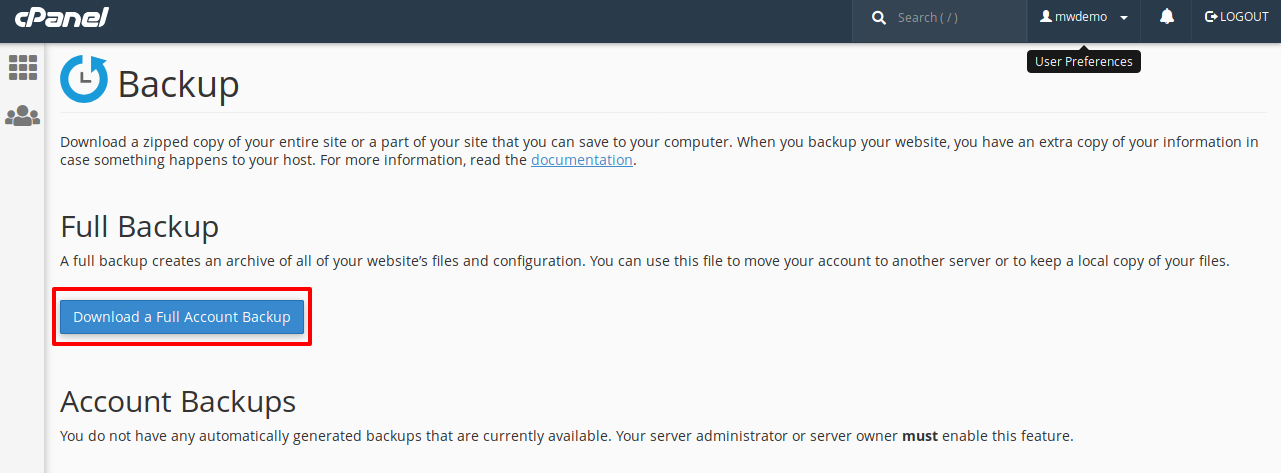
- Click Download a Full Website Backup.
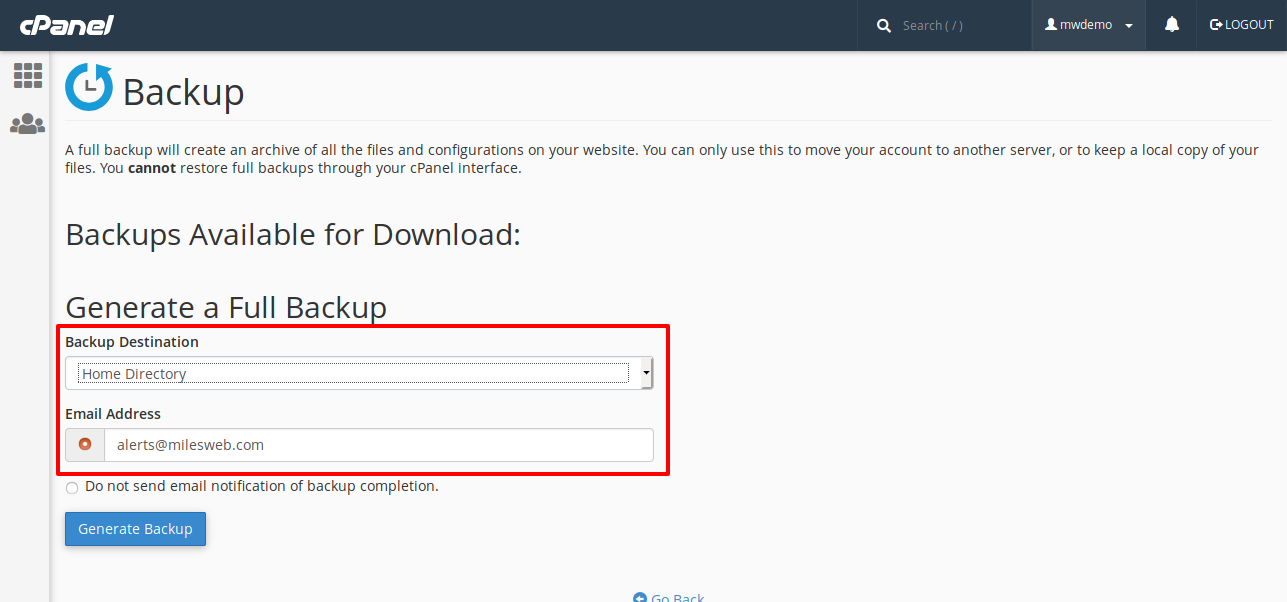
- Under Backup Destination, choose Home Directory.
- Type your email address, so cPanel can tell you when it is done.
- Click Generate Backup.
- Wait for the email. Come back to the same page and click the file name to download it.
Make a partial backup
- Open Backup again.
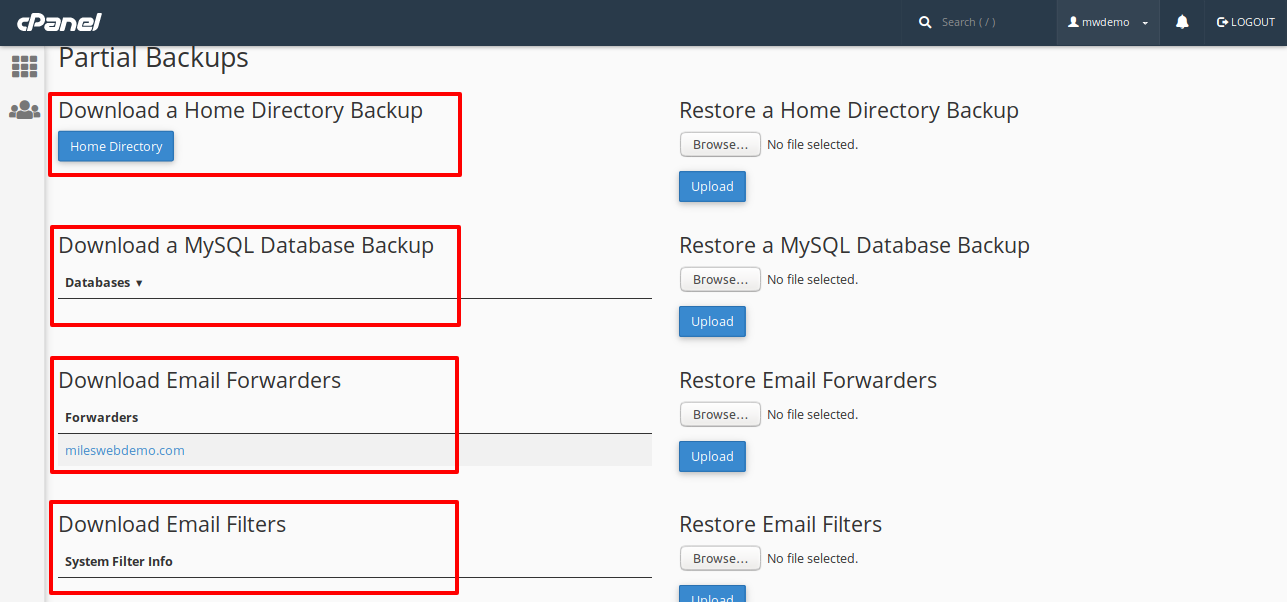
- Look under Partial Backups.
- Click the name of the part you want, such as a database or Home Directory.
- Your browser will download the file. Save it somewhere safe.
Tip: A full backup file is for keeping, not for restoring by yourself. Ask Hostvento support to restore it for you.
Good habits
- Back up before updates and big changes.
- Keep a copy on your own computer. A copy only on the server is not fully safe.
- Delete old backups from the server so they do not use up your space.
Some plans have extra automatic backups. Check your welcome email or ask support if you are unsure. You can open a support ticket.
Quick recap
- cPanel can make full and partial backups.
- Use Backup in the Files section.
- Download the file to your computer.
- Back up before every big change.