

What is Webalizer?
Every time someone opens a page on your site, the server writes a short note. This list of notes is called a log. A log is hard to read. Webalizer reads it for you and draws tables and graphs.
cPanel is the control panel for your hosting account. Webalizer is one of its statistics tools. Some hosting plans may not include it. Ask Hostvento support if you cannot find it.
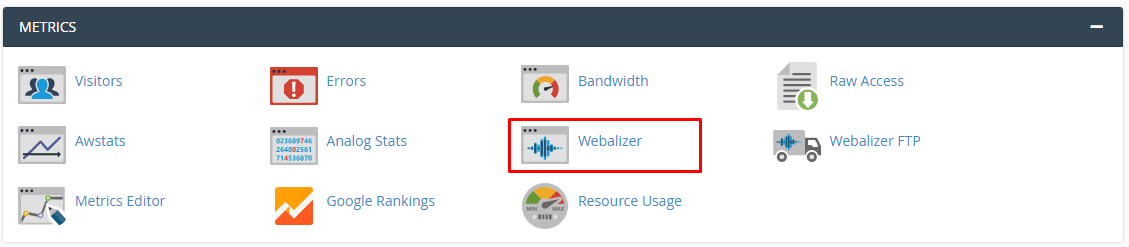
Steps
- Log in to cPanel. Your details are in your welcome email.
- Scroll to the Metrics section.
- Click Webalizer.
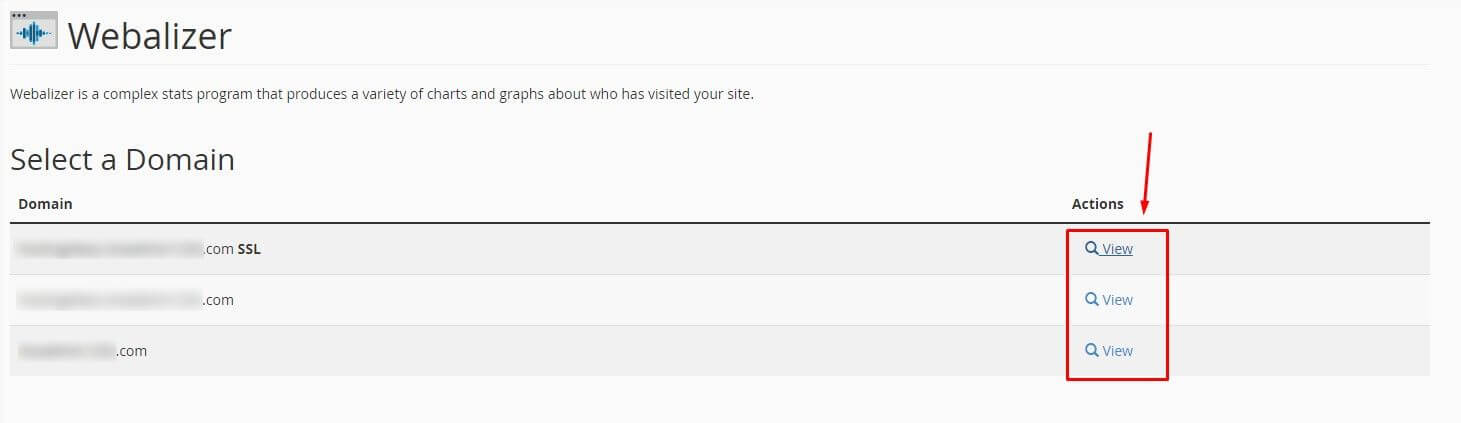
- Pick your domain from the list if you have more than one.
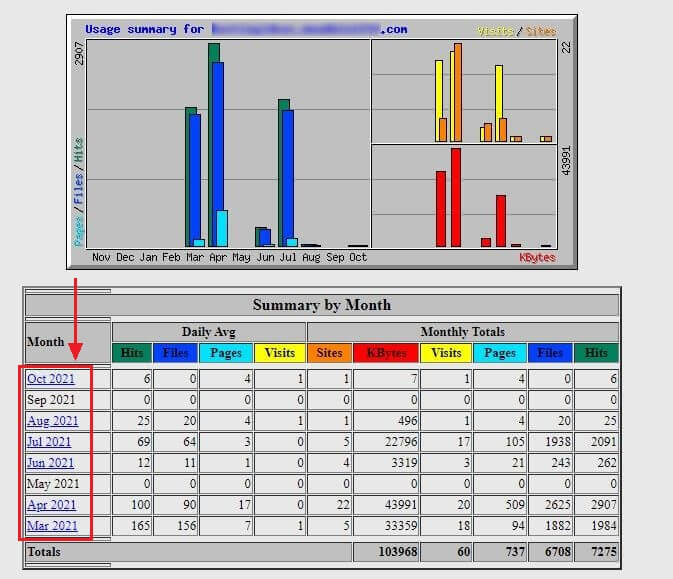
- Click the month you want to see.
- Read the report. It opens in the same window.
A new site may show no data at first. Wait one day. Reports update about once a day.
How to read the report
| Word | What it means |
|---|---|
| Hits | Every file asked for. One page can cause many hits, because pictures count too. |
| Files | Files the server sent back. |
| Pages | Real pages that were opened. |
| Visits | One person coming to your site one time. |
| Sites | Different computers that connected. |
| KBytes | The amount of data sent out. |
Other parts of the report
- Monthly totals show the whole month at a glance.
- Daily totals show which days were busy.
- Top URLs show your most visited pages.
- Top Referrers show where visitors came from.
- Top Countries show where visitors live.
Set which reports are made
In the cPanel Metrics section, open Choose Log Programs. Here you tick which tools should process your logs. Tick Webalizer and click Save. This setting may not exist on every plan.
Tip: Robots such as search engines also visit your site. They add hits, so numbers may look higher than real people. For people-focused numbers, try a tool like Google Analytics. It is a free tool from another company.
Quick recap
- Webalizer turns server logs into charts.
- Find it under Metrics in cPanel.
- Choose a month to see the report.

- Hits count every file. Visits count people.
- Reports update about once a day.