

What is a home directory?
The home directory is the main folder of your hosting account. It holds your website files, your email folders and your settings files. Think of it as the front door to your whole house of files.
A home directory backup is a single compressed file, often ending in .tar.gz. It holds a copy of that folder from one moment in time.
Before you start
Warning: A restore overwrites files that have the same name. Changes made after the backup may be lost. First download a fresh backup of your current site, so you can go back if needed.
- Have your backup file saved on your computer.
- Check that the file is not damaged and has a reasonable size.
- Some plans limit the upload size. If your file is large, ask Hostvento support for help.
Steps
- Log in to cPanel. Your details are in your welcome email.
- In the Files section, click Backup.
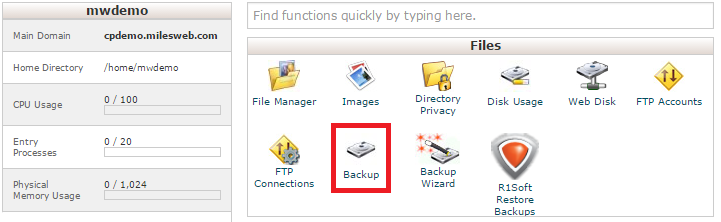
- Scroll down to Restore a Home Directory Backup.
- Click Choose File.
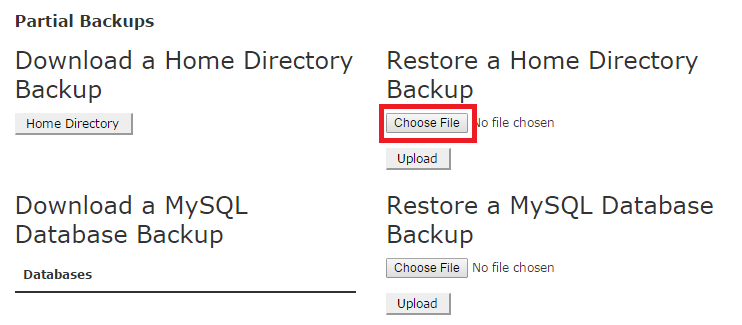
- Select your backup file from your computer.
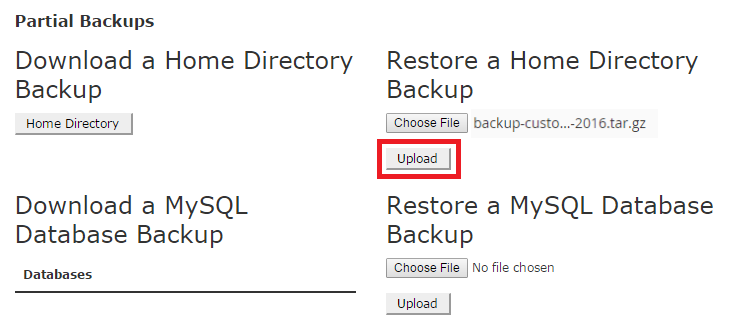
- Click Upload.
- Wait until the page says the restore is done. Do not close the tab.
- Open File Manager and look inside
public_htmlto check your files. - Visit your website and test a few pages.
What the restore does not do
- It does not restore your databases. Use Restore a MySQL Database Backup on the same page for that.
- It does not restore email forwarders and filters. These have their own restore boxes.
If your site uses WordPress or another app, restore the database too. If the files and the database come from different days, the site may break.
If something goes wrong
- Check the error message. Large files often fail because of a size limit.
- Try again with a smaller backup, such as just
public_html. - Open a ticket at the support ticket page and tell support what you saw.
Tip: You can also unpack the backup on your computer and upload only the folders you need with File Manager.
Quick recap
- The home directory is the main folder of your account.
- Use Backup in cPanel and the home directory restore box.
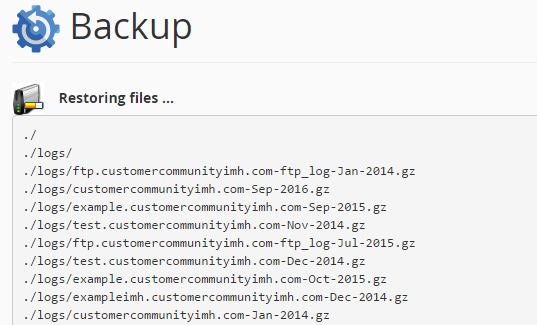
- Upload the backup file and wait for the success message.
- Restore databases separately.
- Take a fresh backup first because a restore can overwrite files.