

What is the command line?
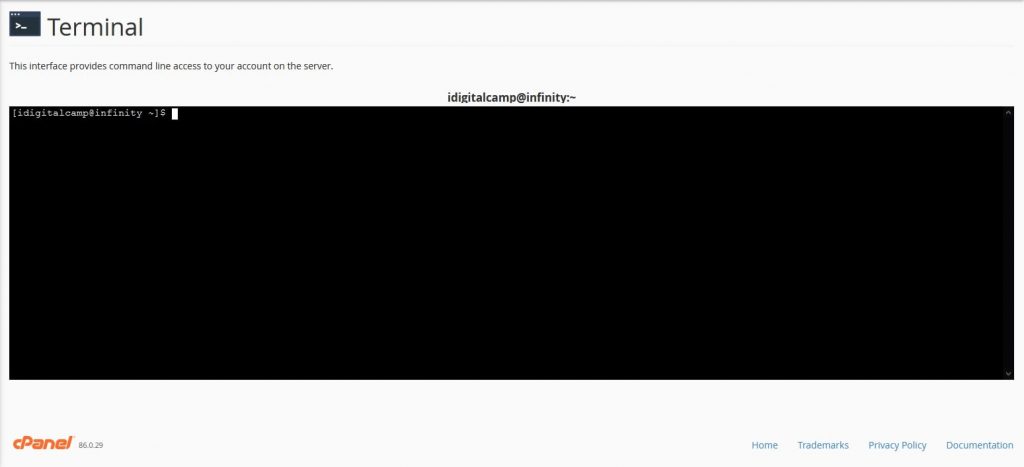
The command line is a text screen where you type short instructions for the server. You use it instead of clicking icons. cPanel is the dashboard of your hosting account. Some plans include a tool called Terminal in cPanel that opens the command line right in your browser. No extra software is needed.
Terminal may be switched off on some plans, especially shared hosting. Ask Hostvento support if you cannot see it on your account.
Steps
- Log in to cPanel. Your welcome email has the address and login details. You can also sign in to the client area and open your hosting service.
- Use the search box at the top. Type
Terminal. - Click Terminal under the Advanced section.
- If you see a warning page, read it and click I understand and want to proceed.
- A black window opens. You are now on the command line.
Try a few safe commands
pwdThis shows the folder you are in.
lsThis lists the files and folders here.
cd public_htmlThis moves you into the public_html folder, where your website files usually live.
cd ..This goes back up one folder.
php -vThis shows the PHP version on the server.
Useful jobs you can do here
- Unzip a file with
unzip file.zip. - Run WP-CLI commands for WordPress.
- Check disk use with
du -sh foldername.
rm deletes files, and there is no recycle bin. Take a backup before you delete anything, and read each command twice.Other ways in
You can also use SSH from your own computer. SSH is a safe way to reach the command line from far away. Ask support whether SSH is enabled for your plan.
Quick recap
- The command line lets you control the server by typing.
- Find Terminal in cPanel by searching for it.

- Use
pwd,lsandcdto move around. - Be careful with delete commands and back up first.
- If Terminal is missing, ask Hostvento support.