

What is cPanel?
cPanel is a control panel. A control panel is a web page with buttons and icons. You use it to manage your website without writing code. It is like the dashboard of a car. You steer and check things from one place.
How to log in
- Open your welcome email from Hostvento. It has your cPanel details. If you cannot find it, ask Hostvento support.
- Log in to the client area at https://secure.hostvento.com/clientarea.php.
- Open the Services menu and click My Services.
- Click your hosting plan.
- Look for a button that opens cPanel. It is often called Login to cPanel.
You can also type your cPanel address in your browser, then enter your username and password. The address and login are in your welcome email.
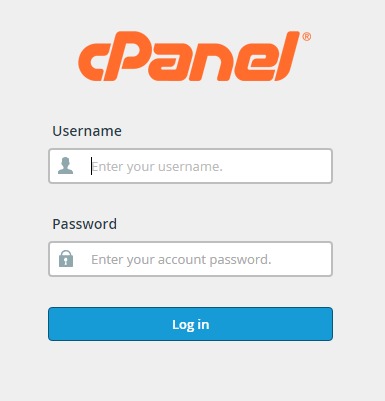
What you will see
The cPanel home page groups icons by topic. Names can change a little between versions. Here are the common groups.

| Group | What it is for |
|---|---|
| Files | Upload and edit website files. File Manager lives here. |
| Databases | Create databases for apps such as WordPress. |
| Domains | Add domains and subdomains. |
| Create email addresses. | |
| Security | Protect folders and manage SSL. |
| Software | Install apps and choose the PHP version. |
First things to try
- Click File Manager. Open the folder named
public_html. This is where your website files go. - Go back and click Email Accounts. Make an email address for your domain.
- Look for an app installer, such as Softaculous, under the software area. Ask Hostvento support whether it is on your plan.
- Use the search box at the top of cPanel. Type a word like "backup" to find a tool fast.
Stay safe
- Use a strong password.
- Do not share your login by email or chat.
- Log out when you finish on a shared computer.
Tip: Take a backup before you change or delete files. A backup is a spare copy you can restore.
Quick recap
- cPanel is a web dashboard for your hosting.
- Open it from the client area or with the address in your welcome email.
- Icons are grouped by topic, and the search box finds tools fast.
- Your website files go in
public_html.