

What are these words?
Git is a tool that tracks changes to code. GitHub is a website that stores Git projects online. A repository, or repo, is one project folder kept in Git. Deploy means to put your code on the live website.
cPanel has a tool called Git Version Control. It may not be on every plan. Ask Hostvento support if you cannot see it.
Part 1: Clone your repo
- Log in to cPanel.
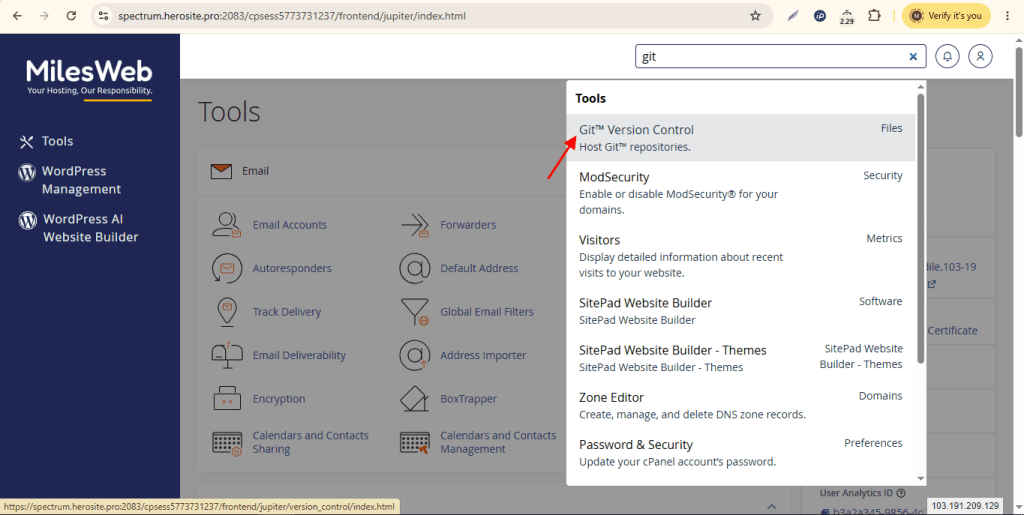
- Click Git Version Control.
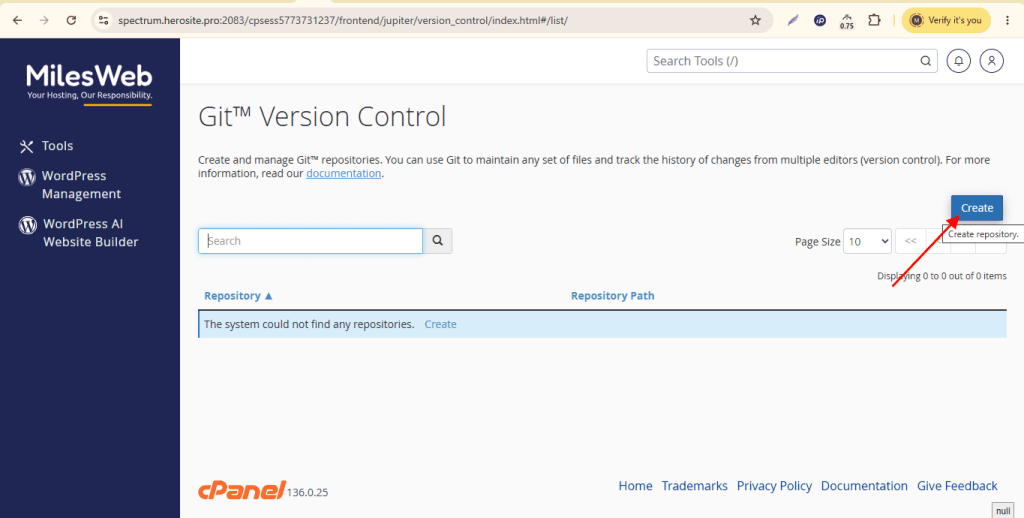
- Click Create.
- Turn on Clone a Repository.
- In Clone URL, paste your repo link, for example
https://github.com/you/project.git. For a private repo, use an SSH link and add a key first. - In Repository Path, choose a folder. Use a folder outside
public_html, such asrepositories/project. - Type a name in Repository Name.
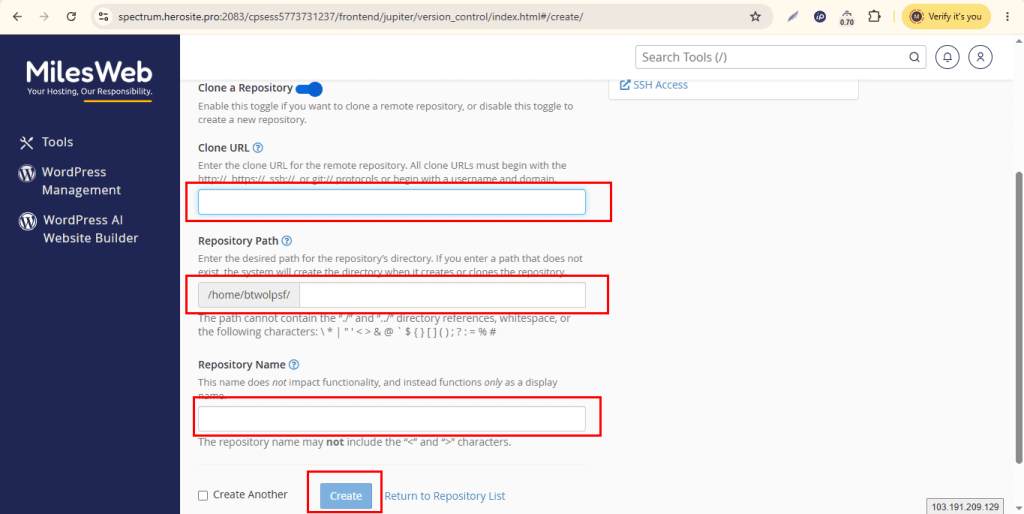
- Click Create.
Part 2: Tell cPanel how to deploy
cPanel reads a file named .cpanel.yml in the root of your repo. It lists the copy commands to run. Add this file to your repo on GitHub.
---
deployment:
  tasks:
    - export DEPLOYPATH=/home/USERNAME/public_html/
    - /bin/cp -R * $DEPLOYPATH
Replace USERNAME with your cPanel username. These lines copy your files into public_html. The copy command can overwrite files with the same name. Take a backup first.
Part 3: Deploy
- Go back to Git Version Control and click Manage next to your repo.
- Open the Pull or Deploy tab.
- Click Update from Remote. This pulls the newest code.
- Click Deploy HEAD Commit. This runs the tasks in
.cpanel.yml. - Open your website and check the change.
Make it fully automatic
The steps above need a click. To avoid clicks, use a GitHub webhook. A webhook is a message GitHub sends when you push code. It can call a small script on your site that runs git pull. Another choice is GitHub Actions, which can upload files over FTP or SSH. These need extra setup and care. Never put passwords inside your code. Store them in GitHub's secrets area.
Quick recap
- Use Git Version Control to clone your repo.
- Add a
.cpanel.ymlfile to say where files go. - Click Update from Remote then Deploy HEAD Commit.
- Webhooks or GitHub Actions can remove the manual clicks.