

What are file permissions?
Permissions are rules on each file and folder. They say who may do what. Think of a school locker. Some people can look inside. Fewer can change things.
There are three actions:
- Read: look at the file.
- Write: change the file.
- Execute: run the file as a program.
There are three groups of people: the owner (you), the group, and world (everyone else).
What do the numbers mean?
Each action has a number. Read is 4. Write is 2. Execute is 1. Add them up for each group.
| Number | Meaning |
|---|---|
| 7 | Read, write and run |
| 6 | Read and write |
| 5 | Read and run |
| 4 | Read only |
A permission like 644 has three digits. They are for owner, group and world. So 644 means the owner can read and write. Everyone else can only read.
Common safe values
- Files:
644 - Folders:
755 - Secret config files:
600or640, if the app allows it
Warning: Never use 777. It lets anyone write to the file. It is a common cause of hacked sites. Many servers will also show an error for it.
Steps
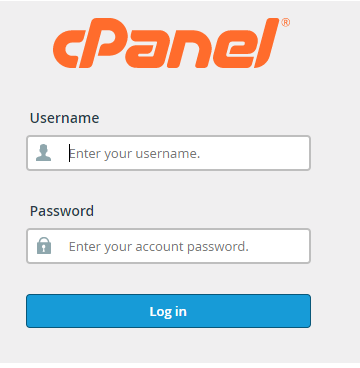
- Log in to cPanel.
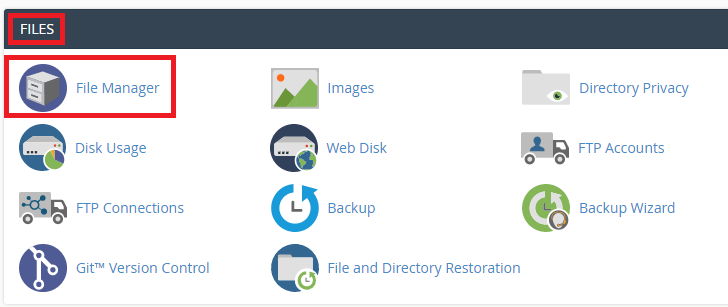
- Click File Manager.
- Go to the file or folder you want to change.
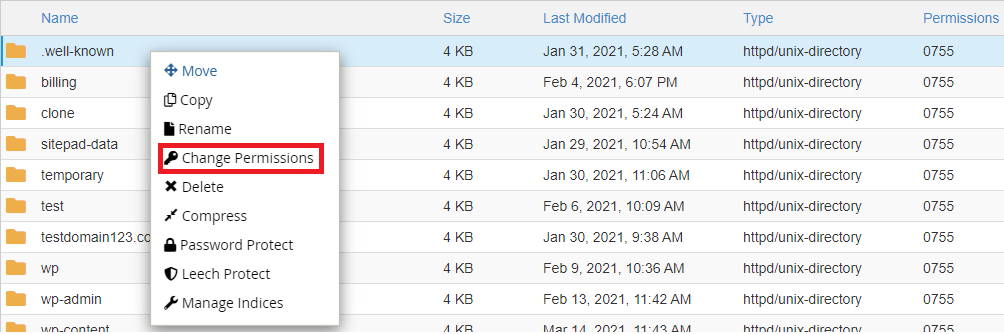
- Right-click it and choose Change Permissions. You can also select it and click Permissions in the top bar.
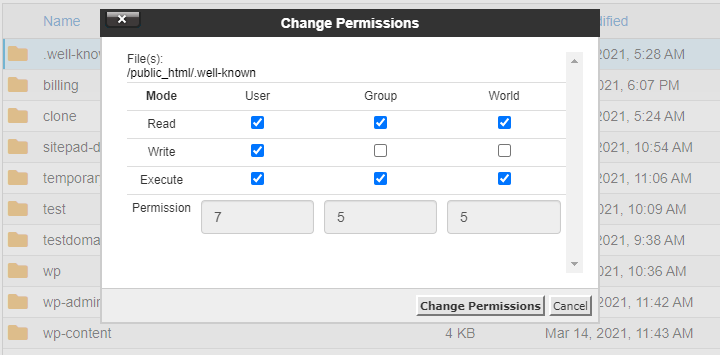
- Tick the boxes for Read, Write and Execute for each group. The number at the bottom updates by itself. You can also type the number.
- Click Change Permissions.
- Check your website still works.
If your site shows an error after a change
- Put the old value back.
- For a "403 Forbidden" error, set folders to 755 and files to 644.
- If it still fails, send a ticket to Hostvento support at https://secure.hostvento.com/submitticket.php.
Tip: Write down the old number before you change it. Then you can go back fast.
Quick recap
- Permissions say who can read, write or run a file.
- Use 644 for files and 755 for folders.
- Avoid 777.
- Change them with right-click, then Change Permissions, in File Manager.